

Vertical mice tend to suit arthritis in the wrist or forearm better, since they need almost no repeated finger motion. Trackballs tend to suit arthritis higher up the arm better, since the hand stays still while only the thumb or fingers move. Neither is a universal answer, and where your arthritis is located matters more than which device reviewers rank higher.
- A vertical mouse holds the hand in a neutral, handshake-style grip, which Cornell’s ergonomics program lists among the setups that keep the forearm from rotating into a strained position at a keyboard and mouse.
- A trackball lets the palm and wrist stay completely still, since only the thumb or fingers roll the ball, which can matter more if wrist or forearm movement is what triggers discomfort.
- Finger-operated trackballs spread the rolling motion across the index and middle fingers. Thumb-operated trackballs put all of that motion on the thumb joint alone.
- Cleveland Clinic describes hand arthritis as cartilage wear at the joints, a different mechanism from the nerve compression behind carpal tunnel syndrome, so what helps one doesn’t automatically help the other.
- Mayo Clinic’s general mouse guidance, keeping the wrist straight and using a light touch on the buttons, applies to either device once you’ve picked one.
This article is for informational purposes only and is not medical advice. Arthritis is a diagnosed medical condition, and the type, location, and severity vary widely from person to person. Talk to a doctor, hand therapist, or occupational therapist about which input device fits your specific joints before you buy, and stop using any device that increases your pain.

In this article:
- Trackball vs vertical mouse at a glance
- What is a trackball mouse?
- What is a vertical mouse?
- Finger movement
- Wrist and forearm movement
- Precision and control
- When a vertical mouse may be more comfortable
- When a trackball may be more comfortable
- Should you try both before deciding?
- Frequently asked questions
Trackball vs Vertical Mouse: At a Glance
| Feature | Trackball | Vertical Mouse |
|---|---|---|
| Hand movement needed | Minimal, mostly thumb or fingers | Whole hand and wrist move together |
| Wrist posture | Stays flat and still | Upright, neutral handshake grip |
| Best for arthritis located in | Wrist, forearm, shoulder | Wrist, forearm (thumb ball style excluded) |
| Learning curve | Longer, different muscle memory | Shorter, motion is close to a normal mouse |
| Desk space | Stays in one spot, no sliding | Needs normal mousing room |
| Typical price | $30-$100 | $25-$80 |
What Is a Trackball Mouse?
A trackball mouse stays still on the desk. Instead of sliding the whole device to move the cursor, you roll a ball set into the body with your thumb or fingers. The palm and wrist barely move at all once your hand finds its resting position.
Trackballs split into two rough designs. Thumb-operated models put the ball where your thumb naturally reaches, leaving your fingers free for the buttons. Finger-operated models place the ball in the center, so your index and middle fingers do the rolling instead. That difference matters a lot for arthritis, since it decides which specific joint takes on the repeated motion. A larger trackball, rolled with several fingers at once rather than one, spreads the load further still, which is worth checking on the spec sheet before you buy rather than assuming all trackballs work the same way.
What Is a Vertical Mouse?
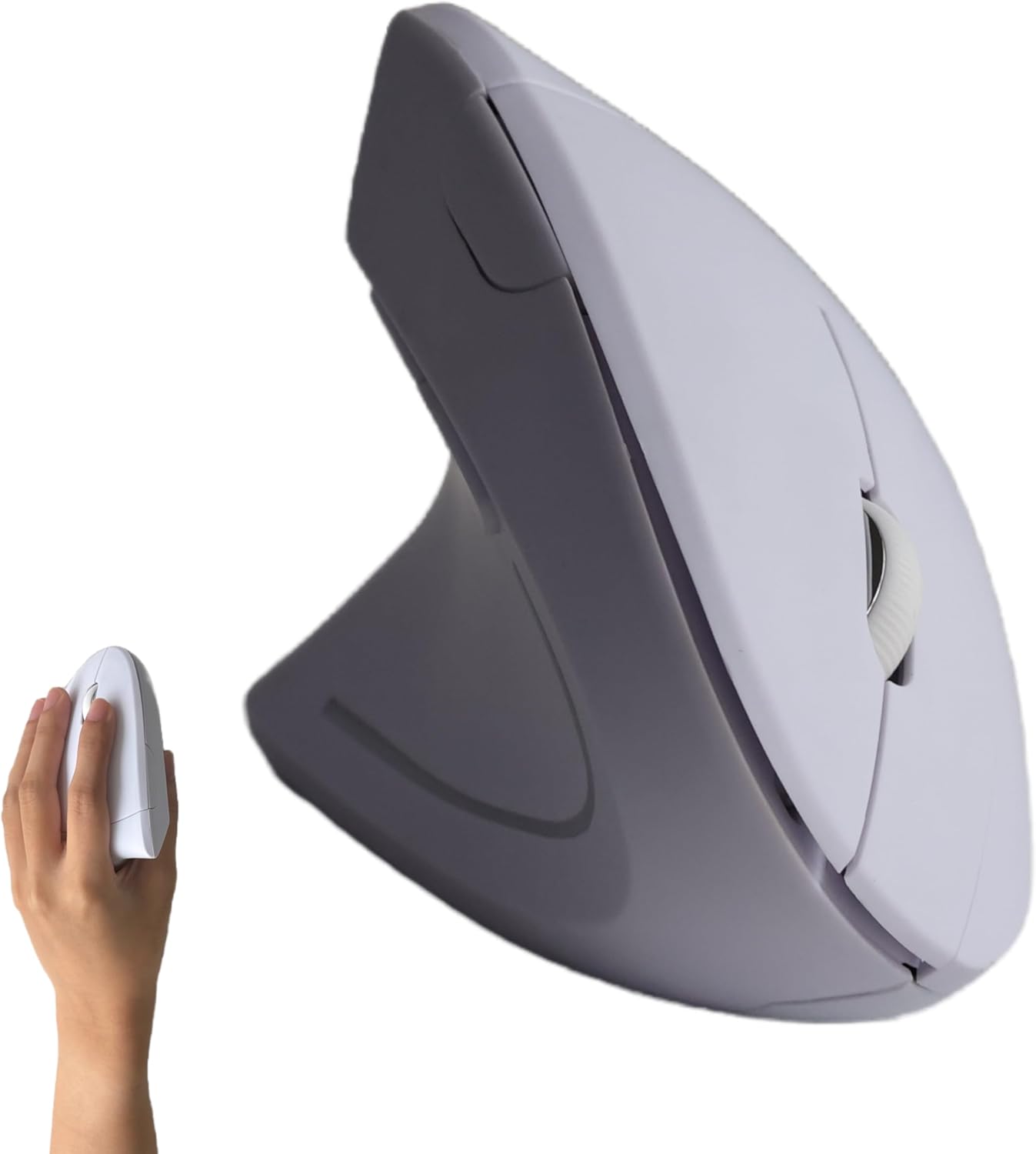
A vertical mouse tilts the body of the mouse up, usually 45 to 65 degrees, so your hand rests in a handshake position instead of palm-down. Cornell’s ergonomics program lists this upright, neutral hand position among the setups it recommends to reduce forearm strain at a computer, alongside ergonomic keyboards (Cornell CUErgo, 10 Tips for Mouse Use).
You still move a vertical mouse across the desk the way you would a standard mouse, sliding it to move the cursor. The tilt changes your grip and forearm angle, not the underlying motion, which is why the learning curve is usually shorter than switching to a trackball. Tilt angles vary by model too, and a steeper angle is not automatically better. The right angle is whichever one lets your hand rest without your wrist rolling inward or outward to compensate.
Trackball vs Vertical Mouse: Finger Movement
This is where the two devices pull in opposite directions. A trackball asks a lot more of your fingers or thumb, since that’s the only part of your hand doing the work of moving the cursor. If arthritis sits in the finger or thumb joints specifically, a trackball can concentrate strain right where it already hurts, particularly a thumb-operated design used for hours at a time.
A vertical mouse asks almost nothing extra of your fingers beyond normal clicking. The cursor movement comes from your arm and wrist sliding the whole device, spreading the motion across bigger muscles and joints instead of concentrating it in one or two finger joints.
Trackball vs Vertical Mouse: Wrist and Forearm Movement
Here the advantage flips. A trackball keeps your wrist and forearm essentially motionless once you’re set up, since the ball does the work instead of your arm sliding the device around. If arthritis or joint pain is centered in the wrist or forearm rather than the fingers, that stillness is the entire appeal.
A vertical mouse still requires your forearm and wrist to move together as you slide it, just from a more neutral starting angle than a flat mouse. Mayo Clinic’s general guidance, keep the wrist straight rather than bent to either side, applies to a vertical mouse in motion the same way it applies to any mouse.
Trackball vs Vertical Mouse: Precision and Control
A vertical mouse behaves close enough to a standard mouse that precision rarely suffers, since the underlying motion, sliding the device to move the cursor, hasn’t changed. Most people adjust within a day or two.
A trackball takes longer to get precise with, often a couple of weeks of regular use before fine cursor control feels natural. For detailed work like photo editing or spreadsheet cell selection, that adjustment period is worth planning for rather than judging the device on the first afternoon. Most trackballs let you adjust cursor sensitivity, and starting slower than feels natural during the first week tends to shorten the overall adjustment period rather than extend it.
When a Vertical Mouse May Be More Comfortable
A vertical mouse is worth trying first if your discomfort centers on the wrist or forearm rotation of a flat mouse, if you want a shorter adjustment period, or if your finger joints are the more sensitive area you’d rather not load up further. See our picks for comfortable ergonomic mice for vertical models across a range of grip sizes.
When a Trackball May Be More Comfortable
A trackball is worth trying if keeping your wrist and forearm completely still matters more than finger movement, if your hands are smaller and a full-size mouse already feels like a stretch, or if desk space is tight since a trackball never needs to slide. Our picks for ergonomic mice for small hands covers sizing, which matters as much as the trackball-versus-vertical choice itself for a comfortable grip.
Should You Try Both Before Deciding?
If you can, yes. Arthritis affects specific joints, not a general category of “hand pain,” so the device that helps depends on exactly where your joints are sensitive, something no article can determine for you. A short return window matters more here than with most accessories. Try one for a week of real work rather than a few minutes in a store, since arthritis symptoms often respond to sustained repetitive motion rather than the first few clicks.
If you’re already using a vertical mouse and it isn’t helping, that’s useful information: it suggests the strain isn’t coming from wrist rotation, and a trackball’s stillness might be worth testing next. The reverse applies too. Our related guide on trackball vs vertical mouse for wrist pain covers the same comparison from a wrist-pain angle rather than an arthritis one, useful if your discomfort doesn’t have a formal diagnosis behind it yet.

Frequently Asked Questions
Can a trackball make arthritis worse?
It can, if your arthritis is in the thumb or finger joints specifically, since a trackball concentrates repeated motion there. A finger-operated design or a vertical mouse may be a better first try in that case.
Is a vertical mouse only useful for carpal tunnel, not arthritis?
No. It is often mentioned alongside carpal tunnel relief, but the neutral wrist position it encourages is a general ergonomic benefit, not specific to one condition. Arthritis and carpal tunnel syndrome are different mechanisms, so what helps depends on your specific joints.
How long does it take to adjust to a trackball?
Most people need one to two weeks of regular use before precision feels natural. Give it a fair trial before deciding it does not work for you.
Is a thumb-operated or finger-operated trackball better for arthritis?
It depends entirely on which joints are affected. A thumb-operated trackball concentrates motion in the thumb joint, while a finger-operated design spreads it across the index and middle fingers. Neither is universally better.
Should I talk to a doctor before buying either device?
If you have a diagnosed arthritis condition, yes. A hand therapist or occupational therapist can point to the specific joints involved and which motion patterns to avoid, which is more reliable than guessing from a product description.
Trackball and vertical mouse aren’t competing for the same joints. A trackball spares your wrist and forearm at the cost of more finger work. A vertical mouse spares your fingers at the cost of continued wrist and forearm motion, just from a friendlier angle. Match the device to where your arthritis actually is, not to which one has more positive reviews.
Related reading: How Long Does It Take to Get Used to a Vertical Mouse?




Write Your Review
No reviews yet. Be the first to share your experience!