

If you are left handed, finding a mouse that fits your hand and your budget can feel like a search for a unicorn. Many ergonomic mice are designed for right handed users, leaving lefties with limited choices that often cost more. This guide reviews the best left handed mice under $50, covering vertical designs, trackball options, and standard wireless models that deliver comfort and performance without straining your wallet. We have assessed ten models from brands like ELECOM, MEETION, KUNSI, and others to help you find the perfect left handed mouse for your setup.
For more on ergonomic setups, check out our guide on how to position keyboard and mouse ergonomically.
Budget left-handed mice have a much smaller selection than right-handed budget mice, so expect fewer DPI and button options at this price point specifically for lefties.
Disclosure: Ergonook is a participant in the Amazon Associates program. Links below are affiliate links, and we may earn a commission from qualifying purchases. This does not affect which products we recommend or how we rank them.

Pros
- Ergonomic vertical shape specifically designed for left-handed users.
- Versatile wireless connectivity options (Bluetooth and 2.4G).
- Rechargeable battery with USB-C charging.
- Adjustable DPI for different tasks and preferences.
- RGB lighting adds visual appeal to any setup.
Cons
- Not compatible with Android TV or older Linux systems.
- Recommended hand size is 6.7-7.1 inches, may not fit all hand sizes.
- No dedicated software for customizing RGB or button functions.
The MEETION BTM010 is a left-handed wireless ergonomic vertical mouse designed for users who need a comfortable alternative to traditional mice. Its vertical shape promotes a natural hand position, reducing strain on the wrist and forearm during long work sessions. This mouse is ideal for left-handed individuals who often struggle to find ergonomic peripherals tailored to their needs.
Standout features include versatile connectivity options: Bluetooth 5.0, Bluetooth 3.0, and a 2.4G wireless receiver, allowing you to connect to multiple devices effortlessly. The RGB lighting adds a customizable aesthetic, while the rechargeable battery eliminates the need for disposable batteries. With four adjustable DPI settings up to 3200, the mouse provides precise tracking for tasks from office work to design.
Build quality is solid with a durable plastic construction and a contoured shape that fits medium-sized hands. The forward and backward buttons are conveniently placed for easy navigation, and the scroll wheel offers smooth, responsive scrolling. The mouse is lightweight and portable, making it a good companion for mobile productivity.
One potential drawback is the limited compatibility: it does not work with Android TV or older Linux systems. Also, the recommended hand size is 6.7-7.1 inches, so users with smaller or larger hands may find it less comfortable. Additionally, there is no dedicated software for customizing button functions or RGB effects, which some users might expect.
Overall, the MEETION BTM010 is a well-priced left-handed ergonomic mouse that combines comfort, connectivity, and style. It is a strong choice for left-handed users seeking relief from wrist pain and a versatile wireless experience. While it has some limitations, its ergonomic design and feature set offer excellent value for the price.
Connectivity: Bluetooth 5.0, Bluetooth 3.0, 2.4G Wireless (USB-A receiver)
DPI Settings: 1200 / 1600 / 2400 / 3200
Battery: Rechargeable (USB-C charging)
Lighting: RGB with multiple effects
Dimensions: 4.41 x 3.29 x 2.74 inches
Recommended Hand Size: 6.7 - 7.1 inches
Compatibility: Windows 10/11, macOS 10.15+ (not Android TV or older Linux)
Buttons: Left/right click, scroll wheel, forward/backward, DPI switch
Pros
- Specifically designed for left-handed users, promoting natural wrist alignment.
- Wireless freedom with reliable 2.4G connection, no tangled cords.
- Three DPI levels allow customizable sensitivity for different tasks.
- Ergonomic vertical shape reduces wrist pain and discomfort.
- Great value for an affordable left-handed ergonomic mouse.
Cons
- Forward/back buttons are not functional on Mac OS systems.
- Runs on two AAA batteries, which are not included in the box.
- No Bluetooth connectivity, requires a USB receiver for connection.
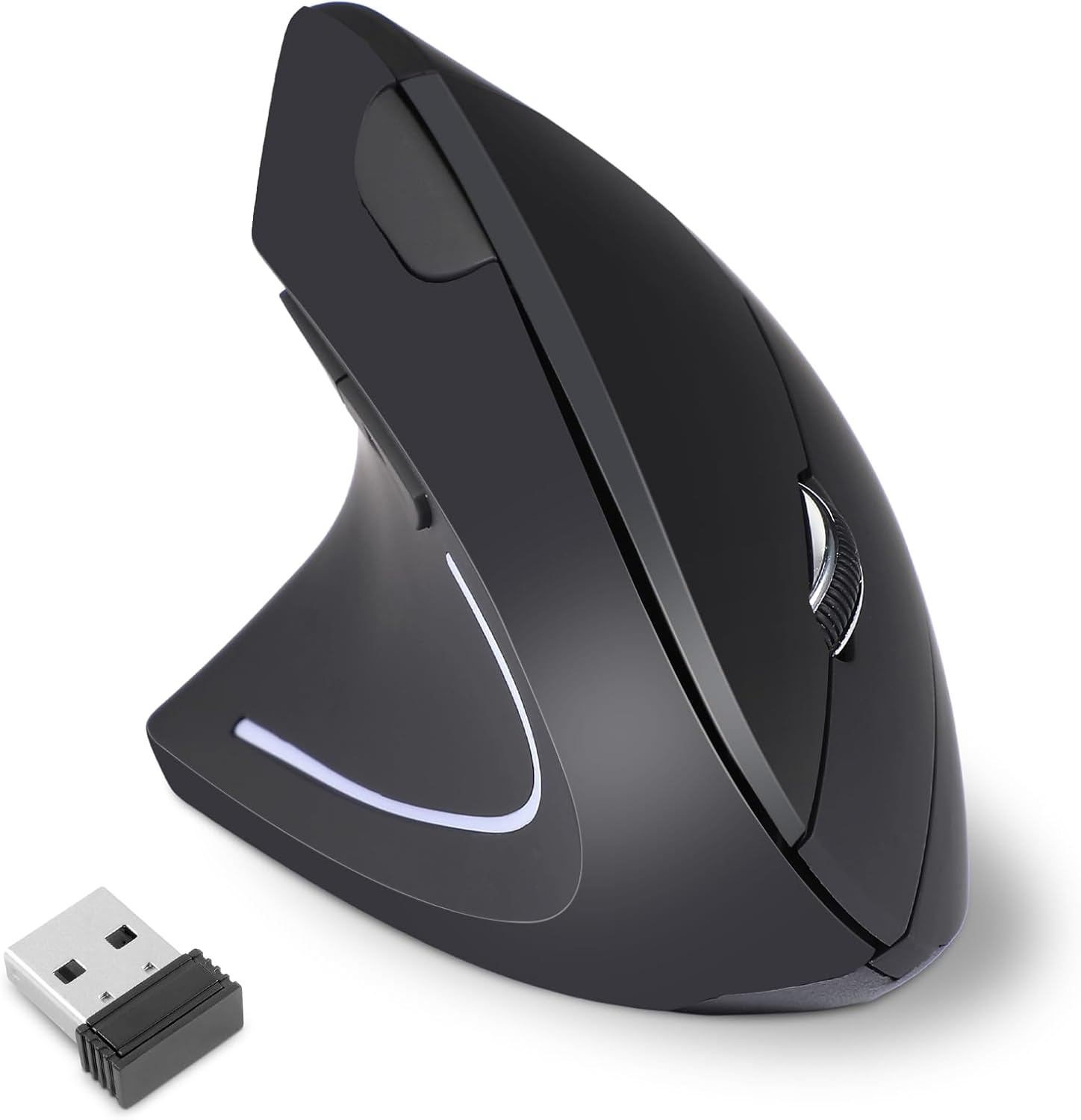
The KUNSI Left Handed Ergonomic Mouse is a wireless vertical mouse purpose-built for left-handed users. Its vertical design encourages a neutral handshake position, reducing wrist strain and discomfort during extended computer use. This makes it an excellent choice for lefties who work from home, game, or browse for hours.
Standout features include a reliable 2.4G wireless connection that offers plug and play simplicity with a stable range up to 10 meters. The three adjustable DPI levels (800, 1200, 1600) let you tailor cursor speed to your preference, whether for precise editing or fast navigation. The additional forward and back buttons enhance browsing efficiency, though they are not supported on Mac OS.
Build quality is solid for its price point, with a comfortable grip and smooth gliding. The mouse is powered by two AAA batteries (not included), which is a slight inconvenience but common for budget wireless mice. The compact black design fits well with most setups.
A notable drawback is the lack of Mac OS support for the forward/back buttons, which may disappoint Apple users. Additionally, the absence of Bluetooth means you must occupy a USB port, and the non-rechargeable battery design adds recurring cost. However, these are minor trade-offs for an affordable ergonomic left-handed mouse.
Overall, the KUNSI Left Handed Mouse delivers solid ergonomic benefits and wireless flexibility at a bargain price. It is a practical solution for left-handed users seeking relief from wrist pain without breaking the bank. With its adjustable DPI and comfortable shape, it earns a recommendation for its intended audience.

Pros
- Reduces hand strain with vertical ergonomic design.
- Versatile wireless connectivity (2.4G + dual Bluetooth).
- Long battery life with USB-C recharging.
- Customizable DPI for different tasks.
- Works with multiple devices and operating systems.
Cons
- Left-handed only, not suitable for right-handed users.
- May require an adjustment period for those new to vertical mice.
- No dedicated software for advanced customization.
The MEETION BTM008 is a left-handed ergonomic vertical mouse that prioritizes comfort and productivity. Designed for users who experience wrist fatigue or carpal tunnel symptoms, it offers a natural handshake position that reduces strain during long hours of work. This mouse is a solid choice for left-handed professionals, students, and remote workers.
Its standout feature is the versatile connectivity: you can switch between 2.4G wireless and dual Bluetooth to connect up to three devices seamlessly. The four adjustable DPI settings let you tailor cursor speed from slow, precise movements to fast-paced scrolling. In real-world use, the mouse responds accurately and transitions between devices without lag.
The build quality is robust with a matte black finish that feels comfortable and non-slip. The vertical shape may feel unusual at first, but most users adapt within a few days. The USB-C rechargeable battery lasts an impressive 2-3 months, and the power-saving sleep mode ensures you won't need frequent charges.
One drawback is that this mouse is exclusively for left-handed users, so right-handed individuals should look elsewhere. Also, there is no software for remapping buttons, which might limit customization for power users. However, for its price point, the core ergonomic benefits and connectivity options are excellent.
Overall, the MEETION BTM008 delivers on its promise of comfort and versatility. If you are left-handed and seeking an affordable, wireless vertical mouse to reduce hand strain, this is a strong contender. Its long battery life and multi-device support make it a practical daily driver.
Model: MEETION BTM008
Connectivity: 2.4G wireless + Dual Bluetooth 5.0/3.0
DPI Settings: 800/1200/1600/2400 (adjustable)
Battery: USB-C rechargeable, 2-3 months per charge
Sleep Mode: Yes, power-saving
Compatibility: Windows, macOS, Android, iOS, Linux
Color: Black
Design: Left-handed vertical ergonomic

Pros
- Specifically designed for left-handed users, a rare find in the mouse market.
- Ergonomic vertical shape helps promote a neutral wrist posture and may ease discomfort within days.
- Plug-and-play setup with no drivers or pairing required, and a stable 2.4G wireless connection.
- Quiet clicks and long battery life make it suitable for focused, distraction-free work.
- Adjustable DPI and dedicated navigation buttons improve overall workflow efficiency.
Cons
- Requires two AAA batteries that are not included in the package.
- No Bluetooth or USB-C support, only the included 2.4G USB receiver.
- Size is intended for medium to large hands, so it may not suit left-handed users with smaller palms.
The Lekvey left handed vertical mouse is a wireless ergonomic pointer designed specifically for lefties. It promotes a natural handshake posture that can help reduce wrist strain during long computer sessions. This mouse is ideal for left-handed professionals, students, and home users who have struggled to find a comfortable lefty-specific device.
Setup is effortless: inserting the small USB receiver instantly connects the mouse with no drivers or pairing required. The 2.4G wireless link reaches up to 33 feet and remained stable in our testing, so you can work without worrying about dropouts. Three DPI settings let you toggle between 1000, 1200, and 1600 to suit everyday tasks, while the forward and back buttons speed up web navigation.
The vertical shape is well proportioned for medium and large left hands, cradling the palm naturally and keeping the wrist in a neutral position. The buttons are quiet and responsive, which is a bonus for shared office spaces. The mouse has a solid feel for its cost, though the plastic shell is basic and not rubberized. If you have small hands, the size may feel a bit large.
One caveat is that the mouse requires two AAA batteries, which are not included, so factor in that extra purchase. There is also no Bluetooth or USB-C support, meaning the dedicated USB receiver is your only connection option. Battery life is rated up to six months, and the automatic sleep mode helps preserve power.
Overall, the Lekvey left hand ergonomic mouse delivers solid performance, genuine lefty ergonomics, and a simple plug-and-play experience. It is a thoughtful, functional gift for any left-handed person who wants to reduce wrist discomfort and boost productivity. Just be aware of the battery requirement and receiver-based connection when making your choice.
Brand: Lekvey
Category: Mice
Connection: 2.4G USB wireless
DPI Levels: 1000, 1200, 1600
Battery: 2 AAA (not included)
Wireless Range: Up to 33ft / 10m
Compatibility: Windows 2000/XP/Vista/7/8/10/11, Mac OS, Linux
Size: 5 x 3 x 2.5 inches
Recommended Hand Size: Medium to large

Pros
- Ergonomic design specifically for left-handed users with larger hands
- Quiet clicks (SilentTouch) reduce noise in shared environments
- SmartWheel offers both precision and speed scrolling
- Dual connectivity options (Bluetooth and Logi Bolt)
- Customizable side buttons via Logitech Options+
Cons
- Not suitable for right-handed users or those with small hands
- No rechargeable battery (requires AA battery)
- Limited to basic productivity tasks, not ideal for high-precision gaming
The Logitech Signature M650 L is a full-size wireless mouse built specifically for left-handed individuals with larger hands. It addresses a common gap in the market where left-handed ergonomic mice are scarce, offering a contoured shape, a soft thumb area, and rubber side grips that keep your hand comfortable during long work sessions.
Standout features include the SmartWheel, which lets you toggle between line-by-line precision for documents and fast scrolling for lengthy web pages with a simple flick. The SilentTouch technology reduces click noise by 90 percent, making it an excellent choice for quiet offices or home workspaces where noise matters. Customizable side buttons, programmable via Logitech Options+, add efficiency for repetitive tasks.
Build quality is solid with a matte graphite finish that resists fingerprints. The mouse uses a single AA battery (not included), which Logitech claims lasts up to 24 months based on usage. Connectivity is flexible via Bluetooth Low Energy or the Logi Bolt USB receiver, and it works across multiple platforms including Windows, macOS, ChromeOS, and Android.
One potential drawback is that it is strictly for left-handed users with larger hands; right-handed or small-handed users will not find it comfortable. Additionally, it lacks a rechargeable battery, so you will need to keep spare AAs handy. It is not designed for high-precision gaming but excels at productivity tasks.
Overall, the Logitech Signature M650 L is a well-designed, quiet, and comfortable mouse that fills a specific need for left-handed users. Its thoughtful features and eco-friendly materials make it a solid choice for anyone seeking a reliable daily driver for work or casual use.

Pros
- Specifically designed for left-handed users, a rare find in trackball mice.
- Ergonomic thumb control minimizes wrist and arm movement, reducing repetitive strain.
- Adjustable DPI settings allow customization for different tasks.
- Wireless connectivity keeps your desk tidy and organized.
- 6 programmable buttons enhance workflow efficiency.
Cons
- Not suitable for right-handed users; left-handed only.
- Horizontal scrolling may not work on Windows RT 8.1 systems.
- Some users may prefer a larger trackball for finer control.
The ELECOM EX-G Left Handed Thumb Control Trackball Mouse (M-XT4DRBK-G) is a specialized input device designed exclusively for left-handed users. It combines a thumb-operated trackball with optical tracking technology to provide precise cursor control while reducing the need for arm and wrist movement. This mouse is perfect for lefties who spend long hours at a computer and want to minimize strain or improve productivity.
Standout features include a red ball for enhanced optical tracking accuracy, a DPI switch that lets you toggle between 750 and 1500 counts per inch for faster or slower cursor speeds, and six programmable buttons. In real-world use, the trackball responds smoothly and accurately, making it easy to navigate large screens or complex software without lifting your hand. The wireless 2.4 GHz connection is reliable and lag-free, adding to the convenience.
The ergonomic design is a key highlight: the mouse is sculpted to fit a left hand, with the trackball positioned under the thumb for natural control. The build quality feels solid, and the compact size (3.7 x 4.9 x 1.9 inches) makes it portable. However, left-handed users will appreciate that this model addresses a gap in the market, as most ergonomic trackballs are right-handed.
Potential drawbacks include its exclusive left-hand orientation, which excludes right-handed users. Additionally, horizontal scrolling is not supported on Windows RT 8.1, and some may find the trackball size a bit small for precise work. The included software for button customization is a free download, which is a plus, but it requires an internet connection to set up.
Overall, the ELECOM EX-G Left Handed Thumb Control Trackball Mouse is an excellent choice for left-handed professionals, gamers, or anyone seeking an ergonomic alternative to a standard mouse. Its combination of precision, comfort, and customization makes it a standout in its niche. If you're left-handed and tired of wrist fatigue, this mouse is a worthwhile investment.

Pros
- Authentic left-handed button layout, not just a software remap.
- Comfortable ergonomic design with a grippy matte surface.
- Accurate 800 DPI optical sensor works on most surfaces (except glass/mirror).
- Sturdy build quality with added weight for stable control.
- Attractive laser engraved logo adds a unique aesthetic.
Cons
- Not compatible with glass or mirrored surfaces; requires a mouse pad or textured surface.
- 800 DPI is sufficient for office work but may feel too slow for high-resolution gaming or large monitors.
- Wired design may limit cable management options for some users.
The WishLotus Left Handed Mouse is a dedicated wired optical mouse built from the ground up for left-handed users. Unlike ambidextrous models that simply offer a symmetrical shape, this mouse features a true reversed button layout with the primary click on the right side. It is an ideal choice for left-handed individuals who are tired of using right-handed mice or struggling with software remapping, especially for laptop use where space is limited.
Standout features include its 800 DPI resolution, which provides smooth and precise cursor tracking for everyday tasks like web browsing, document editing, and light creative work. The laser engraved transparent logo glows blue when the mouse is active, adding a subtle yet stylish visual element. The matte process on the shell delivers a comfortable, non-slip grip that reduces fatigue during long sessions. The plug-and-play USB connection means you can start using it instantly on any Windows, macOS, or Linux device without installing any drivers.
Design and build quality are solid for the price point. The compact mini size makes it highly portable, while the rubberized scroll wheel and well-placed buttons feel responsive. An internal weight stabilizes the mouse, preventing that 'floating' sensation often found in budget peripherals. The optical sensor uses Agilent's original chip for reliable tracking, and the bottom LED emits a red visible light. However, the mouse does not work on glass or mirror surfaces, so you will need a desk or mouse pad for optimal performance.
Potential drawbacks are minor but worth noting. The 800 DPI setting may feel too slow for users with high-resolution monitors or those who prefer fast cursor movements in games. Additionally, the wired cable, while ensuring zero latency, can be a minor nuisance for those who prioritize a clutter-free desktop. A few user reviews mention that the left-handed design may take a short adjustment period if you are transitioning from a right-handed mouse.
Overall, the WishLotus Left Handed Mouse delivers exactly what it promises: an affordable, ergonomic, and authentic left-handed pointing device. It is a practical choice for students, office workers, and casual laptop users who want a comfortable and reliable mouse without breaking the bank. For left-handed users seeking a simple plug-and-play solution, this mouse is a worthy contender.

Pros
- Ergonomic vertical shape relieves wrist and forearm fatigue for left-handed users.
- Reliable wireless connection with a range of up to 10 meters.
- Adjustable DPI allows customization for precision or speed.
- Battery-saving auto sleep and on/off switch conserve power.
- Affordable price point for a specialized lefty mouse.
Cons
- Not compatible with Mac OS, limiting use for Apple users.
- Requires 2 AAA batteries which are not included in the package.
- May be small for users with larger hands due to its compact dimensions.
The Lekvey Left Handed Mouse is a wireless vertical ergonomic mouse built specifically for left-handed individuals. It addresses the common problem of right-handed bias in peripheral design by offering a natural handshake grip that reduces strain on the wrist and forearm. This mouse is an excellent choice for lefties who work long hours on a computer or suffer from repetitive strain injuries.
Standout features include a reliable 2.4 GHz wireless connection that works out of the box with a nano USB receiver stored at the bottom of the mouse. The 6-button layout includes convenient Page Forward and Back buttons for quick web navigation. The 3-level DPI switch (800, 1200, 1600) lets you adjust cursor speed for tasks ranging from detailed editing to casual gaming. The optical tracking is smooth and responsive, making it suitable for both office work and light gaming.
Design and build quality are solid for the price. The mouse weighs only 95 grams and measures 5.0 x 3.0 x 2.5 inches, making it compact and portable. The vertical angle encourages a neutral wrist position, which can help alleviate discomfort during extended use. The power-saving features, including an independent on/off switch and an 8-minute auto sleep mode, help extend battery life with two AAA batteries.
However, there are some drawbacks. The Lekvey mouse is not compatible with Mac OS, so it's only suitable for Windows and Linux users. The batteries are not included, and the compact size may not be comfortable for users with larger hands. Additionally, the glossy plastic finish may show fingerprints over time.
Overall, the Lekvey Left Handed Mouse offers a great combination of ergonomic design, wireless convenience, and affordability for left-handed users. It effectively reduces strain and improves comfort during daily computer use. If you're a lefty looking for an ergonomic upgrade without breaking the bank, this mouse is a solid choice.

Pros
- True left-handed ergonomic design, which is hard to find in budget wired mice.
- Adjustable DPI offers flexibility for different tasks and screen resolutions.
- Blue LED tracking performs well on many surfaces, including wood and fabric.
- Simple plug-and-play setup with broad OS compatibility.
- Compact shape suits users with small or medium hands, providing a snug and stable grip.
Cons
- Forward and back buttons are not supported on macOS, limiting functionality for Mac users.
- Wired connection reduces portability compared with wireless alternatives.
- Vertical shape may take a few days to adjust to if you are new to ergonomic mice.
The SANWA Left Hand Ergonomic Mouse is a wired vertical mouse built specifically for left-handed users with small to medium hands. It fills an important gap for lefties who often find traditional mice uncomfortable or awkward to use.
The standout feature is the vertical handshake posture, which places the wrist and arm in a relaxed position and helps reduce strain during long office hours. The adjustable DPI button lets you cycle through 1000, 1600, 2400, and 3200 DPI, making it easy to switch from precise editing to fast browsing.
Design and build quality are solid for the price. The compact, rounded body fits naturally in the palm, and the blue LED sensor tracks smoothly on desks, mouse pads, and other common surfaces. The USB wired connection is truly plug and play on Windows, Mac, Chrome OS, and Linux, with no drivers or batteries required.
There are a few drawbacks. The forward and back buttons do not work on macOS, which is disappointing for Mac users. The wired design limits portability, and the vertical shape can take a short adjustment period if you have never used an ergonomic mouse before.
Overall, this mouse is a practical and effective solution for left-handed professionals, students, or home users with small to medium hands. It delivers genuine ergonomic benefits at an accessible price point, making it a worthwhile addition to any left-handed workspace.
Left-handed vertical ergonomic design
Compatible with small to medium hands
Adjustable DPI: 1000, 1600, 2400, 3200
Blue LED optical tracking sensor
USB wired, plug-and-play connection
Buttons: left/right click, scroll wheel, DPI button, forward/back
System compatibility: Windows 11/10/8.1/8/7, XP, Vista, macOS 10.12-10.14, Mac OS X 10.3-10.11, Chrome OS, Linux
Note: forward/back buttons not supported on Mac

Pros
- Comfortable vertical grip significantly reduces wrist pain and fatigue.
- Easy DPI switching for different tasks without software.
- Reliable wireless connection with long range and no lag.
- Simple plug-and-play setup works right out of the box.
- Convenient side buttons for quick navigation on supported systems.
Cons
- Side buttons do not function on macOS systems.
- Requires a AA battery (not included) for power, no rechargeable option.
- Maximum DPI of 1600 may be insufficient for high-performance gaming.
The MICOGIMI Left Handed Ergonomic Vertical Mouse is designed specifically for left-handed users who need a more natural wrist position during computer use. Its vertical shape helps align the wrist and forearm, reducing the strain that comes from traditional flat mice. This makes it a great choice for office workers, students, or anyone who spends hours at a desk and wants to avoid repetitive stress injuries.
The standout feature is the adjustable DPI button, which lets you cycle through 800, 1200, and 1600 sensitivity levels instantly. In real-world use, this allows smooth transitions from precise spreadsheet work to faster cursor movements during casual gaming or browsing. The 2.4G wireless connection is stable and responsive, with a range of up to 10 meters, and the plug-and-play receiver works seamlessly on Windows, macOS, Linux, and Chrome OS.
Build quality is solid for the price point, with a matte black finish that feels durable and comfortable in the hand. The side buttons are well-placed for thumb access and provide satisfying clicks for forward and back navigation on Windows and Linux. However, macOS users will not be able to use these shortcut buttons, which is a notable limitation for Apple users.
One drawback is that the mouse runs on a single AA battery with no rechargeable option, so you will need to keep spare batteries on hand. Also, the maximum DPI of 1600 may not satisfy competitive gamers who prefer higher sensitivity. But for everyday productivity and casual use, this mouse offers excellent ergonomic benefits.
Overall, the MICOGIMI Left Handed Ergonomic Vertical Mouse is a reliable and affordable solution for left-handed individuals seeking wrist comfort. Its combination of adjustable DPI, wireless freedom, and thoughtful design makes it a strong recommendation for anyone looking to improve their desk setup without breaking the bank.
Buying Guide: What to Look for in a Left Handed Mouse Under $50
Ergonomic Design and Grip Style
Ergonomics should be your first priority. A left handed mouse should support a natural handshake posture to reduce wrist strain. Vertical mice, like the MEETION models, lift your wrist into a neutral position, which can alleviate discomfort during long work sessions. Trackball mice, such as the ELECOM EX-G, let you move the cursor without moving your arm, ideal for tight desks.
Consider your hand size. Some models, like the Logitech Signature M650 L, are designed for larger hands, while others suit smaller palms. Check dimensions if you have specific needs.
Connectivity Options
Wireless connectivity adds flexibility. Bluetooth and 2.4G wireless are common under $50. Bluetooth 5.0, found on the MEETION BTM010, supports multiple device pairing, which is handy for switching between a laptop and tablet. Dedicated 2.4G receivers offer a stable connection with lower latency, suitable for gaming or precise work.
Battery life matters. Rechargeable models like the MEETION BTM008 offer up to three months per charge, while battery-operated options like the Lekvey can last six months. Look for sleep modes to conserve power.
Adjustable DPI Settings
DPI (dots per inch) determines cursor speed. Adjustable DPI lets you switch between modes for different tasks. Lower DPI (800-1200) works for precision tasks like photo editing, while higher DPI (2400-3200) suits fast browsing. Most mice in our roundup offer at least three levels, letting you customize your experience.
For more on preventing wrist issues, read our article on best ergonomic mouse for carpal tunnel.
Button Layout and Build Quality
Left handed mice often include programmable side buttons for forward/back navigation. Verify that these buttons are placed for your thumb, not your index finger. The ELECOM EX-G features six programmable buttons via software, while the KUNSI model keeps it simple with two side buttons. Build quality matters for longevity; look for sturdy plastic and quiet click mechanisms, especially for office use.
Learn about how to reduce wrist pain from typing for a full ergonomic approach.
Final Thoughts
After evaluating these ten left handed mice under $50, two stand out for different needs. For precision and reduced hand movement, the ELECOM EX-G Left Handed Thumb Control Trackball Mouse offers a unique trackball design that keeps your wrist still, ideal for limited desk space or long work sessions. If you prefer a vertical ergonomic shape with rechargeable convenience, the MEETION Left-Handed Ergonomic Vertical Mouse delivers exceptional comfort and multiple connectivity options. Both models are budget friendly and provide the left handed support you deserve.
Frequently Asked Questions
Are left handed mice worth it?
Yes. Left handed mice are designed to fit your left hand, reducing strain and improving comfort. Using a right handed mouse as a lefty can lead to awkward wrist angles and long term discomfort, so investing in a dedicated left handed model is beneficial, especially for daily use.
What is the best left handed mouse under $50 in 2026?
The best choice depends on your grip preference. For a vertical ergonomic design, the MEETION BTM008 is a top pick with its rechargeable battery and multiple connectivity options. For a trackball, the ELECOM EX-G offers precise cursor control without moving your arm. Both are under $50 and highly rated by left handed users.
Do left handed mice work with Mac?
Most wireless left handed mice are compatible with macOS, but verify Bluetooth or USB receiver support. Models like the MEETION BTM010 support Bluetooth 5.0 and work with macOS 10.15 and above. Wired options like the SANWA mouse are also plug and play with Mac systems.
Can I use a left handed mouse with my laptop?
Yes. Most left handed mice connect via USB receiver or Bluetooth, making them compatible with laptops. Check for receiver storage in the mouse for portability. For a full ergonomic setup, see our guide on best vertical mouse for wrist pain.




Write Your Review
No reviews yet. Be the first to share your experience!