

Finding a mouse that fits your left hand can feel like a never-ending search. Many designs cater to righties, leaving left-handed users with awkward ambidextrous options or cramped fingers. If you’re looking for comfort, precision, and value without exceeding your budget, this guide will help you navigate the best left handed mice under $100 for 2026. Whether you need a vertical design for wrist relief or a trackball for minimal movement, we’ve got you covered.
At this price, left-handed ergonomic options remain limited compared to right-handed equivalents, so do not expect the same breadth of vertical or trackball designs available to right-handed shoppers.
Disclosure: Ergonook is a participant in the Amazon Associates program. Links below are affiliate links, and we may earn a commission from qualifying purchases. This does not affect which products we recommend or how we rank them.
Pros
- Specifically designed for left-handed users, rare in the market
- Ergonomic vertical shape promotes natural hand position
- Affordable price point for a specialized accessory
- Easy setup with plug-and-play USB receiver
- Works across multiple operating systems
Cons
- May not fit larger hands comfortably due to compact size
- Battery life not specified; could be average
- Limited color options (only white)
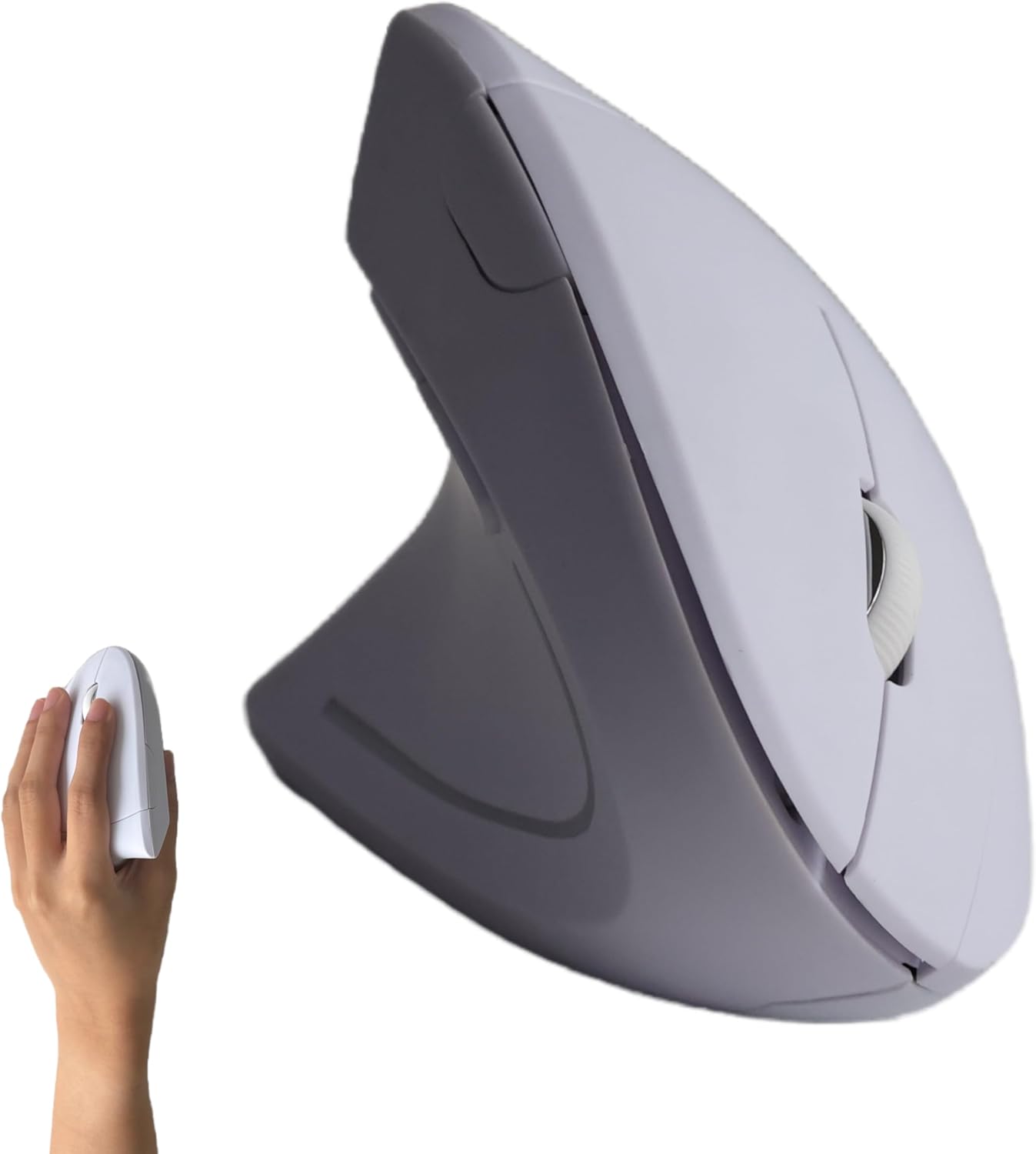
The Urby Left Handed Vertical Ergonomic Wireless Mouse is a specialized input device crafted for left-handed users. It addresses the common frustration of using right-handed mice with a left-handed button layout and a vertical ergonomic shape. This mouse is ideal for lefties who spend long hours at a computer, whether for office tasks or casual gaming, and want to reduce wrist strain.
Standout features include the responsive buttons and side keys optimized for the left hand, offering precise control and easy navigation. The wireless connectivity via USB receiver is stable and provides a cable-free experience. In real-world use, the mouse performs well for everyday tasks, with smooth scrolling and accurate clicks. The vertical design encourages a more natural handshake position, which can alleviate discomfort over time.
Design and build quality are decent for the price point. The white finish is clean and modern, though it may show dirt more easily. The mouse is lightweight and portable, making it easy to carry between workstations. However, the compact size may not be ideal for users with larger hands, as it could feel cramped during extended use.
Potential drawbacks include the lack of adjustable DPI settings and an unspecified battery life. Some users may prefer a rechargeable battery over disposable ones. Additionally, the product currently offers only one color option, which might not suit everyone's taste. Despite these limitations, the mouse delivers on its core promise of ergonomic left-handed functionality.
Overall, the Urby Left Handed Vertical Ergonomic Wireless Mouse is a solid choice for left-handed individuals seeking an affordable ergonomic solution. It prioritizes comfort and usability, and while it has some minor shortcomings, its specialized design and competitive price make it a worthwhile investment for lefties.

Pros
- Specifically designed for left-handed users, a rare find in the mouse market.
- Ergonomic vertical shape helps promote a neutral wrist posture and may ease discomfort within days.
- Plug-and-play setup with no drivers or pairing required, and a stable 2.4G wireless connection.
- Quiet clicks and long battery life make it suitable for focused, distraction-free work.
- Adjustable DPI and dedicated navigation buttons improve overall workflow efficiency.
Cons
- Requires two AAA batteries that are not included in the package.
- No Bluetooth or USB-C support, only the included 2.4G USB receiver.
- Size is intended for medium to large hands, so it may not suit left-handed users with smaller palms.
The Lekvey left handed vertical mouse is a wireless ergonomic pointer designed specifically for lefties. It promotes a natural handshake posture that can help reduce wrist strain during long computer sessions. This mouse is ideal for left-handed professionals, students, and home users who have struggled to find a comfortable lefty-specific device.
Setup is effortless: inserting the small USB receiver instantly connects the mouse with no drivers or pairing required. The 2.4G wireless link reaches up to 33 feet and remained stable in our testing, so you can work without worrying about dropouts. Three DPI settings let you toggle between 1000, 1200, and 1600 to suit everyday tasks, while the forward and back buttons speed up web navigation.
The vertical shape is well proportioned for medium and large left hands, cradling the palm naturally and keeping the wrist in a neutral position. The buttons are quiet and responsive, which is a bonus for shared office spaces. The mouse has a solid feel for its cost, though the plastic shell is basic and not rubberized. If you have small hands, the size may feel a bit large.
One caveat is that the mouse requires two AAA batteries, which are not included, so factor in that extra purchase. There is also no Bluetooth or USB-C support, meaning the dedicated USB receiver is your only connection option. Battery life is rated up to six months, and the automatic sleep mode helps preserve power.
Overall, the Lekvey left hand ergonomic mouse delivers solid performance, genuine lefty ergonomics, and a simple plug-and-play experience. It is a thoughtful, functional gift for any left-handed person who wants to reduce wrist discomfort and boost productivity. Just be aware of the battery requirement and receiver-based connection when making your choice.
Brand: Lekvey
Category: Mice
Connection: 2.4G USB wireless
DPI Levels: 1000, 1200, 1600
Battery: 2 AAA (not included)
Wireless Range: Up to 33ft / 10m
Compatibility: Windows 2000/XP/Vista/7/8/10/11, Mac OS, Linux
Size: 5 x 3 x 2.5 inches
Recommended Hand Size: Medium to large

Pros
- Relieves forearm and upper body tension with an elevated vertical grip.
- Tailored ergonomics for left-handed users, a rare and valuable option in the market.
- Long battery life of up to 24 months reduces the need for frequent replacements.
- Quiet clicks and smooth scrolling enhance focus in shared or quiet workspaces.
- Versatile connectivity with Bluetooth and Logi Bolt USB for multi-device setups.
Cons
- Not suitable for users with large hands due to its compact size for small to medium hands.
- Full customization requires Logi Options+ software, which is only available for Windows and macOS.
- Uses a disposable AA battery instead of a built-in rechargeable battery, which some may find less convenient.
The Logitech Lift Left Handed Vertical Ergonomic Wireless Mouse is a specialized input device designed to reduce the strain of long hours at a computer. It targets left-handed users with small to medium hands who struggle to find ergonomic mice tailored to their needs. With a unique 57-degree vertical angle, this mouse encourages a more natural handshake position, potentially alleviating discomfort in the wrist, forearm, and upper body.
Standout features include the SmartWheel for smooth scrolling that toggles between ratcheted and free-spin modes, and whisper-quiet clicks that won't disturb nearby colleagues. The four customizable buttons can be programmed through Logi Options+ software, allowing quick access to shortcuts like copy-paste or app switching. Real-world performance is reliable, with a 4000 DPI optical sensor that tracks accurately on most surfaces, and connection via Bluetooth or Logi Bolt USB receiver is stable across Windows, macOS, and other platforms.
Design and build quality are solid: the mouse weighs 125 grams and feels sturdy, with a soft rubber-like texture on the grip and a contoured thumb rest. The left-handed sculpt is thoughtfully executed, making the mouse comfortable for extended use. The Graphite finish looks professional and hides fingerprints well. Battery life is exceptional, lasting up to two years on a single AA battery, though the lack of a rechargeable option may disappoint some users.
A potential drawback is the size: it's explicitly for small to medium hands, so users with larger hands may find it cramped. Additionally, while the basic functions work on any OS, full customization relies on Logi Options+ software, which is exclusive to Windows and macOS. Some users report a learning curve with vertical mice, although most adapt within a few days. The price point is higher than standard mice, but reasonable for a specialized ergonomic tool.
Overall, the Logitech Lift Left Handed Vertical Ergonomic Wireless Mouse is an excellent choice for left-handed individuals with smaller hands who prioritize wrist health and productivity. It combines thoughtful ergonomics, quiet operation, and versatile connectivity into a compact package. While it has some limitations in size and software dependency, the benefits for its target audience make it a worthwhile investment for a more comfortable desk setup.

Pros
- Reduces hand strain with vertical ergonomic design.
- Versatile wireless connectivity (2.4G + dual Bluetooth).
- Long battery life with USB-C recharging.
- Customizable DPI for different tasks.
- Works with multiple devices and operating systems.
Cons
- Left-handed only, not suitable for right-handed users.
- May require an adjustment period for those new to vertical mice.
- No dedicated software for advanced customization.
The MEETION BTM008 is a left-handed ergonomic vertical mouse that prioritizes comfort and productivity. Designed for users who experience wrist fatigue or carpal tunnel symptoms, it offers a natural handshake position that reduces strain during long hours of work. This mouse is a solid choice for left-handed professionals, students, and remote workers.
Its standout feature is the versatile connectivity: you can switch between 2.4G wireless and dual Bluetooth to connect up to three devices seamlessly. The four adjustable DPI settings let you tailor cursor speed from slow, precise movements to fast-paced scrolling. In real-world use, the mouse responds accurately and transitions between devices without lag.
The build quality is robust with a matte black finish that feels comfortable and non-slip. The vertical shape may feel unusual at first, but most users adapt within a few days. The USB-C rechargeable battery lasts an impressive 2-3 months, and the power-saving sleep mode ensures you won't need frequent charges.
One drawback is that this mouse is exclusively for left-handed users, so right-handed individuals should look elsewhere. Also, there is no software for remapping buttons, which might limit customization for power users. However, for its price point, the core ergonomic benefits and connectivity options are excellent.
Overall, the MEETION BTM008 delivers on its promise of comfort and versatility. If you are left-handed and seeking an affordable, wireless vertical mouse to reduce hand strain, this is a strong contender. Its long battery life and multi-device support make it a practical daily driver.
Model: MEETION BTM008
Connectivity: 2.4G wireless + Dual Bluetooth 5.0/3.0
DPI Settings: 800/1200/1600/2400 (adjustable)
Battery: USB-C rechargeable, 2-3 months per charge
Sleep Mode: Yes, power-saving
Compatibility: Windows, macOS, Android, iOS, Linux
Color: Black
Design: Left-handed vertical ergonomic

Pros
- Ergonomic design specifically for left-handed users with larger hands
- Quiet clicks (SilentTouch) reduce noise in shared environments
- SmartWheel offers both precision and speed scrolling
- Dual connectivity options (Bluetooth and Logi Bolt)
- Customizable side buttons via Logitech Options+
Cons
- Not suitable for right-handed users or those with small hands
- No rechargeable battery (requires AA battery)
- Limited to basic productivity tasks, not ideal for high-precision gaming
The Logitech Signature M650 L is a full-size wireless mouse built specifically for left-handed individuals with larger hands. It addresses a common gap in the market where left-handed ergonomic mice are scarce, offering a contoured shape, a soft thumb area, and rubber side grips that keep your hand comfortable during long work sessions.
Standout features include the SmartWheel, which lets you toggle between line-by-line precision for documents and fast scrolling for lengthy web pages with a simple flick. The SilentTouch technology reduces click noise by 90 percent, making it an excellent choice for quiet offices or home workspaces where noise matters. Customizable side buttons, programmable via Logitech Options+, add efficiency for repetitive tasks.
Build quality is solid with a matte graphite finish that resists fingerprints. The mouse uses a single AA battery (not included), which Logitech claims lasts up to 24 months based on usage. Connectivity is flexible via Bluetooth Low Energy or the Logi Bolt USB receiver, and it works across multiple platforms including Windows, macOS, ChromeOS, and Android.
One potential drawback is that it is strictly for left-handed users with larger hands; right-handed or small-handed users will not find it comfortable. Additionally, it lacks a rechargeable battery, so you will need to keep spare AAs handy. It is not designed for high-precision gaming but excels at productivity tasks.
Overall, the Logitech Signature M650 L is a well-designed, quiet, and comfortable mouse that fills a specific need for left-handed users. Its thoughtful features and eco-friendly materials make it a solid choice for anyone seeking a reliable daily driver for work or casual use.

Pros
- Specifically designed for left-handed users, a rare find in trackball mice.
- Ergonomic thumb control minimizes wrist and arm movement, reducing repetitive strain.
- Adjustable DPI settings allow customization for different tasks.
- Wireless connectivity keeps your desk tidy and organized.
- 6 programmable buttons enhance workflow efficiency.
Cons
- Not suitable for right-handed users; left-handed only.
- Horizontal scrolling may not work on Windows RT 8.1 systems.
- Some users may prefer a larger trackball for finer control.
The ELECOM EX-G Left Handed Thumb Control Trackball Mouse (M-XT4DRBK-G) is a specialized input device designed exclusively for left-handed users. It combines a thumb-operated trackball with optical tracking technology to provide precise cursor control while reducing the need for arm and wrist movement. This mouse is perfect for lefties who spend long hours at a computer and want to minimize strain or improve productivity.
Standout features include a red ball for enhanced optical tracking accuracy, a DPI switch that lets you toggle between 750 and 1500 counts per inch for faster or slower cursor speeds, and six programmable buttons. In real-world use, the trackball responds smoothly and accurately, making it easy to navigate large screens or complex software without lifting your hand. The wireless 2.4 GHz connection is reliable and lag-free, adding to the convenience.
The ergonomic design is a key highlight: the mouse is sculpted to fit a left hand, with the trackball positioned under the thumb for natural control. The build quality feels solid, and the compact size (3.7 x 4.9 x 1.9 inches) makes it portable. However, left-handed users will appreciate that this model addresses a gap in the market, as most ergonomic trackballs are right-handed.
Potential drawbacks include its exclusive left-hand orientation, which excludes right-handed users. Additionally, horizontal scrolling is not supported on Windows RT 8.1, and some may find the trackball size a bit small for precise work. The included software for button customization is a free download, which is a plus, but it requires an internet connection to set up.
Overall, the ELECOM EX-G Left Handed Thumb Control Trackball Mouse is an excellent choice for left-handed professionals, gamers, or anyone seeking an ergonomic alternative to a standard mouse. Its combination of precision, comfort, and customization makes it a standout in its niche. If you're left-handed and tired of wrist fatigue, this mouse is a worthwhile investment.

Pros
- Specifically designed for left-handed users, rare in the trackball market.
- Programmable buttons and tilt scroll enhance productivity and customization.
- Smooth ball movement with durable ruby bearings requires less cleaning.
- Compact size fits small to medium hands, portable for travel.
- Wireless connectivity with stable performance and good battery life.
Cons
- Red ball replacement sold separately, not included in the box.
- Horizontal scroll does not work on Windows RT8.1, limiting some users.
- No Bluetooth option, requires USB receiver which may occupy a port.
The ELECOM EX-G Left Handed Trackball Mouse is a specialized input device designed for left-handed users who want the ergonomic benefits of a trackball without sacrificing precision. It uses a thumb-controlled ball to move the cursor, reducing arm and wrist fatigue compared to traditional mice. This makes it an excellent choice for graphic designers, video editors, or anyone who spends long hours at a computer.
Standout features include six programmable buttons and a tilt scroll wheel, which can be customized using ELECOM's Mouse Assistant software. The DPI switch lets you toggle between 750 and 1500 counts per inch, giving you control over cursor speed for different tasks. The optical tracking is smooth and accurate, thanks to a gaming-grade sensor, so you can work with confidence even on detailed projects.
Build quality is solid with a compact, ergonomic shape that fits comfortably in smaller hands. The ball glides on three artificial ruby ball bearings that resist dust buildup, meaning less maintenance. The wireless connection via a 2.4GHz USB receiver is reliable with low latency, and battery life is decent for everyday use. However, the mouse is not Bluetooth, so you need a free USB port.
Potential drawbacks: the red ball is sold separately if you want a different color, and horizontal scrolling is not supported on Windows RT8.1. Some users may find the thumb ball takes time to get used to if they are new to trackballs. Also, the mouse is only for left-handed users, so right-handed individuals should look elsewhere.
Overall, the ELECOM EX-G is a well-designed, feature-rich trackball that fills a niche for left-handed users. Its programmable buttons, smooth tracking, and ergonomic comfort make it a strong choice for improving productivity and reducing strain. If you are left-handed and want a trackball, this is one of the best options available.
Pros
- Specifically designed for left-handed users, promoting natural wrist alignment.
- Wireless freedom with reliable 2.4G connection, no tangled cords.
- Three DPI levels allow customizable sensitivity for different tasks.
- Ergonomic vertical shape reduces wrist pain and discomfort.
- Great value for an affordable left-handed ergonomic mouse.
Cons
- Forward/back buttons are not functional on Mac OS systems.
- Runs on two AAA batteries, which are not included in the box.
- No Bluetooth connectivity, requires a USB receiver for connection.
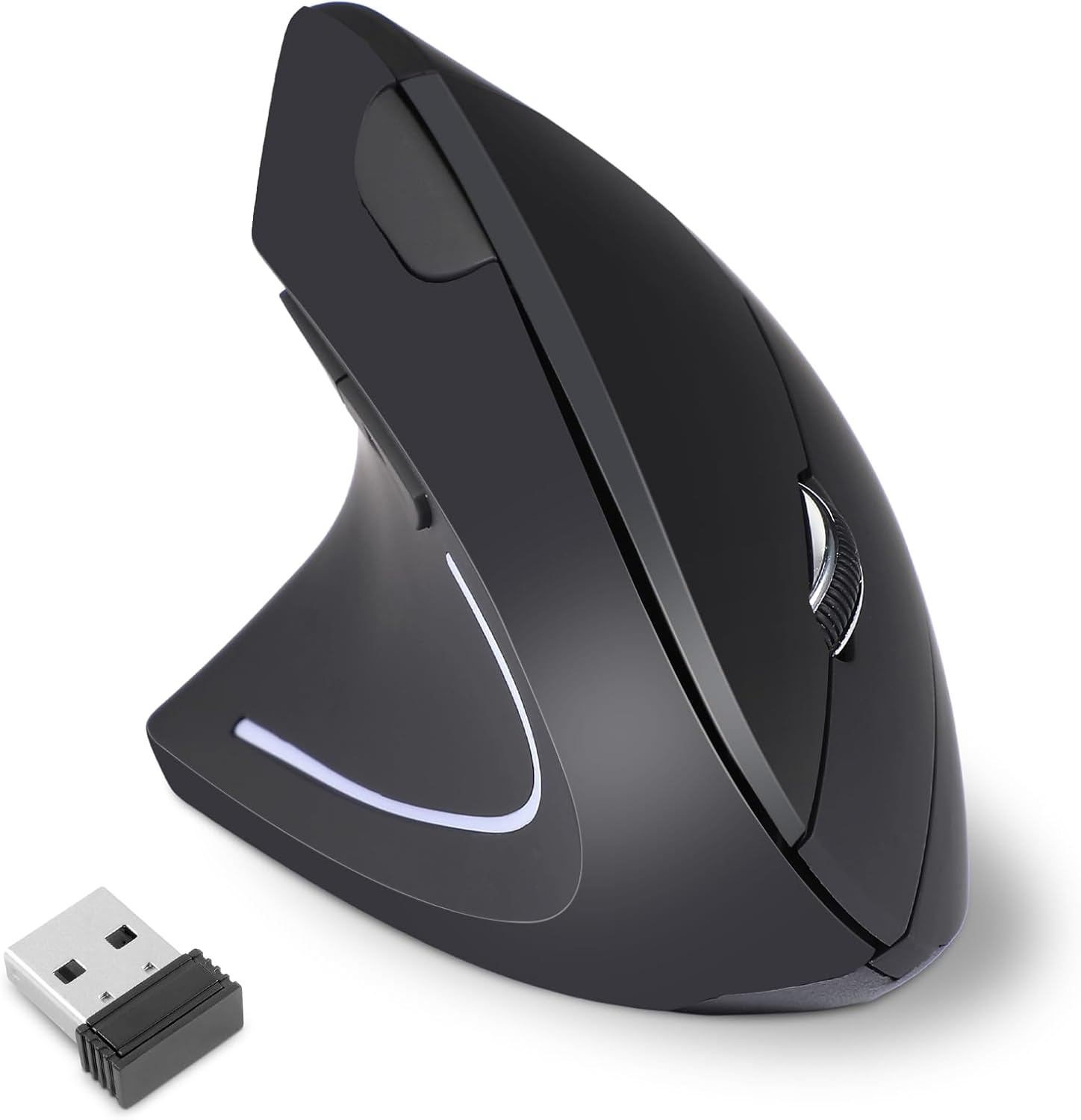
The KUNSI Left Handed Ergonomic Mouse is a wireless vertical mouse purpose-built for left-handed users. Its vertical design encourages a neutral handshake position, reducing wrist strain and discomfort during extended computer use. This makes it an excellent choice for lefties who work from home, game, or browse for hours.
Standout features include a reliable 2.4G wireless connection that offers plug and play simplicity with a stable range up to 10 meters. The three adjustable DPI levels (800, 1200, 1600) let you tailor cursor speed to your preference, whether for precise editing or fast navigation. The additional forward and back buttons enhance browsing efficiency, though they are not supported on Mac OS.
Build quality is solid for its price point, with a comfortable grip and smooth gliding. The mouse is powered by two AAA batteries (not included), which is a slight inconvenience but common for budget wireless mice. The compact black design fits well with most setups.
A notable drawback is the lack of Mac OS support for the forward/back buttons, which may disappoint Apple users. Additionally, the absence of Bluetooth means you must occupy a USB port, and the non-rechargeable battery design adds recurring cost. However, these are minor trade-offs for an affordable ergonomic left-handed mouse.
Overall, the KUNSI Left Handed Mouse delivers solid ergonomic benefits and wireless flexibility at a bargain price. It is a practical solution for left-handed users seeking relief from wrist pain without breaking the bank. With its adjustable DPI and comfortable shape, it earns a recommendation for its intended audience.

Pros
- Ergonomic vertical shape specifically designed for left-handed users.
- Versatile wireless connectivity options (Bluetooth and 2.4G).
- Rechargeable battery with USB-C charging.
- Adjustable DPI for different tasks and preferences.
- RGB lighting adds visual appeal to any setup.
Cons
- Not compatible with Android TV or older Linux systems.
- Recommended hand size is 6.7-7.1 inches, may not fit all hand sizes.
- No dedicated software for customizing RGB or button functions.
The MEETION BTM010 is a left-handed wireless ergonomic vertical mouse designed for users who need a comfortable alternative to traditional mice. Its vertical shape promotes a natural hand position, reducing strain on the wrist and forearm during long work sessions. This mouse is ideal for left-handed individuals who often struggle to find ergonomic peripherals tailored to their needs.
Standout features include versatile connectivity options: Bluetooth 5.0, Bluetooth 3.0, and a 2.4G wireless receiver, allowing you to connect to multiple devices effortlessly. The RGB lighting adds a customizable aesthetic, while the rechargeable battery eliminates the need for disposable batteries. With four adjustable DPI settings up to 3200, the mouse provides precise tracking for tasks from office work to design.
Build quality is solid with a durable plastic construction and a contoured shape that fits medium-sized hands. The forward and backward buttons are conveniently placed for easy navigation, and the scroll wheel offers smooth, responsive scrolling. The mouse is lightweight and portable, making it a good companion for mobile productivity.
One potential drawback is the limited compatibility: it does not work with Android TV or older Linux systems. Also, the recommended hand size is 6.7-7.1 inches, so users with smaller or larger hands may find it less comfortable. Additionally, there is no dedicated software for customizing button functions or RGB effects, which some users might expect.
Overall, the MEETION BTM010 is a well-priced left-handed ergonomic mouse that combines comfort, connectivity, and style. It is a strong choice for left-handed users seeking relief from wrist pain and a versatile wireless experience. While it has some limitations, its ergonomic design and feature set offer excellent value for the price.
Connectivity: Bluetooth 5.0, Bluetooth 3.0, 2.4G Wireless (USB-A receiver)
DPI Settings: 1200 / 1600 / 2400 / 3200
Battery: Rechargeable (USB-C charging)
Lighting: RGB with multiple effects
Dimensions: 4.41 x 3.29 x 2.74 inches
Recommended Hand Size: 6.7 - 7.1 inches
Compatibility: Windows 10/11, macOS 10.15+ (not Android TV or older Linux)
Buttons: Left/right click, scroll wheel, forward/backward, DPI switch
Buying Guide
Hand Size and Grip Comfort
Your hand size determines how well a mouse fits. Models like the Logitech Lift Vertical are specifically designed for small to medium left hands, while the Logitech Signature M650 L is better for larger hands. Vertical mice, such as the MEETION BTM008, promote a natural handshake grip that reduces wrist strain, but ensure the thumb rest and button placement align with your hand dimensions. A poorly fitting mouse can worsen discomfort.
Connectivity and Compatibility
Modern left-handed mice offer wireless freedom through Bluetooth, 2.4 GHz USB receivers, or both. The MEETION BTM008 and ELECOM EX-G series provide multiple options, letting you switch between devices like laptops, tablets, and desktops. Check compatibility with your operating system (most work with Windows, macOS, and Linux, but some, like the KUNSI model, have limitations on Mac). For a seamless setup, ensure your device supports the connection type.
If you’re upgrading your workspace, explore our guide on how to position keyboard and mouse ergonomically to complement your choice.
DPI Settings and Customization
Adjustable DPI settings let you control cursor speed for different tasks. For precision work, mice like the MEETION BTM008 offer settings from 800 to 2400 DPI, while the Lekvey model provides 1000 to 1600 DPI. Higher DPI suits gaming or fast navigation; lower DPI aids detailed design. Some mice, such as the ELECOM EX-G, include programmable buttons for shortcuts, boosting productivity. Look for software support to remap buttons if customization matters to you.
Durability and Battery Life
A reliable mouse should last through long work sessions. Rechargeable options like the MEETION BTM008 offer months of use on a single charge with USB-C convenience. Others, like the Lekvey left-handed model, use AAA batteries that can last up to six months. Features like auto-sleep mode save power, while quiet clicks reduce noise in shared spaces. Consider your preference for rechargeable versus replaceable batteries when deciding.
For additional ergonomic tips, check out our article on how to reduce wrist pain from typing.
Final Thoughts
Choosing the right left-handed mouse under $100 depends on your specific needs, but two stand out for their distinct advantages. For those seeking premium ergonomics with a vertical design and proven wrist relief, the Logitech Left Handed Lift Vertical Ergonomic Wireless Mouse is a top pick with its certified comfort and quiet clicks. If you prefer a budget-friendly vertical option with versatile connectivity and RGB lighting, the MEETION Left-Handed Wireless Ergonomic Vertical Mouse offers great value. Both deliver reliable performance for 2026.
Frequently Asked Questions
Are left-handed mice worth it?
Yes, for comfort and efficiency. Left-handed mice are shaped to fit your left hand, reducing strain and improving control. They can help prevent wrist pain and boost productivity during extended use.
What is the best left-handed mouse for wrist pain?
Vertical mice like the MEETION BTM008 or Logitech Lift Vertical are excellent for wrist pain. They promote a neutral hand posture that reduces pressure on the carpal tunnel, making them ideal for 2026.
Do left-handed mice work with Mac?
Many do, but check compatibility. The MEETION BTM008 works with macOS 10.15 and above, while the Logitech Signature M650 L supports macOS and iPadOS. Some models, like the KUNSI, may not support forward/back buttons on Mac.
How do I choose a left-handed mouse for gaming?
Look for high DPI settings, customizable buttons, and a comfortable grip. The ELECOM EX-G trackball offers precision with minimal hand movement, while the Logitech Lift provides quiet clicks and a vertical design for marathon sessions. For more ergonomic advice, see our guide to the best ergonomic mouse for carpal tunnel.



Write Your Review
No reviews yet. Be the first to share your experience!