

Ultrawide monitors are a game-changer for productivity and immersive gaming, but their sheer size and weight create a real challenge. Standard monitor arms simply buckle or sag under a 35-inch curved panel, let alone a 49-inch beast. If you’ve been hunting for a mount that can hold your screen steady, position it exactly where you want it, and keep your desk clutter-free, you’re in the right place.
This guide covers seven of the most capable monitor arms designed specifically for large ultrawide screens. Whether you’re setting up a home office or a dedicated gaming station, you’ll find a solid recommendation here. For more desk setup inspiration, browse our full monitor setup resource hub.
Pros
- Exceptional weight capacity of 44 lbs handles the heaviest ultrawide monitors with ease
- Highly flexible range of motion covers virtually every ergonomic need for work or gaming
- Reinforced aluminum build with 20% thicker arms and 30% wider base adds confidence in long-term stability
- Tool-free one-hand tension adjustment makes fine-tuning straightforward and frustration-free
- Strong customer satisfaction rating reflects reliable real-world performance across a large number of buyers
Cons
- 360-degree rotation is only compatible with screens up to 35 inches, so owners of larger ultrawides will have limited rotation options
- Only compatible with wooden desks within a specific thickness range, which may exclude users with glass, plastic, or non-standard desk setups
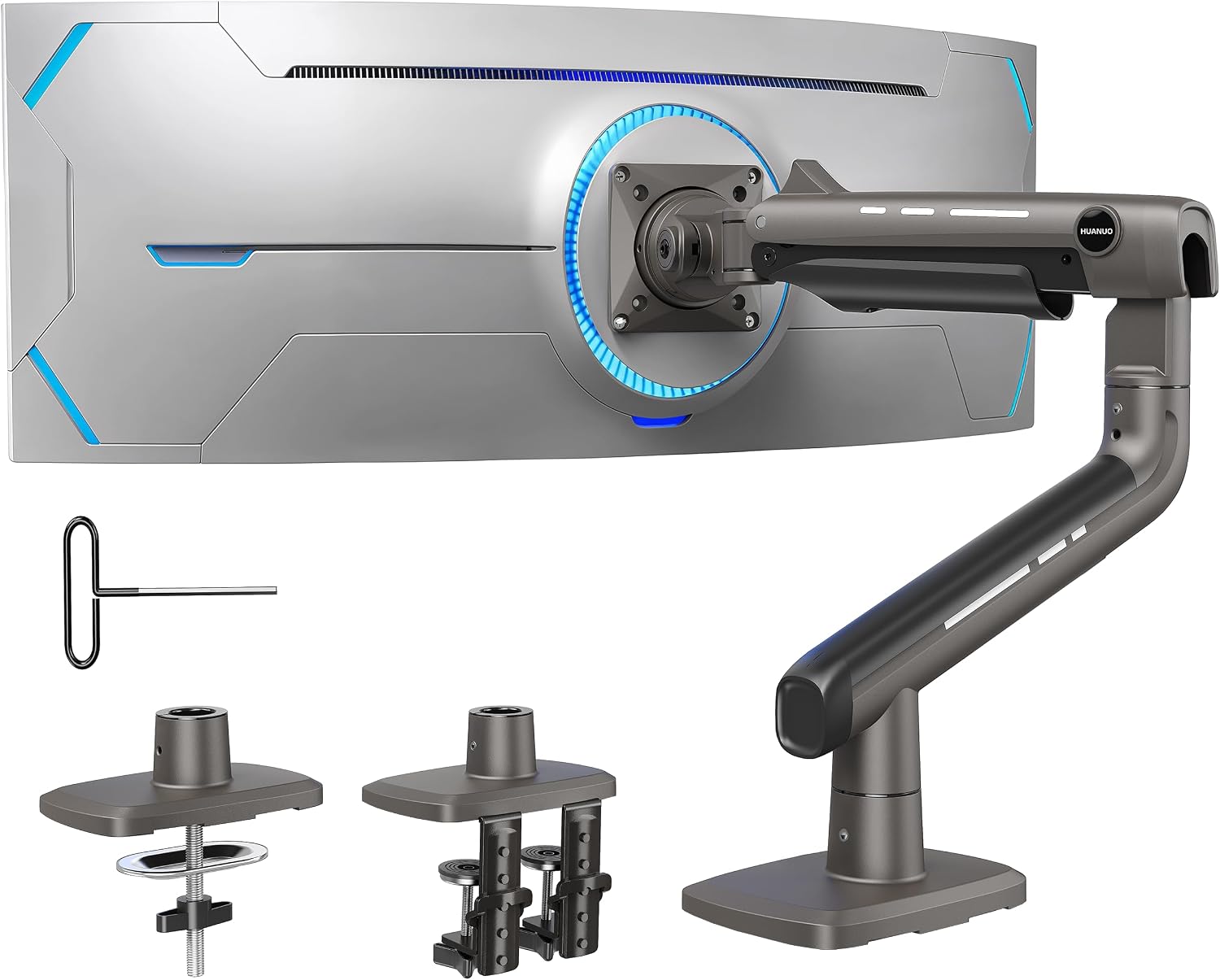
The HUANUO TitanLift is a premium single monitor arm engineered specifically for large and ultrawide displays. It accommodates screens from 17 to 49 inches and supports weights up to 44 lbs, making it one of the more capable arms in its price range. It is ideal for content creators, gamers, and professionals who use oversized monitors and demand both stability and flexibility.
The arm's range of motion is genuinely impressive. Users can tilt from +50 to -50 degrees, swivel 180 degrees, and extend the arm up to 22.5 inches, while height adjustment reaches up to 19.6 inches above the desk surface. This level of adjustability makes it easy to dial in an ergonomic position that reduces neck and eye fatigue during extended sessions. The one-hand tension adjustment using an included Allen key is a thoughtful touch that simplifies setup compared to many competing arms.
Build quality is a clear highlight of the TitanLift. The arm is constructed from high-strength aluminum alloy with arms that are 20% thicker and a base that is 30% wider than standard designs. The proprietary MechaSpring Technology has been tested through 50,000 motion cycles and a 3x load stress test, giving buyers strong confidence in its longevity. The dual C-clamp system grips desks securely and accommodates thicknesses from 0.8 to 3.5 inches without any permanent installation required.
There are a few limitations worth noting. The 360-degree rotation feature is restricted to monitors 35 inches and under, so owners of the largest ultrawides will not have full portrait mode capability. Additionally, the arm is only rated for wooden desks within the specified thickness range, which means users with glass or plastic desktops will need to look elsewhere. Desks with cross beams or panels on the underside are also incompatible.
Overall, the HUANUO TitanLift is a well-built, feature-rich monitor arm that punches above its weight class. Its combination of high load capacity, broad adjustability, durable construction, and straightforward installation makes it a compelling option for anyone upgrading to a large or ultrawide display. As long as your desk and monitor meet the compatibility requirements, this arm is a strong and reliable choice.
Compatible Screen Sizes: 17 to 49 inches (ultrawide supported). Weight Capacity: 6.6 to 44 lbs. VESA Compatibility: 75x75mm and 100x100mm.
Tilt Range: +50 to -50 degrees. Swivel: 180 degrees left or right. Rotation: 360 degrees (screens up to 35 inches only). Arm Extension: Up to 22.5 inches. Height Adjustment: Up to 19.6 inches from desk surface to VESA mount center.
Desk Compatibility: Wooden desks only, thickness range 0.8 to 3.5 inches, no cross beams or panels on underside. Mounting Type: Dual C-clamp. Material: High-strength aluminum alloy. Spring Technology: MechaSpring, tested to 50,000+ cycles and 3x load rating.
Before purchasing the HUANUO TitanLift, confirm that your monitor meets all three compatibility criteria: screen size between 17 and 49 inches, weight between 6.6 and 44 lbs, and VESA mounting holes in a 75x75mm or 100x100mm pattern. Monitors without standard VESA holes, including some Samsung ultrawide models, may require an adapter plate.
Your desk must also meet specific requirements. Only solid wooden desks are recommended, and the thickness must fall between 0.8 and 3.5 inches. Check the underside of your desk before ordering, as any cross beams or support panels near the clamping area will prevent proper installation. Glass and plastic desktops are not supported.
If you plan to use a monitor larger than 35 inches, be aware that the full 360-degree rotation feature will not be available. For users who primarily need tilt, swivel, and height adjustment rather than portrait mode, this limitation is unlikely to be a concern. For those with a 35-inch or smaller screen who want full rotation flexibility, the TitanLift offers everything needed in a single, well-built package.
Pros
- Handles very large and heavy ultrawide monitors up to 49 inches and 44 lbs, covering nearly all consumer ultrawide screens
- Gas spring mechanism provides smooth, one-handed repositioning with reliable tension that holds position without sagging
- Both C-clamp and grommet mounting hardware are included, offering flexibility for different desk setups right out of the box
- Integrated cable management keeps the workspace tidy without needing additional accessories
- Straightforward topside installation process makes setup accessible even for non-technical users
Cons
- Monitors without VESA holes will require a separate VESA adapter, adding extra cost and setup steps not included in the package
- The maximum height adjustment of 18.7 inches may feel limiting for users with very tall monitor setups or standing desk configurations
- Desk thickness range tops out at 2 inches for grommet mount, which may not suit thicker or specialty workbench-style desks
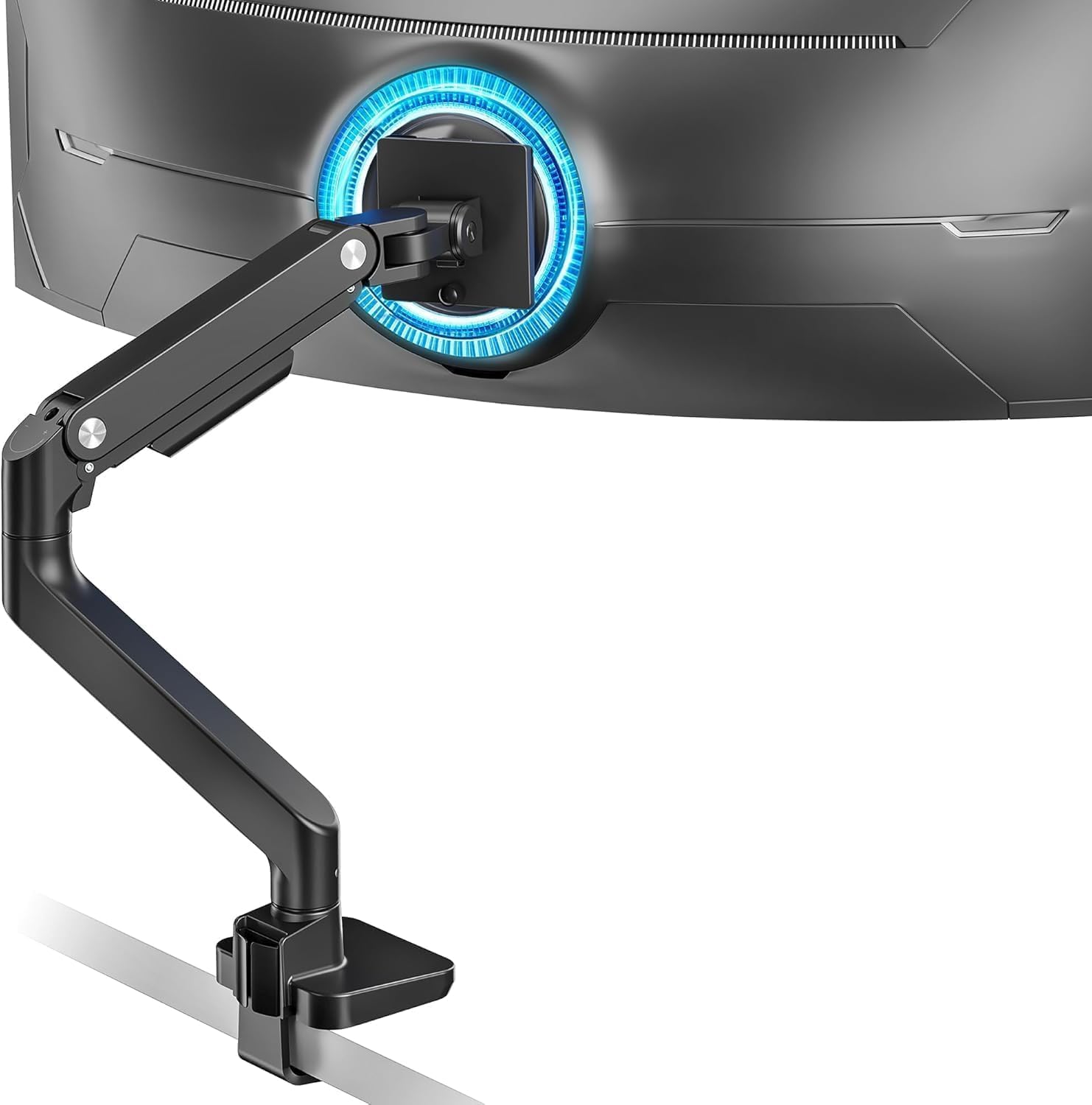
The ARES WING Ultrawide Monitor Arm is designed for users who demand serious support from their desk mount. Built to handle screens from 17 to 49 inches and weights up to 44 lbs, it is one of the few arms in its price range that can confidently manage behemoth ultrawide panels like the Samsung Odyssey G9 or comparable LG ultrawide monitors without compromise.
The standout feature here is the pro-grade internal gas spring, which has been fatigue-tested for long-term durability. In real-world use, this translates to smooth, effortless repositioning with one hand, and the arm stays exactly where you leave it without any drift or sag over time. The full range of motion, covering tilt, swivel, rotation, and height adjustment, gives users the flexibility to dial in a truly ergonomic posture whether sitting, standing, or gaming for extended sessions.
Construction quality is solid throughout, with a high-grade steel and aluminum build that feels substantial without being unnecessarily bulky. The inclusion of both a C-clamp and grommet base is a thoughtful touch, and the topside installation design is a genuine quality-of-life improvement that eliminates the frustrating experience of fumbling under a desk. The detachable VESA plate also makes the initial monitor attachment much more manageable, especially with heavier screens.
There are a few things to keep in mind before purchasing. Monitors that lack native VESA holes will need a separate adapter, which is an added expense. The maximum desk thickness of 2 inches for the grommet mount may also rule out thicker specialty desks. Additionally, users who rely on a standing desk and want the monitor positioned very high may find the 18.7-inch maximum height slightly restrictive depending on their setup.
Overall, the ARES WING Ultrawide Monitor Arm delivers impressive performance and build quality for its price point. It is a well-rounded, reliable option for gamers, creative professionals, and power users who want to reclaim desk space and achieve a comfortable, customizable monitor position with a large ultrawide display. The combination of generous weight capacity, smooth gas spring action, and dual mounting options makes it a compelling buy in the ultrawide monitor arm category.
Supported Monitor Size: 17 to 49 inches (flat and curved)
Maximum Load Capacity: 44 lbs (minimum 4.4 lbs)
VESA Compatibility: 75x75mm and 100x100mm
Tilt Range: +50 degrees to -20 degrees
Swivel Range: 180 degrees total (plus or minus 90 degrees)
Rotation: 360 degrees
Height Adjustment Range: 8.7 inches to 18.7 inches
Maximum Arm Extension: 22.4 inches
Mounting Options: C-clamp (desk thickness 0.5 to 1.8 inches) and Grommet base (desk thickness 0.5 to 2 inches)
Materials: High-quality steel and aluminum
Available Colors: White, Black
Cable Management: Built-in integrated cable routing
Check Your Monitor's VESA Pattern First: Before purchasing, confirm your monitor has VESA mounting holes in either a 75x75mm or 100x100mm pattern. Many ultrawide monitors do support one of these standards, but some budget or proprietary models do not. If yours lacks VESA holes, you will need a separate adapter bracket, so factor that into your budget.
Verify Your Desk Thickness: The C-clamp supports desks between 0.5 and 1.8 inches thick, while the grommet mount accommodates up to 2 inches. Measure your desktop before ordering to confirm compatibility. Glass desks or very thin surfaces may also not be suitable for this type of mount regardless of thickness.
Consider Your Monitor Weight: This arm is rated for 4.4 to 44 lbs. If your monitor is very lightweight, the gas spring tension may be difficult to tune down far enough for a stable hold, so check your monitor's exact weight against the supported range. For most 34-inch to 49-inch ultrawide monitors, this arm falls squarely within the right weight range.
Plan Your Cable Routing: The integrated cable management is a genuine convenience, but it works best when you plan your cable routing during initial setup rather than after. Take a few extra minutes during installation to thread cables through the built-in channels before tightening everything down, and you will end up with a much cleaner result.
Pros
- Handles very large and heavy ultrawide monitors that most standard arms cannot support
- Pneumatic spring mechanism makes height adjustment smooth and effortless without tools
- Quick-release VESA bracket simplifies monitor swaps and repositioning
- Both clamp and grommet mounting options included for versatile desk compatibility
- Highly rated by a large number of verified buyers, reflecting consistent real-world satisfaction
Cons
- VESA adapter for non-VESA monitors is not included and must be purchased separately
- Grommet mount has a limited thickness range up to 1.9 inches, which may not fit all desks
- At this price point, some users may find the cable management channels slightly narrow for thicker cable bundles
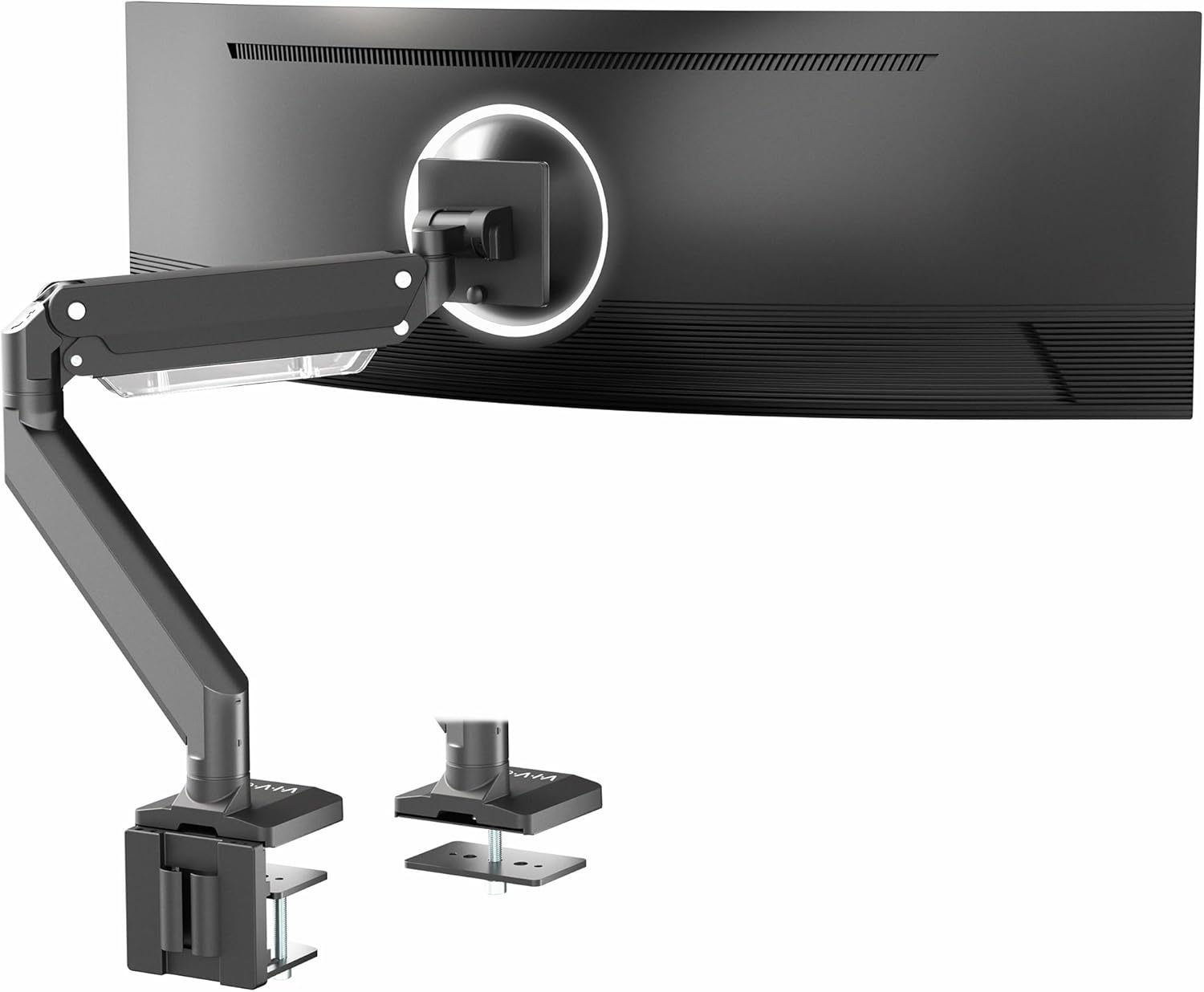
The VIVO STAND-V101G1 is a premium aluminum single monitor arm built specifically for users who run large ultrawide or curved displays. It supports screens up to 49 inches and weights up to 33 lbs, making it one of the more capable arms in its price range and a strong option for creative professionals, traders, and gamers with oversized setups.
The standout feature is the pneumatic spring lift, which allows smooth, tool-free height adjustment across a generous 13-inch range. Combined with a wide tilt range of negative 30 to positive 45 degrees, 180-degree swivel, and full 180-degree rotation, this arm gives you precise control over your viewing angle. The elbow spring gauge also lets you fine-tune the arm tension to match your monitor's exact weight, preventing unwanted drooping over time.
Build quality is a clear strength here. The premium aluminum construction feels solid and looks professional on any desk, and the quick-release VESA plate makes installing or swapping monitors a straightforward task. Integrated cable channels run along the arm to keep power and display cables tidy, reducing desk clutter noticeably compared to using no arm at all.
There are a few things to be aware of before purchasing. Monitors without VESA mounting holes will require a separate adapter that is not included in the box. The grommet mounting option is also limited to desks up to 1.9 inches thick, so thicker or solid-core desks may need to rely on the clamp mount instead. Some users with heavy cable setups may also find the cable management channels a bit narrow.
Overall, the VIVO STAND-V101G1 delivers excellent value for anyone upgrading to an ultrawide display and needing a dependable, fully articulating arm. Its pneumatic adjustment, broad compatibility, and solid aluminum build make it a top contender in the heavy-duty single arm category, and the high customer satisfaction rating across a large pool of buyers backs that up.
Model: STAND-V101G1 | Brand: VIVO | Material: Premium Aluminum | Color: Black
Max Screen Size: 49 inches (ultrawide), 32 inches (standard flat and curved) | Max Weight Capacity: 33 lbs | VESA Compatibility: 75x75mm and 100x100mm
Height Adjustment: 13 inches (pneumatic spring lift) | Tilt Range: -30 to +45 degrees | Swivel: 180 degrees | Rotation: 180 degrees
Mounting Options: Desk clamp and grommet | Clamp Desk Thickness: 0.4 to 3.3 inches | Grommet Desk Thickness: 0.4 to 1.9 inches | Cable Management: Integrated channels along arm
If you are upgrading to an ultrawide monitor, a standard monitor arm often cannot handle the extra size and weight. The VIVO STAND-V101G1 is designed specifically for this use case, so it is worth considering if your display is larger than 34 inches or heavier than 20 lbs, where lighter-duty arms may struggle.
Before purchasing, confirm that your monitor has VESA mounting holes in either 75x75mm or 100x100mm pattern. If your monitor does not have VESA holes, you will need to source a compatible adapter separately. This is especially common with certain ultrawide gaming monitors and all-in-one style displays.
Also consider your desk type. If you have a thick solid-wood or butcher-block desk, the clamp mount is your best option since it accommodates thicknesses up to 3.3 inches. If you prefer a cleaner look with a grommet hole, make sure your desk is no thicker than 1.9 inches for that mounting method to work properly.
For users who want additional connectivity at their desk, VIVO also offers the STAND-V101G1U variant, which adds a USB 3.0 hub and multimedia ports directly to the arm base. This can be a worthwhile upgrade if you regularly connect peripherals or charge devices at your workstation.

Pros
- Exceptionally high weight capacity of 44 lbs per arm makes it one of the few arms genuinely suited for large ultrawide monitors
- Pneumatic spring system provides smooth, one-hand height adjustments that hold position reliably without drift
- Upgradable modular system adds long-term value, allowing expansion to dual or triple monitor setups over time
- Sturdy dual-bolt C-clamp and grommet mount options provide a secure, wobble-free installation on a wide variety of desks
- Generous 27-inch maximum arm height and 25-inch arm length give excellent reach and flexibility for large workstations
Cons
- At 13 lbs, the arm itself is quite heavy and bulky, which may be a consideration for smaller or lighter desks
- The premium price point is higher than standard monitor arms, though it reflects the heavy-duty ultrawide-specific engineering
- VESA compatibility is limited to 75x75mm and 100x100mm, so monitors requiring larger VESA patterns are not supported
The ULTRARM MA20P-S is a single-arm desk mount engineered specifically for the growing market of large ultrawide and super-ultrawide monitors. Supporting screens from 17 to 57 inches and weights up to 44 lbs, it fills a genuine gap left by conventional monitor arms that typically cap out at 27 inches or 17 lbs. It is aimed squarely at content creators, video editors, traders, and power users who have invested in high-end ultrawide displays and need a mount that can actually handle them.
The standout feature is the pneumatic gas spring system, which allows smooth, virtually effortless height adjustment across a 13-inch range. Unlike tension-screw systems that require tools to recalibrate, the gas spring adapts naturally and holds its position without drift. Combined with 360-degree swivel across three pivot points, plus 25-degree tilt and 180-degree rotation, the arm delivers a genuinely impressive range of motion for such a heavy-duty unit.
Build quality is immediately apparent from the weight of the arm itself at 13 lbs, which speaks to the solid metal construction. The dual-bolt C-clamp and included grommet mount both feel reassuringly secure, and the robust pole system carries a total load capacity of 88 lbs, leaving plenty of headroom for the modular expansion arms. The quick-release VESA plate is a thoughtful touch that makes monitor installation and removal fast and clean.
The most notable drawback is the size and weight of the arm assembly itself, which may feel oversized on smaller desks or in compact workspaces. The price is also at the higher end of the monitor arm market, though this is largely justified by the heavy-duty specification. Users with monitors requiring VESA patterns larger than 100x100mm will also need to verify compatibility before purchasing.
Overall, the ULTRARM MA20P-S earns its place as a top-tier option for anyone running a large ultrawide monitor setup. The combination of genuine heavy-duty capacity, smooth pneumatic adjustment, and a smart modular upgrade path makes it a smart long-term investment for serious desktop setups. If you own or plan to own a large ultrawide display, this arm is purpose-built for exactly that use case.
Screen Compatibility: 17 to 57 inches, flat or curved up to 1000R, supporting 16:9, 21:9, and 32:9 aspect ratios. Weight capacity ranges from 2.2 to 44 lbs (1 to 20 kg) per arm.
VESA Compatibility: 75x75mm and 100x100mm. Tilt range is plus or minus 25 degrees, VESA swivel is 180 degrees, and VESA rotation is 360 degrees for both landscape and portrait placement.
Arm Dimensions: Arm length of 25 inches (635mm), maximum arm height of 27 inches (690mm), and height adjustment range of 13 inches (330mm). The arm features 360-degree swivel across three pivot points.
Mounting Options: C-clamp supports desk thickness from 0.6 to 3.3 inches (10 to 85mm). Grommet mount supports desk thickness from 0.6 to 1.9 inches (10 to 48mm), with a minimum grommet hole diameter of 0.6 inches (10mm).
General: Product weight is 13 lbs (6 kg). Integrated cable management accommodates up to two cables. The base pole supports a total load of up to 88 lbs (40 kg) and is compatible with ULTRARM modular extension arms for multi-monitor upgrades.
Who should buy this arm? The MA20P-S is the right choice if you own or plan to purchase a large ultrawide or super-ultrawide monitor in the 34 to 57 inch range. Most budget and mid-range arms are simply not rated for the weight of these panels, making a heavy-duty arm like this a necessity rather than a luxury.
Desk compatibility: Before purchasing, measure your desk thickness. The C-clamp works with desks from 0.6 to 3.3 inches thick, which covers the vast majority of home and office desks. If your desk has a grommet hole, the included grommet mount is an equally solid option. Confirm your desk is sturdy enough to handle the combined weight of the arm and your monitor.
VESA pattern check: Verify that your monitor uses a 75x75mm or 100x100mm VESA pattern before ordering. Most ultrawide monitors in this size range use 100x100mm, but it is worth confirming in your monitor's manual or product page. Monitors with non-standard or larger VESA patterns are not compatible.
Planning for expansion: One of the strongest arguments for choosing the MA20P-S over a cheaper single arm is the modular upgrade path. If you anticipate adding a second or third monitor in the future, starting with this base means you can add ULTRARM extension arms later without replacing the pole or clamp assembly, saving money and effort over time.
Alternatives to consider: If your monitor is under 32 inches and weighs less than 17 lbs, a lighter and less expensive arm will likely serve you just as well. The MA20P-S is optimized for large, heavy displays, and its size and weight may be unnecessary for smaller setups. However, for anyone running a 49-inch or larger ultrawide, it is one of the most capable and well-reviewed options currently available.

Pros
- Handles very large and heavy monitors that most standard arms cannot support
- Smooth, tool-free adjustments make it easy to reposition your screen throughout the day
- Dual mounting system offers flexibility for different desk types and thicknesses
- Integrated cable management dramatically reduces desktop clutter
- Strong customer satisfaction rating reflects reliable real-world performance
Cons
- Only compatible with wooden desks and desks without crossbeams on the underside, which may limit use on some office furniture
- The arm's large size and heavy-duty build may feel oversized or bulky for users with smaller monitors or compact desks
The WALI GSM001XL Heavy Duty Monitor Arm is designed specifically for users who run large, ultrawide, or 1000R curved displays that standard monitor arms simply cannot handle. With support for screens ranging from 13 to 49 inches and a maximum load capacity of 44 lbs, this mount is built for power users, creative professionals, and gamers who demand both stability and flexibility from their workstation setup.
In terms of real-world performance, the GSM001XL delivers an impressive range of motion. The arm extends nearly 22 inches from the desk, raises over 20 inches in height, swivels a full 90 degrees in each direction, tilts 45 degrees up or down, and rotates a complete 360 degrees. This level of adjustability means you can dial in the exact ergonomic position to reduce neck and shoulder strain during long work sessions or gaming marathons, all without reaching for a single tool.
Build quality is a clear highlight of this product. WALI engineered the arm with a wider VESA head and a tighter-fitting VESA panel to keep heavy monitors locked firmly in place without wobble. The internal mechanism has been stress-tested through more than 20,000 adjustment cycles, which speaks to its long-term durability. The built-in cable management channels also add a polished, professional look to any desk by routing cords neatly out of sight along the arm itself.
There are a couple of limitations worth noting. The mount is recommended only for solid wooden desks and will not work well on desks with a crossbeam blocking the underside, which may rule it out for some office environments. Additionally, while the heavy-duty construction is a strength, the arm's physical footprint and bulk may feel excessive for anyone running a smaller monitor who does not need this level of load capacity.
Overall, the WALI GSM001XL is a well-engineered, reliable monitor arm that punches above its price point for users with large or ultrawide displays. Its combination of wide compatibility, full motion range, and proven durability makes it one of the more compelling options in its category. If you have a big screen and want a stable, ergonomic, and tidy desk setup, this arm is a smart investment.
Compatible Screen Sizes: 13 to 49 inches, including flat and 1000R curved LCD/LED monitors.
Maximum Load Capacity: 44 lbs per arm, making it suitable for the heaviest consumer ultrawide displays on the market.
VESA Compatibility: Standard 75x75mm and 100x100mm mounting patterns. Always verify your monitor's VESA pattern before purchasing.
Range of Motion: Swivel up to 90 degrees left and right, tilt up to 45 degrees up or down, and full 360-degree rotation. Horizontal reach extends to 21.57 inches, with a vertical height range of up to 20.35 inches above the desk.
Mounting Options: C-clamp for desks 0.39 to 3.15 inches thick, and grommet base for the same thickness range. Recommended for solid wooden desks only, without an underside crossbeam.
Who Should Buy This: The WALI GSM001XL is the right choice for anyone running a large ultrawide or curved monitor, particularly screens in the 34 to 49 inch range. It is ideal for home office workers, video editors, graphic designers, and gamers who spend extended hours at their desk and want ergonomic flexibility without compromising on stability.
Check Your Monitor Compatibility First: Before purchasing, confirm three things about your monitor: its VESA mounting pattern (must be 75x75mm or 100x100mm), its weight (must be under 44 lbs), and its screen size (must be between 13 and 49 inches). Skipping this step is the most common reason for a poor fit.
Desk Requirements: This arm works best on solid wooden desks between 0.39 and 3.15 inches thick. If your desk has a metal crossbeam running along the underside, the C-clamp may not seat properly. In that case, a grommet hole is a better option if your desk supports it.
Comparing to Lighter Alternatives: If your monitor is under 26 lbs and smaller than 34 inches, WALI's standard single monitor arm may be a more cost-effective and compact choice. The GSM001XL is purpose-built for heavy, oversized displays, and its larger form factor reflects that specialization.
Pros
- Handles very heavy ultrawide monitors up to 44 lbs with no sagging or drift thanks to the spring-assist tension mechanism
- Exceptional range of motion including full 360 degree rotation makes it versatile for gaming, work, and screen sharing
- Tool-free height and angle adjustments make daily ergonomic repositioning quick and effortless
- Built-in cable management keeps the desk looking tidy even when cables are frequently adjusted
- Highly rated by a large number of verified buyers, reflecting strong real-world reliability and satisfaction
Cons
- At this price point, the mount is a significant investment compared to basic fixed or budget arms, though the build quality justifies the cost for large screens
- Grommet mount requires a separate optional accessory, which may add extra cost and steps for users without a clamp-compatible desk
- The arm's size and footprint may feel bulky on smaller desks, so it is best suited for larger workstations
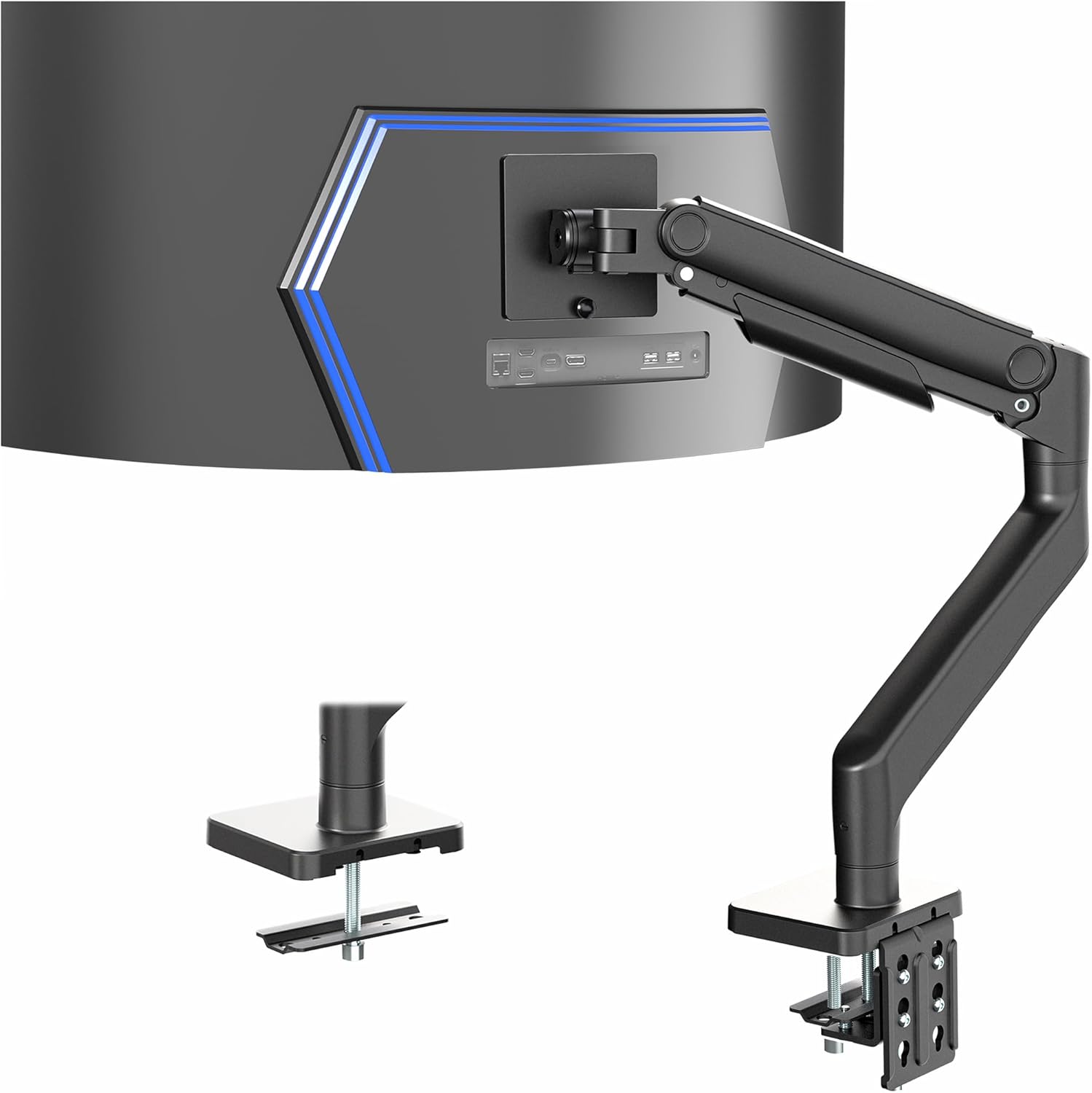
The VIVO STAND-V101V is a heavy-duty aluminum monitor arm engineered specifically for ultrawide displays up to 49 inches and 44 lbs. It is designed with demanding users in mind, particularly gamers running large curved monitors like the Samsung Odyssey G9, as well as creative professionals and power users who need a reliable, high-capacity desk mount.
The standout feature of this arm is its premium tension spring mechanism, which counterbalances even the heaviest ultrawide panels for completely drift-free positioning. Adjusting height, tilt, or swivel requires minimal effort and the monitor holds its position firmly once placed, eliminating the frustrating drooping common with cheaper arms under heavy load.
Articulation is genuinely impressive, covering +50 to -20 degrees of tilt, a full 180 degree swivel, 360 degree rotation, and 11 inches of vertical height adjustment. The integrated cable management channels are a practical addition, routing cords cleanly through the arm to keep the desk surface uncluttered. The detachable VESA plate further simplifies installation and makes swapping monitors straightforward.
On the downside, the arm is a premium-priced product and its physical size means it suits larger desks best. Users with thinner or non-standard desks should verify compatibility before purchasing, and those needing a grommet mount will need to source that accessory separately.
Overall, the VIVO STAND-V101V earns its strong reputation among ultrawide monitor users. It delivers the build quality, weight capacity, and smooth adjustability that large screen setups demand, making it a top recommendation for anyone upgrading their gaming or professional workstation with a 34 to 49 inch display.
Monitor Size Compatibility: Up to 49 inches ultrawide
Weight Capacity: Up to 44 lbs
VESA Compatibility: 75x75mm and 100x100mm
Tilt Range: +50 degrees to -20 degrees
Swivel Range: 180 degrees
Rotation: 360 degrees
Height Adjustment: 11 inches of vertical travel with spring lift
Desk Clamp Compatibility: Desks up to 3.2 inches thick via C-clamp; up to 1.4 inches via optional grommet mount
Material: Heavy-duty aluminum construction
Color: Black
Cable Management: Integrated cable management covers included
Model Number: STAND-V101V
If you own or plan to purchase a large ultrawide monitor in the 34 to 49 inch range, a standard monitor arm will likely lack the weight capacity or stability needed. The VIVO STAND-V101V is purpose-built for this category and should be your first consideration if your monitor weighs up to 44 lbs and uses a standard 75x75mm or 100x100mm VESA mount pattern.
Before buying, confirm your desk thickness. The included C-clamp works with desks up to 3.2 inches thick, which covers most standard office and gaming desks. If your desk has a grommet hole and no suitable edge for clamping, factor in the cost of the optional grommet mount accessory.
This arm is particularly well suited for Samsung Odyssey G9 owners, as VIVO specifically designed and tested the mount for that monitor. It also works well with other large ultrawide panels from LG, ASUS, Acer, and similar brands, as long as the weight and VESA specs match.
For users who frequently adjust their monitor position for gaming versus productivity tasks, the spring-assist articulation and smooth swivel make this a worthwhile upgrade over fixed or low-cost arms. If your monitor rarely moves once positioned, a simpler fixed mount may suffice, but for dynamic setups this arm adds real daily value.

Pros
- Exceptionally strong build quality using cast aluminum that handles even the heaviest ultrawide monitors without wobble
- Pneumatic height adjustment is smooth and responsive, making ergonomic positioning quick and effortless
- Wide range of motion including tilt, swivel, and full rotation gives users precise control over their viewing angle
- Detachable VESA plate and included hardware make initial setup straightforward and less frustrating
- Compatible with a broad range of ultrawide monitors thanks to dual VESA pattern support and wide weight range
Cons
- C-clamp base is limited to desks up to 1.8 inches thick, which may not fit all standing desk frames or thicker surfaces without purchasing the optional grommet
- At this size and weight capacity, the arm has a larger footprint than standard monitor mounts, which may feel bulky on smaller desks
- Optional grommet base is not included in the box and must be purchased separately if the C-clamp does not suit your setup
The VIVO STAND-V110K is a pneumatic single-arm desk mount designed specifically for large ultrawide monitors up to 49 inches. It is aimed at professionals, content creators, and gamers who demand a reliable, ergonomic solution for oversized displays that standard arms simply cannot handle.
The standout feature here is the pneumatic counterbalance system, which allows users to raise or lower their monitor with minimal effort using just one hand. This makes ergonomic adjustments fast and intuitive throughout the workday, a genuine quality-of-life improvement over gas spring or manual tilt arms in this category.
Build quality is a clear strength of this mount. The arm and clamp base are constructed from premium cast aluminum, giving the unit a solid, premium feel while keeping weight manageable. The high-capacity tilt joint is specifically engineered to prevent screen sag under heavy loads, which is a common frustration with cheaper ultrawide mounts.
Articulation is comprehensive, covering plus 55 to minus 25 degree tilt, 180 degree swivel, and full 360 degree rotation. This level of flexibility makes it easy to eliminate glare, share your screen with a colleague, or switch between landscape and portrait orientations. The detachable VESA plate is a thoughtful addition that simplifies the often awkward process of attaching a large monitor solo. One thing to note is that the C-clamp fits desks up to 1.8 inches thick, and users with thicker or non-standard desks will need the optional grommet base sold separately.
Overall, the VIVO STAND-V110K delivers exceptional value for anyone managing a large ultrawide display. Its robust construction, smooth pneumatic adjustment, and wide compatibility make it one of the most capable mounts in its price range. It earns a strong recommendation for anyone upgrading their workspace with a 34 to 49 inch ultrawide monitor.
Compatible Screen Size: Up to 49 inches ultrawide
Weight Capacity: 5.5 lbs to 44 lbs per arm
VESA Compatibility: 75x75mm and 100x100mm
Desk Clamp Thickness: Fits desktops up to 1.8 inches thick (optional grommet available separately)
Tilt Range: +55 degrees to -25 degrees
Swivel Range: 180 degrees
Rotation: 360 degrees
Arm Material: Heavy-duty cast aluminum
Height Adjustment: Pneumatic (tool-free, one-hand operation)
Color: Black
Model: STAND-V110K
Brand: VIVO
If you are shopping for a monitor arm to support a large ultrawide display, weight capacity and arm rigidity should be your top priorities. Many standard monitor arms are rated for screens up to 27 or 32 inches and will sag or wobble under the weight of a 34 to 49 inch ultrawide. The VIVO STAND-V110K is purpose-built for this use case with a 44 lb maximum load rating.
Before purchasing, measure your desk thickness. The included C-clamp accommodates desktops up to 1.8 inches thick, which covers most standard office and gaming desks. If you have a thicker surface or prefer a more permanent installation, look into the optional grommet base accessory for added stability.
Check your monitor's VESA mounting pattern before ordering. This arm supports 75x75mm and 100x100mm patterns, which covers the vast majority of ultrawide monitors on the market. If your monitor uses a non-standard VESA pattern or has no VESA support at all, you will need a VESA adapter plate before mounting.
Consider your desk space as well. Larger ultrawide mounts have a bigger physical footprint than standard arms. If you are working at a compact desk, measure the clamp area and arm reach to ensure a comfortable fit. For users with ample desk space and a heavy ultrawide monitor, this arm represents excellent value and long-term durability at its price point.
How to Choose the Right Ultrawide Monitor Arm
Weight Capacity and Build Quality
The single most important spec for any ultrawide mount is its maximum weight rating. Most premium 49-inch panels weigh between 20 and 30 pounds, so you want an arm rated for at least 44 lbs to give yourself a comfortable safety margin.
Look for arms constructed from aluminum alloy or heavy-duty cast aluminum rather than plastic. The HUANUO TitanLift, for example, features arms that are 20 percent thicker and a base that is 30 percent wider than standard designs, which translates directly into rock-solid stability over years of daily use.
Lift Mechanism: Spring vs. Pneumatic
Monitor arms generally use one of two lift systems: tension springs or pneumatic gas springs. Tension spring arms, like the WALI GSM001XL, require manual adjustment with a hex key but remain very reliable for monitors that stay in one position most of the time.
Pneumatic arms, such as the VIVO STAND-V101G1 and the ULTRARM MA20P-S, let you raise or lower your screen with a single finger touch. If you frequently switch between sitting and standing, or share your workstation with someone of a different height, a pneumatic mechanism is worth the upgrade.
Range of Motion and Articulation
Ultrawide screens are typically used in landscape orientation, but the ability to tilt, swivel, and extend the arm still matters enormously for reducing neck strain and glare. Aim for at least 180 degrees of swivel, a meaningful tilt range (ideally plus or minus 45 degrees), and a height adjustment of at least 11 inches.
The ARESWING ultrawide arm delivers height adjustment from 8.7 to 18.7 inches and extends up to 22.4 inches from the desk, giving you real flexibility. If you also want portrait rotation for a secondary screen, confirm the arm supports 360-degree rotation before you buy.
Desk Compatibility and Mounting Options
Not every desk can accommodate every mount. Most arms in this roundup offer both a C-clamp and a grommet base, but the thickness ranges differ significantly between products. The WALI GSM001XL accepts desks up to 3.15 inches thick via C-clamp, while some arms max out at 1.8 inches.
If you have a glass, acrylic, or thin particleboard desk, check compatibility carefully. Nearly all manufacturers recommend solid wooden desks for the safest installation. The ULTRARM MA20P-S stands out here because it also supports modular upgrades, allowing you to add a second or third monitor to the same base pole later on, which makes it a smart long-term investment for a growing monitor setup.
Final Thoughts
Every arm in this list is a legitimate contender, but two stand out for different kinds of users. If you want maximum stability and effortless tension adjustment for a 49-inch panel at a reasonable cost, the HUANUO TitanLift Heavy Duty Monitor Arm is an excellent all-around choice with its reinforced aluminum build and quick three-step setup. If you need the widest screen support available and plan to expand your rig with additional monitors down the road, the ULTRARM MA20P-S Heavy Duty Monitor Arm is the most future-proof option on the market, handling screens up to 57 inches with a modular pole system that grows with your workspace.
Frequently Asked Questions
What size monitor arm do I need for a 49-inch ultrawide?
You need an arm specifically rated for ultrawide screens, not a standard single-monitor mount. Look for a weight capacity of at least 44 lbs and compatibility with VESA 75x75mm or 100x100mm patterns. All seven arms reviewed here meet those criteria for 49-inch panels.
Can I use a monitor arm with a Samsung Odyssey G9?
Yes, but you need to verify VESA compatibility first. The Samsung Odyssey G9 uses a non-standard VESA mounting setup on some versions, which may require an adapter plate. The VIVO STAND-V101V and the WALI GSM001XL are both frequently used with the Odyssey G9, though Samsung-specific installation instructions are worth reviewing before purchasing.
Is a pneumatic or spring-tension arm better for an ultrawide monitor?
Both work well for ultrawide screens when properly rated. Pneumatic arms offer one-touch height adjustment that is ideal for sit-stand workflows, while spring-tension arms tend to hold their position more firmly once set. For a dedicated gaming or fixed workstation, a spring arm like the WALI or ARESWING is perfectly sufficient. For a dynamic, adjustable monitor setup, a pneumatic option such as the VIVO STAND-V110K or the ULTRARM MA20P-S adds meaningful convenience.
How do I know if my desk can support a heavy ultrawide monitor arm?
Check three things before purchasing: desk material (solid wood is strongly preferred), desk thickness (confirm it falls within the arm’s clamp range), and whether the underside of the desk is clear of crossbeams. A desk that flexes or bows under pressure will cause instability regardless of how strong the arm itself is. In 2026, most reputable manufacturers include detailed desk compatibility charts in their product listings to help you confirm a safe fit before you order.


Write Your Review
No reviews yet. Be the first to share your experience!