

For most wrist pain from mousing, start with a vertical mouse. It takes the least relearning and keeps your forearm from twisting into your keyboard. Switch to a trackball if reaching and dragging is the bigger problem, since it removes arm movement entirely. Research shows a vertical mouse changes wrist posture but does not reduce carpal tunnel pressure on its own.
- A 2015 study in Applied Ergonomics found a vertical mouse changed wrist posture but did not reduce carpal tunnel pressure in people who already had carpal tunnel syndrome.
- OSHA recommends keeping the pointer close to the keyboard and alternating hands to cut down on repetitive strain, guidance that applies to either device.
- Vertical mice typically cost $30 to $70 and take a day or two to get used to.
- Trackballs typically cost $40 to $100 and can take one to two weeks to feel natural.
- Heavy trackball use can shift strain from the wrist to the thumb, especially on thumb-operated models.
This article is for informational purposes only and is not medical advice. If you have persistent wrist or hand pain, consult a physician or physical therapist.
In this article:
- Trackball vs vertical mouse at a glance
- What is a trackball mouse?
- What is a vertical mouse?
- Wrist and forearm position
- Learning curve
- Cost
- When a trackball is the better choice
- When a vertical mouse is the better choice
- Can you alternate between both?
- Frequently asked questions
Trackball vs Vertical Mouse at a Glance
| Feature | Trackball | Vertical Mouse |
|---|---|---|
| Arm and wrist movement | Stays still, only thumb or fingers move | Forearm and wrist still move together as a unit |
| Forearm twist | None | Reduced, but still present |
| Learning curve | 1 to 2 weeks | A few days |
| Typical cost | $40 to $100 | $30 to $70 |
| Best for | Reaching and dragging pain, tight desk space | Forearm twisting pain, first ergonomic mouse |
| Precision for design work | Varies by model, some finger trackballs are precise | Close to a standard mouse once adjusted to |
| Main risk | Thumb strain on thumb-operated models | Still involves the same arm motion as a standard mouse |
What Is a Trackball Mouse?
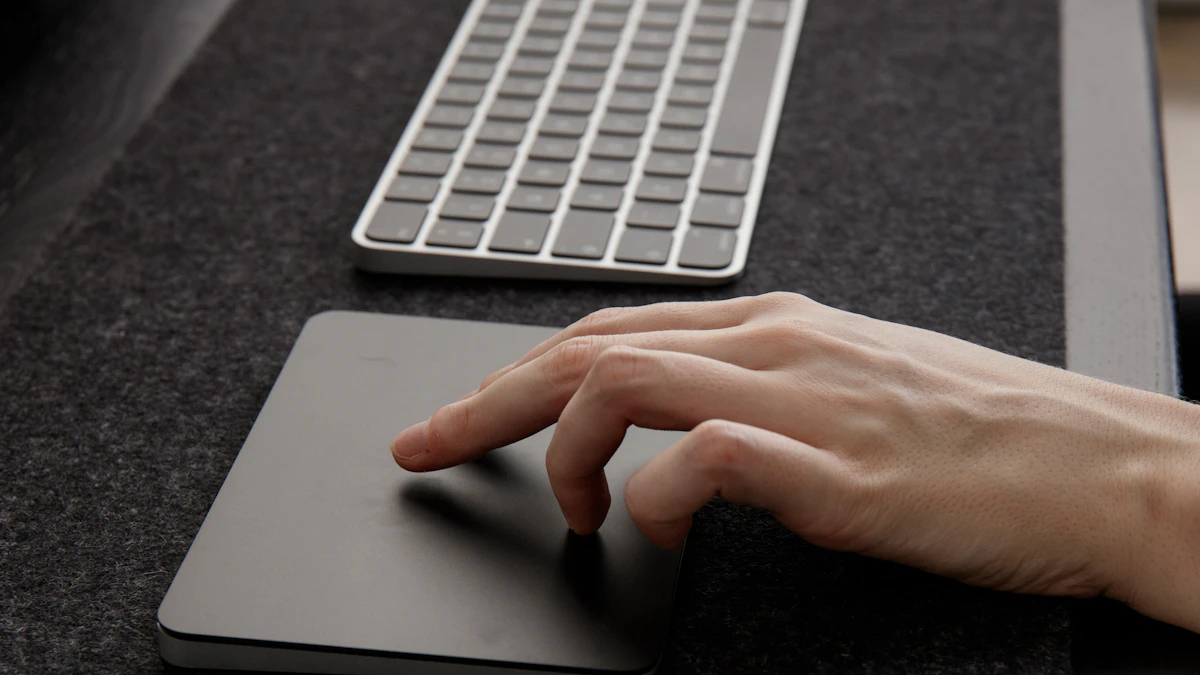
A trackball is a mouse that stays in one place on your desk. Instead of sliding the whole device, you roll an exposed ball with your thumb or fingers to move the cursor, and click with buttons built into the base. Since the device itself never moves, your forearm and wrist stay planted instead of gliding back and forth across a mouse pad all day.
Trackballs come in two common layouts. Thumb-operated models put the ball under your thumb, leaving your fingers free for the click buttons. Finger-operated models put a larger ball under your index and middle fingers instead, which some people find gives steadier precision for detailed work like photo editing. A few models split the difference with a center-mounted ball you roll with several fingers at once, closer to how a mouse wheel feels than a dedicated trackball.
What Is a Vertical Mouse?
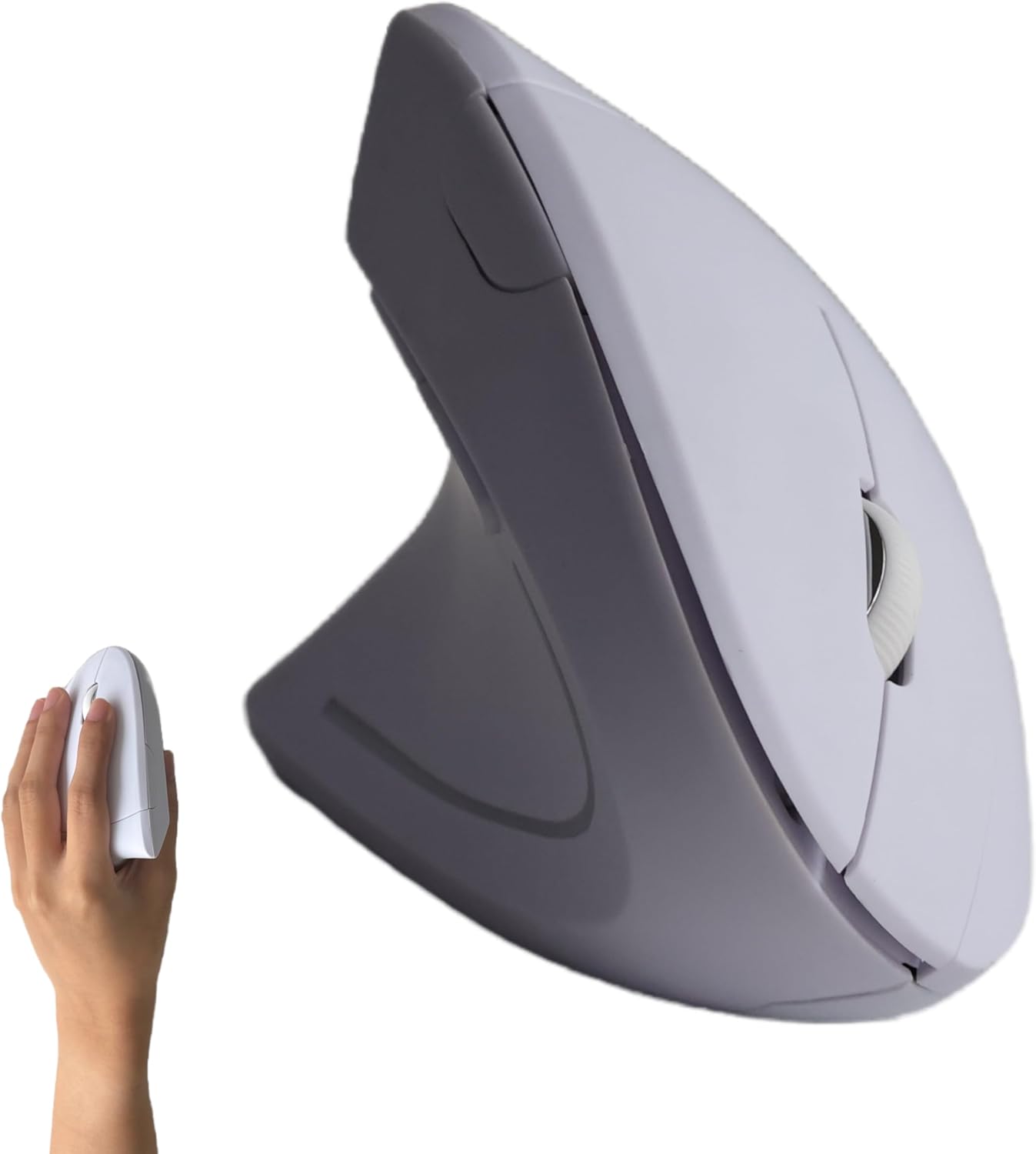
A vertical mouse is shaped so you hold it more like you’d shake a hand than grip a bar of soap. Instead of your palm facing straight down onto the device, it tilts your hand to somewhere between 45 and 90 degrees, which keeps your forearm bones from crossing over each other the way they do with a flat mouse. It still slides across the desk like a standard mouse, just with a different hand angle.
Most vertical mice feel close to a regular mouse within the first day or two, since the click buttons, scroll wheel, and basic motion are largely the same. That short adjustment period is the main reason people try a vertical mouse before a trackball.
Trackball vs Vertical Mouse: Wrist and Forearm Position
A vertical mouse changes the angle of your hand and forearm, cutting down on the twisting motion, called pronation, that happens when your palm faces flat down on a standard mouse all day. A 2015 study published in Applied Ergonomics compared a vertical mouse against a standard mouse in people who already had carpal tunnel syndrome and found it did change wrist posture, but it did not lower the actual pressure inside the carpal tunnel (Schmid et al., Applied Ergonomics, 2015). That’s an important distinction: posture and pressure are not the same thing, and a device that looks more ergonomic isn’t automatically doing less work on your nerve.
A trackball takes a different approach entirely. Since the device doesn’t move, your wrist and forearm stay in roughly the same resting position all day instead of gliding and lifting. OSHA’s guidance on pointer devices notes that keeping the hand and wrist in a neutral, stable posture reduces the awkward postures and repeated motion linked to strain over time (OSHA, Computer Workstations eTool: Pointer/Mouse). The tradeoff is that the thumb or fingers now do concentrated, repetitive work rolling the ball, which is its own source of strain if you use it heavily for dragging and clicking.
Trackball vs Vertical Mouse: Learning Curve
Vertical mice are the easier switch. Most people adjust within a day or two, since the motion is nearly identical to a standard mouse, just at a tilted angle. Cursor accuracy rarely takes a real hit.
Trackballs ask more of you upfront. Expect one to two weeks before fine cursor control, like precise clicking in a spreadsheet or dragging objects in design software, feels as fast as it did with a standard mouse. Some people never fully match their old speed for drag-heavy work, though everyday browsing and typing-adjacent tasks catch up quickly.
Trackball vs Vertical Mouse: Cost
Vertical mice generally run $30 to $70, with wireless models and larger ergonomic grips at the higher end. Trackballs run a bit more, typically $40 to $100, since the mechanism inside a smooth-rolling ball costs more to build than a standard optical sensor. Neither is a purchase you should make more than once if you pick based on your actual pain pattern instead of guessing. Some ergonomic mice qualify for FSA or HSA reimbursement if a doctor documents the need, worth checking with your plan before you buy either type.
When a Trackball Is the Better Choice
Pick a trackball if your pain shows up from reaching, sliding, or lifting the mouse repeatedly, rather than from the angle of your wrist while it sits still. It’s also the better pick if your desk space is tight, since the device never needs room to glide. See our picks for ergonomic mice for wrist pain for models that include trackball options alongside vertical designs.
When a Vertical Mouse Is the Better Choice
Go with a vertical mouse if this is your first ergonomic mouse, if you need to stay fast at detailed cursor work right away, or if your discomfort feels more like a twisting or aching forearm than a reaching or dragging problem. It’s also the safer pick if you share a desk or switch between machines often, since there’s less to relearn each time.
Can You Alternate Between Both?
Yes, and some people do it on purpose. Alternating between a trackball and a vertical mouse, or even switching hands with either device, spreads the repetitive load across different muscles and postures instead of loading the same tendons the same way for eight hours straight. OSHA specifically recommends alternating hands on a pointing device as one way to cut down on repetitive strain (OSHA, Computer Workstations eTool: Pointer/Mouse). If you’re already dealing with wrist pain from typing, pairing either mouse with the keyboard setup covered in our guide to reducing wrist pain from typing addresses both hands at once. If you’re still deciding whether a vertical mouse helps at all, our earlier piece on whether vertical mice help with wrist pain covers that question directly.
Frequently Asked Questions
Will a trackball or vertical mouse fix carpal tunnel syndrome on its own?
No single device is a fix on its own. Research on vertical mice found they change wrist posture without necessarily lowering carpal tunnel pressure, so see a doctor or physical therapist for an existing diagnosis rather than expecting a mouse swap to resolve it.
Can a trackball cause thumb pain?
Yes, especially thumb-operated models used heavily for dragging and clicking. If your thumb starts aching, try a finger-operated trackball instead, or alternate with a vertical mouse to give the thumb tendons a break.
Are vertical mice or trackballs good for gaming?
Vertical mice work reasonably well for most games. Trackballs are a harder fit for fast-paced gaming since precise, quick cursor movement is slower to relearn, though some strategy and puzzle games work fine.
Should I switch which hand I use for the mouse?
It can help. OSHA lists alternating hands as one way to reduce repetitive strain, and many trackballs and some vertical mice are built to work with either hand.
How long does it take to get used to a new mouse type?
A vertical mouse usually feels comfortable within a day or two. A trackball typically takes one to two weeks before your cursor control feels as fast as it used to.
Neither device fixes the underlying condition by itself, but both can reduce the specific motion that’s causing your discomfort, if you pick based on where the pain actually shows up. Start with a vertical mouse for the easiest switch, or go straight to a trackball if reaching and dragging is what hurts. Give either one a full two weeks before deciding it isn’t working, since the adjustment period is often mistaken for the device being the wrong fit.




Write Your Review
No reviews yet. Be the first to share your experience!