

Carpal tunnel syndrome and general wrist strain are common complaints among people who use a mouse for hours at a time. A vertical or ergonomic mouse can change your wrist angle and reduce some of the pressure that builds up during the day, though it isn’t a treatment for diagnosed carpal tunnel syndrome. If you have persistent numbness, tingling, or pain, talk with a doctor about your specific situation rather than relying on hardware alone.
We compared six ergonomic mice built around a vertical or handshake grip, from compact designs for smaller hands to premium options with added productivity features. Browse our full ergonomic mice category for more options.

Pros
- Compact vertical design suited to small and medium hands
- Long rated battery life
- Quiet clicks for shared workspaces
Cons
- Fixed for right-hand use only, with no left-handed version
- Smaller shape may feel cramped for larger hands
The Logitech Lift is a vertical mouse shaped around a 57 degree angle, intended to keep the forearm in a more natural rotation than a standard flat mouse.
Its grip is softly textured with a snug thumb rest, and it's sized specifically for small to medium right hands rather than a one-size-fits-all shape.
It connects over Bluetooth or the included USB receiver, with a battery rated to last up to two years, and the scroll wheel is designed to feel smooth and quiet.
The main limitation is fit: it's built for smaller hands and right-hand use only, so it won't suit everyone.
It's a strong option for anyone who wants a compact, all-day vertical mouse without a steep learning curve.
Connectivity: Bluetooth or the included USB receiver.
Buttons: Up to 6, with 4 customizable.
Battery life: Rated up to two years.
Hand fit: Right-handed, built for small to medium hands.
Sensor: Optical, up to 4000 DPI.
Who should buy this mouse? Anyone with a small to medium right hand who wants a compact vertical mouse with long battery life.
Who might want to look elsewhere? Left-handed users, or anyone with larger hands who may find the shape too compact.
What to compare before buying: Check hand size fit against the product's stated dimensions, since vertical mice vary more in shape than standard mice.
Setup tip: Give yourself a week or two to adjust to the vertical grip, since the wrist rotation feels different from a standard mouse at first.

Pros
- Handshake grip designed to reduce muscular strain versus a standard mouse
- Cursor speed switch adds quick control over sensitivity
- Fits a wider range of hand sizes than more compact vertical mice
Cons
- Larger, taller shape than the Lift, which may not suit smaller hands or bags
- Right-hand only design
The MX Vertical takes the handshake grip concept further than the compact Lift, with a taller 57 degree shape designed to reduce muscular activity compared with a standard mouse.
A cursor speed switch lets you jump between DPI settings instantly, and the textured surface is shaped to fit a broader range of hand sizes.
It's designed according to criteria set out by ergonomists, and charges over USB-C rather than requiring disposable batteries.
Its larger size is also its main trade-off: it takes up more desk space and isn't as easy to slip into a bag as the compact Lift.
It suits anyone with medium to large hands who wants a pronounced handshake-style grip.
Dimensions: 7.5 inches long by 6 inches wide.
Connectivity: USB, wireless.
Buttons: 4.
Sensor: Optical, up to 4000 DPI.
Battery life: Rated around 4 months per charge.
Who should buy this mouse? Anyone with medium to large hands who wants a pronounced handshake-style grip to reduce strain.
Who might want to look elsewhere? Smaller hands or anyone who wants a more compact, travel-friendly shape should consider the Lift instead.
Setup tip: Rest your whole palm on the mouse rather than gripping it like a standard mouse, since that's how the handshake shape is meant to be used.

Pros
- Silent clicks suited to shared or quiet workspaces
- Dual-mode wireless connection option
- More affordable than the Logitech models in this comparison
Cons
- Sized for medium hands specifically, per the manufacturer's own sizing note
- Smaller, newer brand with less of an established track record than Logitech
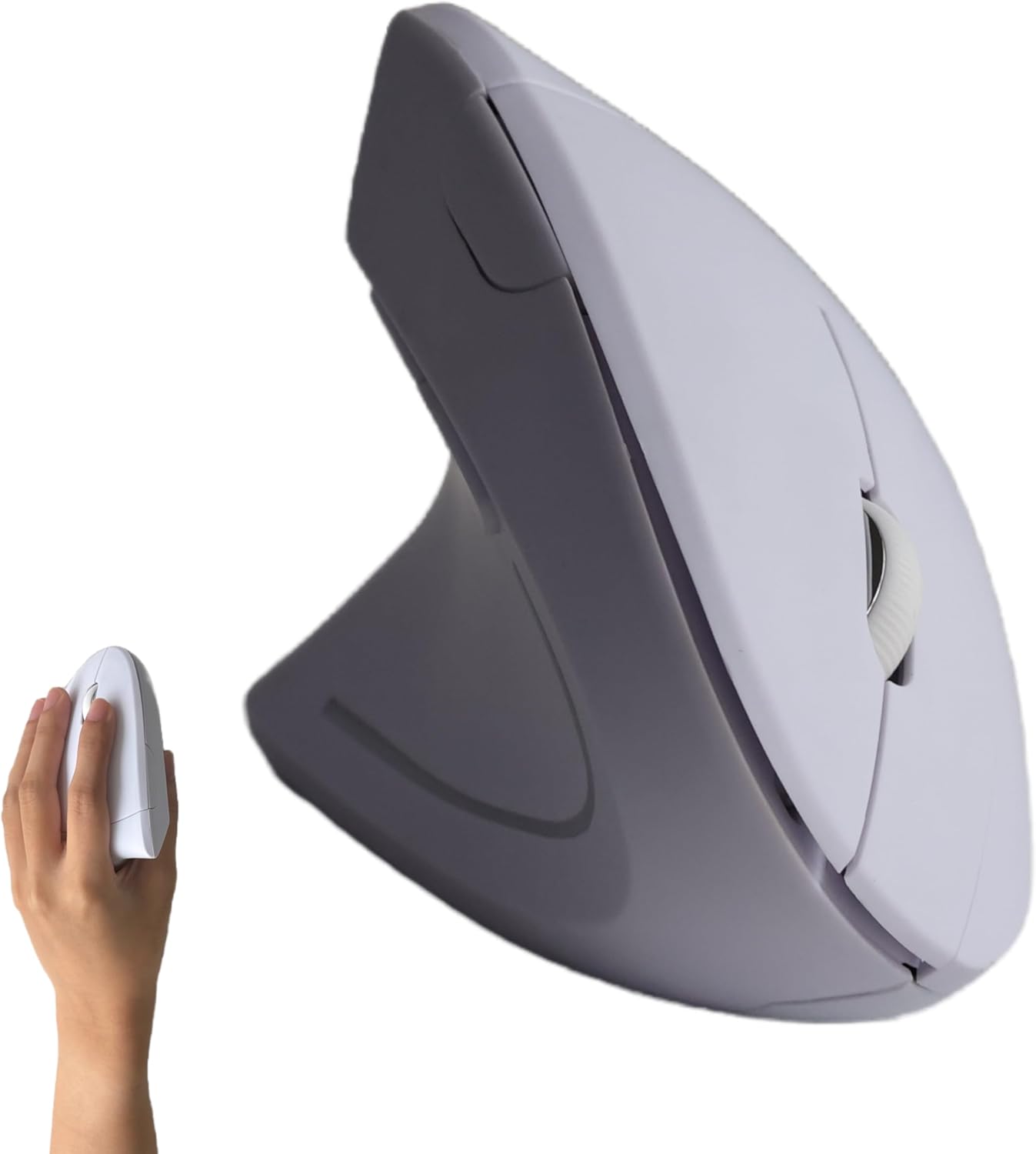
The KYSONA mouse brings the vertical, 57 degree ergonomic shape down to a more budget-friendly price tier, with a silent switch for quiet clicking.
Five DPI levels let you adjust sensitivity for different tasks, and it supports both Bluetooth and 2.4G wireless connections.
The manufacturer specifically recommends it for medium-sized hands, so it's worth checking your own hand size against the listing before buying.
As a smaller, newer brand, it doesn't have the same established track record as the Logitech models in this comparison.
It suits budget-conscious shoppers with medium-sized hands who want a quiet, adjustable vertical mouse.
Dimensions: 4.25 inches long by 2.91 inches wide.
DPI levels: Five settings up to 4000 DPI.
Connectivity: Bluetooth and 2.4G wireless.
Battery life: Rated up to 365 days with auto-sleep.
Who should buy this mouse? Budget-focused shoppers with medium-sized hands who want a quiet, adjustable vertical mouse.
Who might want to look elsewhere? Very large or very small hands, or anyone who prefers an established, long-track-record brand.
Setup tip: Measure your hand before buying, since the manufacturer specifically recommends checking size first.
Pros
- Side-scroll wheel is a feature not shared by most other mice in this comparison
- Multi-device switching across three connections
- Rechargeable rather than requiring replacement batteries
Cons
- Manufacturer notes it may take one to two weeks of adjustment to feel comfortable
- Lowest average rating among the mice compared here
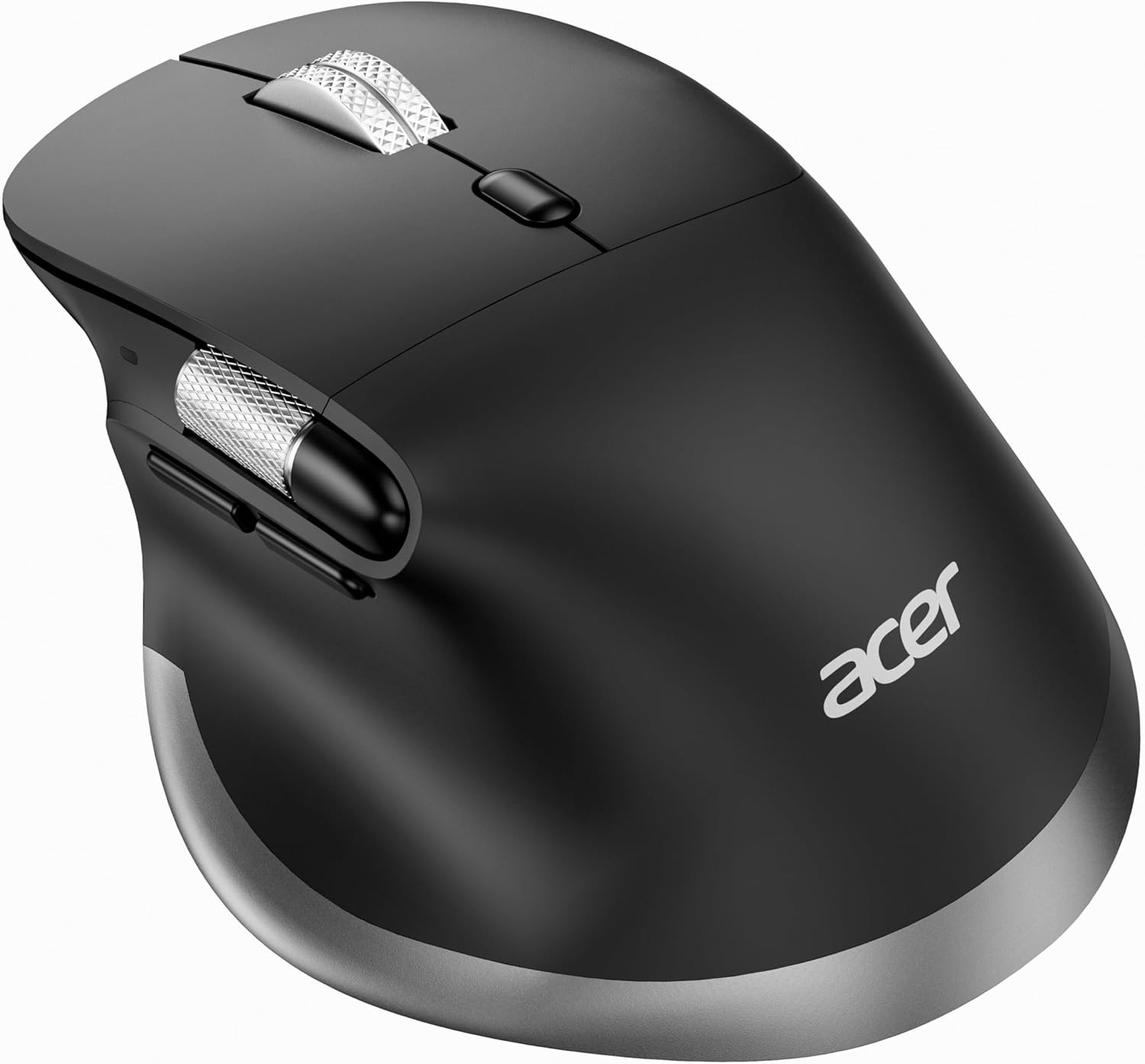
This Acer mouse pairs an ergonomic handshake shape with a side-scroll wheel, letting you navigate wide spreadsheets or timelines without lifting your hand.
It switches between three connected devices with a single click, alternating between 2.4G and Bluetooth modes, and recharges over USB-C.
Acer notes it's built for medium to large hands and recommends one to two weeks of adjustment before it feels fully natural.
It carries the lowest average rating among the mice compared here, though the side-scroll feature is a genuine differentiator.
It suits anyone who regularly works with wide documents or spreadsheets and wants dedicated horizontal scrolling.
Buttons: 8, including dedicated side-scroll and forward/backward buttons.
DPI: Up to 4800, six adjustable levels.
Connectivity: Bluetooth and 2.4G, switchable across three devices.
Battery: Rechargeable, 500mAh built-in.
Who should buy this mouse? Anyone who frequently works with wide spreadsheets or documents and wants side-scroll navigation.
Who might want to look elsewhere? Anyone who wants the most established, proven option should consider the Logitech models in this comparison instead.
Setup tip: Give it the adjustment period the manufacturer notes rather than judging comfort in the first day.

Pros
- Rechargeable battery avoids the need for replacements
- Lightweight build
- Straightforward three-level DPI control
Cons
- USB-A only, with no Bluetooth connectivity option
- Manufacturer notes it may take one to two weeks of adjustment to feel comfortable
This Acer mouse uses a 57 degree vertical tilt aimed at medium to large hands, with a rechargeable battery that Acer rates at about a month per charge.
It offers three DPI settings and forward and backward buttons for quick navigation, connecting only through a 2.4G USB-A receiver rather than Bluetooth.
Acer notes it may take one to two weeks of adjustment before the vertical grip feels natural, which is worth knowing going in.
The lack of Bluetooth is the main limitation if you regularly switch between multiple devices, including tablets.
It suits anyone with medium to large hands who wants a straightforward, rechargeable vertical mouse for a single computer.
Connectivity: 2.4G USB-A receiver only, no Bluetooth.
DPI: Three settings up to 1600.
Battery: Rechargeable, rated around 30 days per charge.
Weight: Approximately 0.15 kilograms.
Who should buy this mouse? Anyone with medium to large hands who wants a rechargeable vertical mouse for a single computer and doesn't need Bluetooth.
Who might want to look elsewhere? Anyone who needs Bluetooth for a tablet or multiple devices should consider the Logitech Lift or MX Vertical instead.
Setup tip: Keep the USB-A receiver in a fixed port, since switching computers means re-pairing it.

Pros
- Combines ergonomic tilt with advanced productivity features not found on the other mice here
- Extensive button and gesture customization
- Broad compatibility across operating systems
Cons
- More complex feature set than shoppers who just want basic ergonomic relief may need
- Positioned as the premium option relative to the more straightforward mice in this comparison
The MX Master 4 pairs a natural tilt shape with haptic feedback, giving you a subtle vibration on customizable actions like notifications or shortcuts.
Its scroll wheel is built for fast, precise scrolling, and an on-screen overlay adapts available shortcuts to whichever app you're using.
Clicks are notably quieter than a standard mouse, and it recharges rather than relying on disposable batteries.
It's the most feature-rich, and priciest, mouse in this comparison, which may be more than some shoppers need if they just want basic wrist relief.
It suits anyone who wants ergonomic comfort bundled with advanced productivity tools rather than a no-frills vertical mouse.
Dimensions: 6.6 inches long by 5.6 inches wide.
Buttons: 7.
Sensor: Optical, up to 8000 DPI.
Battery life: Rated around 70 days per charge.
Connectivity: Bluetooth, USB receiver, or USB-C.
Who should buy this mouse? Anyone who wants ergonomic comfort plus advanced productivity features like haptics and app-aware shortcuts.
Who might want to look elsewhere? Anyone who wants the simplest, most affordable ergonomic mouse should consider the KYSONA or Acer options instead.
Setup tip: Spend time customizing the on-screen shortcut overlay for your most-used apps to get the full benefit of the feature.
What to Look for in an Ergonomic Mouse
Vertical Angle and Grip Style
Most of the mice here use a steep vertical angle, generally around 57 degrees, meant to keep your forearm and wrist in a more neutral rotation than a flat mouse. The Logitech MX Vertical and Acer vertical model both lean into this handshake-style grip, while the Logitech Lift and KYSONA use a more compact vertical shape.
The Acer side-scroll model takes a slightly different approach, staying closer to a traditional shape while adding ergonomic touches and a horizontal scroll wheel.
Hand Size Fit
Hand size matters more with vertical mice than standard ones. The Logitech Lift and KYSONA are both sized for smaller to medium hands, while the MX Vertical, MX Master 4, and both Acer models are built with medium to large hands in mind. Check the manufacturer’s hand size guidance before buying, since a mismatched fit can cause the same strain you’re trying to avoid.
Our keyboards and mice category also covers ergonomic keyboards if wrist strain is affecting your typing as well as your mouse hand.
Connectivity and Battery
Connectivity varies across this lineup. The Logitech Lift, MX Vertical, and MX Master 4 all support Bluetooth alongside a USB receiver, while both Acer mice rely on a 2.4G USB-A connection without Bluetooth. If you switch between a laptop, tablet, and desktop often, Bluetooth support is worth prioritizing.
Final Thoughts
For most people dealing with general wrist strain, the Logitech Lift offers a comfortable, compact starting point, while the Logitech MX Vertical suits larger hands or anyone who wants a more pronounced handshake grip.
Frequently Asked Questions
Can an ergonomic mouse help with carpal tunnel syndrome?
A vertical mouse can reduce some of the wrist rotation and pressure associated with a standard mouse, which may ease general strain for some users. It is not a medical treatment, and anyone with diagnosed carpal tunnel syndrome or persistent symptoms should consult a doctor rather than relying on a mouse alone.
How long does it take to get used to a vertical mouse?
Most people need one to two weeks to adjust to the different wrist angle, which several manufacturers in this comparison note directly. Give yourself that adjustment window before deciding whether the shape works for you.
Do I need a specific hand size for a vertical mouse?
Yes, more so than with a standard mouse. Compact designs like the Logitech Lift and KYSONA are built for smaller to medium hands, while the MX Vertical and both Acer models are sized for medium to large hands.
Should I choose a vertical mouse or a trackball for wrist pain in 2026?
Both can help reduce wrist strain in different ways: a vertical mouse changes your wrist angle, while a trackball reduces arm movement entirely. If you haven’t tried either, a vertical mouse is generally the easier adjustment for someone used to a standard mouse.





Write Your Review
No reviews yet. Be the first to share your experience!