

A dead battery at the worst possible moment, a desk wrapped in tangled cables, and the constant expense of disposable AA cells. If that sounds familiar, it’s time to upgrade to a rechargeable mouse. The best rechargeable mice in 2026 combine long battery life, fast charging, and quiet switches so you can keep your focus without interruptions.
Rechargeable mice also cut down on waste and save you money over time. Before we get to our top picks, take a moment to consider your current ergonomic setup. If wrist pain is already part of your daily routine, our guide to the best vertical mouse for wrist pain might offer some useful alternatives.
A rechargeable mouse still needs downtime to charge, so anyone who cannot pause work for a recharge should keep a spare battery-powered mouse on hand as backup.
Disclosure: Ergonook is a participant in the Amazon Associates program. Links below are affiliate links, and we may earn a commission from qualifying purchases. This does not affect which products we recommend or how we rank them.

Pros
- Excellent battery life with quick recharge and long runtime.
- Silent clicks reduce noise in shared or quiet environments.
- Dual-device connectivity enhances productivity for multi-device users.
- Affordable price with a generous 36-month warranty.
Cons
- Not recommended for users with larger hands due to compact size.
- Side buttons are not compatible with macOS.
- Connection may become unstable when battery is low.
The TECKNET Wireless Mouse (model B0CP3HTHLZ) is a versatile, rechargeable input device designed for users who need seamless dual-device connectivity. It is particularly suited for professionals, students, or anyone with small to medium hands looking for a quiet, affordable wireless mouse for laptops or desktops.
Its standout feature is the ability to connect two devices simultaneously via Bluetooth 5.0 or 2.4G, with a simple slide switch to toggle between them. The rechargeable battery charges fully in under 2 hours and provides up to 3 months of use, making it ideal for daily commuters or those who dislike changing batteries frequently.
The mouse offers six adjustable DPI levels (4800 to 800) for precise cursor control, and its silent buttons ensure a noiseless experience in libraries or open offices. Build quality feels solid for its price, with a compact shape that fits comfortably in small to medium hands, though larger hands may find it cramped.
One drawback is that the side buttons do not work on macOS, which may limit functionality for Apple users. Additionally, the connection can become unstable when the battery is low, so regular charging is advised. Overall, the TECKNET mouse delivers reliable performance and great value.
For users seeking a budget-friendly, rechargeable wireless mouse with dual-device support and quiet operation, this is a top choice. Its 36-month warranty adds extra confidence, making it a smart buy for everyday computing needs.
Pros
- Very affordable for a rechargeable wireless mouse with battery display.
- Comfortable ergonomic design reduces hand strain during long work sessions.
- Visual battery indicator eliminates guesswork about remaining power.
- Four DPI settings offer flexibility from precise editing to fast navigation.
- Plug-and-play simplicity works instantly with most operating systems.
Cons
- Requires a USB-A port for the receiver; no Bluetooth option for devices without USB-A.
- Not designed for gaming; lacks extra buttons or high polling rate.
- Battery life is not specified; heavy users may need to recharge frequently.
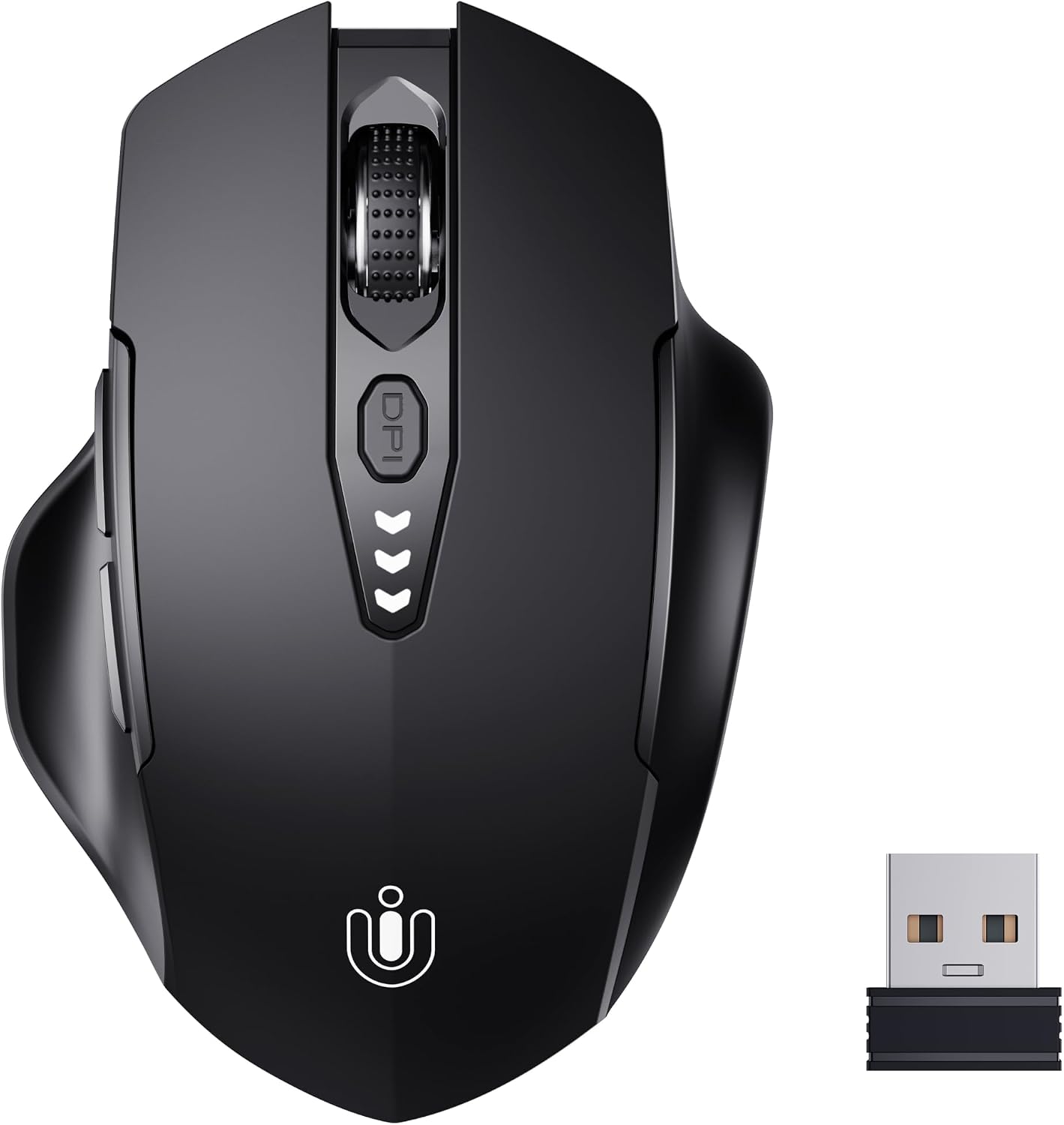
The Uineer Wireless Mouse is a budget-friendly rechargeable mouse designed for everyday computing. It targets students, office workers, and home users who need a reliable wireless mouse without breaking the bank. With a high rating from thousands of reviews, it has proven popular for its simplicity and performance.
Standout features include the visual battery display, which shows remaining charge at a glance, and the adjustable DPI settings (800 to 2400) for tailored cursor speed. The 2.4GHz wireless connection is stable and plug-and-play, requiring no software installation. The ergonomic shape offers comfortable grip for prolonged use.
Build quality is solid for the price point, with a matte finish that resists fingerprints. The mouse is lightweight and works well on most surfaces. The rechargeable battery eliminates the need for disposable batteries, though the battery life is average and may require weekly charging with heavy use.
One drawback is the lack of Bluetooth connectivity, limiting use to devices with a USB-A port. Additionally, it lacks extra programmable buttons, so it is not ideal for gaming or advanced productivity macros. However, for basic tasks, it performs admirably.
Overall, the Uineer Wireless Mouse offers excellent value for money. Its combination of ergonomic design, battery display, and adjustable DPI makes it a smart choice for anyone seeking a no-fuss wireless mouse for work or study.

Pros
- Connects to three devices simultaneously with easy switching
- Excellent battery life with fast recharge and auto-sleep
- Comfortable ergonomic design reduces wrist fatigue
- Silent clicks keep focus and respect others' quiet
- Wide compatibility across multiple operating systems
Cons
- No side buttons for extra shortcuts or gaming macros
- Charging cable (likely micro-USB) not specified as included
- Small size may not suit users with larger hands
The TECKNET Rechargeable Bluetooth Mouse is a versatile wireless mouse designed for users who juggle multiple devices. It connects via Bluetooth 5.0, 3.0, or USB-A, allowing pairing with up to three devices simultaneously. A quick click switches between your PC, laptop, and tablet, making it a powerful tool for boosting productivity in a multi-device workflow.
Its standout feature is the 800mAh rechargeable battery that takes just 1.5 hours to charge and lasts up to three months with typical use. An intelligent auto-sleep mode extends battery life further by powering down during inactivity. The six adjustable DPI levels (4800, 3200, 2400, 1600, 1200, 800) deliver accurate tracking for everything from detailed graphic design to fast-paced gaming.
The ergonomic design cradles your palm and reduces wrist strain by up to 35%, making long work sessions more comfortable. Additionally, the silent click technology cuts noise by 90%, ensuring a quiet environment in shared spaces or late-night work sessions. The mouse works seamlessly with Windows, macOS, Linux, Chrome OS, iPadOS, and Android, adding to its flexibility.
One potential drawback is the lack of side buttons, which may disappoint users who rely on extra programmable keys for gaming or productivity shortcuts. The small form factor might also be less comfortable for those with larger hands. However, these trade-offs keep the price accessible and the design simple.
Overall, the TECKNET Rechargeable Bluetooth Mouse delivers exceptional value with its multi-device support, long battery life, and comfortable design. It is an excellent choice for professionals, students, and home users who need a reliable, quiet, and ergonomic mouse for daily tasks without breaking the bank.
Connectivity: Dual mode (Bluetooth 5.0, Bluetooth 3.0, USB-A receiver)
Wireless Range: Up to 33 feet (10 meters)
Battery: Rechargeable 800mAh
Charging Time: 1.5 hours
Battery Life: Up to 3 months (with auto-sleep)
DPI Settings: 6 levels (800/1200/1600/2400/3200/4800)
Silent Click: Reduces noise by 90%
Dimensions: 4.6 x 2.7 x 1.6 inches
Compatibility: Windows, macOS, Linux, Chrome OS, iPadOS, Android
Warranty: Lifetime support (registration required)
Pros
- Up to 90 days of battery life with a 700mAh rechargeable cell
- 5-minute quick charge provides a full day of use
- 90% quieter clicks for distraction-free work
- Compact ergonomic design with rubber side grips for comfort
- 6-level adjustable DPI from 800 to 4800 for precision
Cons
- Requires a USB-A port, so some newer laptops may need an adapter
- Compact size may not suit users with larger hands
- No Bluetooth, so it only works with devices that accept a USB receiver
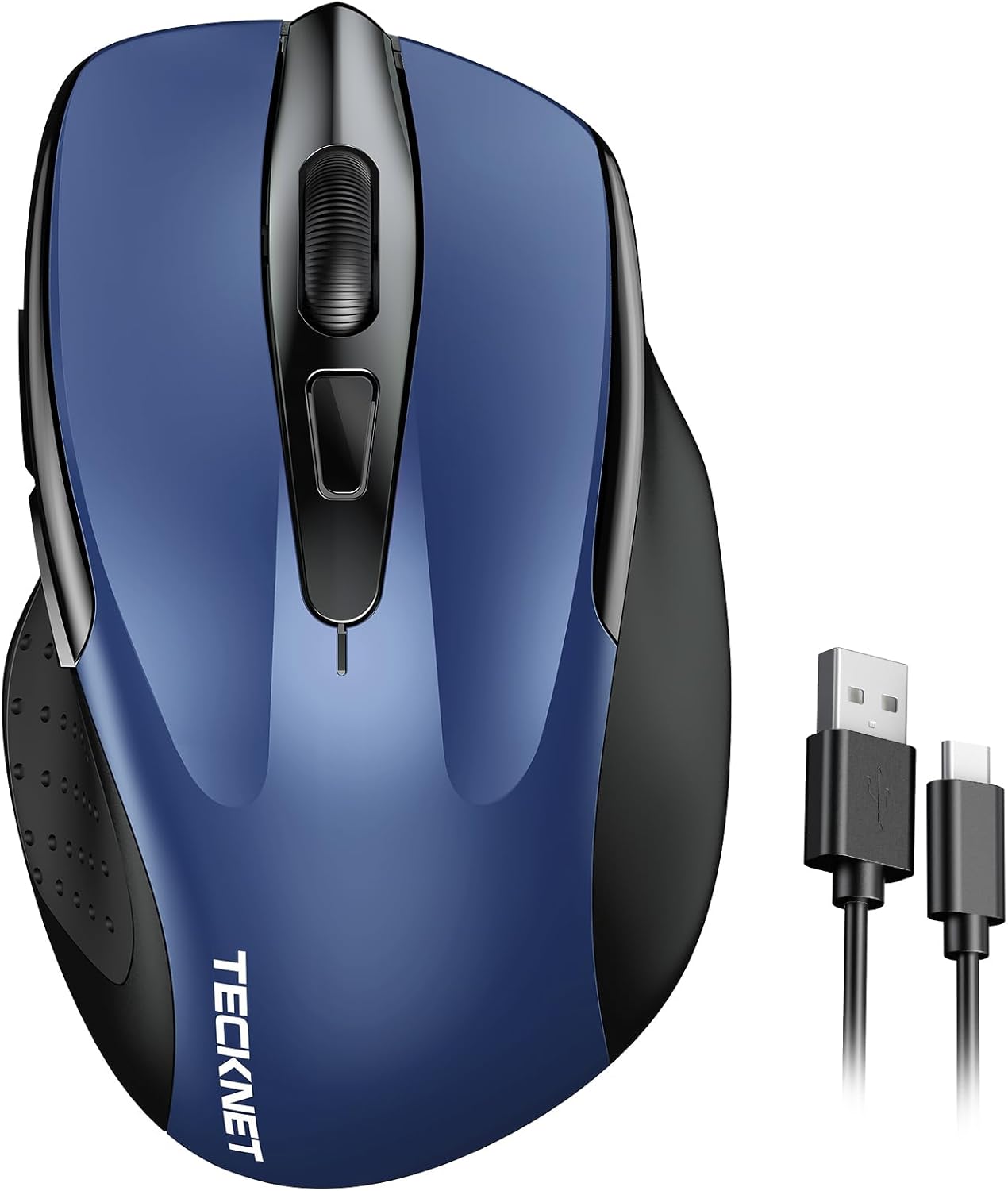
The TECKNET Wireless Mouse is a rechargeable 2.4G computer mouse designed for professionals, students, and travelers who need a reliable pointer without the hassle of batteries. It connects through a USB-A receiver and works with Windows, Mac, Chrome OS, and Linux systems.
Its standout feature is the 700mAh battery that delivers up to 90 days on a full charge. A five-minute quick charge gives you a full day of use, so you can stay productive even when you are short on time. The 90% reduced click noise also makes it easy to focus or work in quiet spaces.
The compact body measures 4.09 x 2.68 x 1.49 inches and fits comfortably in a laptop bag. Despite its small size, the ergonomic contour and rubber side grips offer solid support for everyday tasks. The 6-level DPI adjustment lets you switch between 800 and 4800 DPI to match your screen size and work style.
One potential drawback is the reliance on a USB-A port, which may require an adapter for newer laptops without one. Also, the compact form factor might not be ideal for users with very large hands. However, the included Type-C cable and internal receiver storage make charging and transport simple.
Overall, the TECKNET Wireless Mouse is an excellent value for anyone seeking a quiet, rechargeable, and portable mouse. It balances battery life, comfort, and precision in a budget-friendly package. If you want a dependable wireless mouse for work or study, this is a strong choice.
Connectivity: 2.4G wireless via USB-A receiver
Battery: Built-in 700mAh rechargeable, up to 90 days per charge
Charging: Type-C cable included, 5 minutes for a full day of use
DPI: 6-level adjustable (800, 1200, 1600, 2400, 3200, 4800)
Dimensions: 4.09 x 2.68 x 1.49 inches
Compatibility: Windows, Mac, Chrome OS, Linux
Wireless Range: Up to 49 feet
Noise Reduction: 90% quieter clicks

Pros
- Dual-mode connectivity lets you switch between Bluetooth and 2.4G devices
- Rechargeable 500mAh battery offers over a week of use on a single charge
- Silent click technology is ideal for quiet offices and libraries
- Plug-and-play setup works with Windows, Mac, and Android without drivers
- Compact and lightweight design makes it easy to carry while traveling
Cons
- Bluetooth and 2.4G modes cannot be used at the same time
- Small size may not be comfortable for users with larger hands
- LED breathing light might be distracting in dimly lit rooms
The Afaartcci rechargeable wireless mouse is an affordable input solution designed for everyday computing, travel, and quiet workspaces. It targets students, remote workers, and anyone juggling multiple devices without wanting to carry extra cables or adapters.
In practice, the dual-mode connection is the biggest highlight. You can connect one device through Bluetooth 5.2 or 3.0 and another through the included 2.4G USB receiver. Switching is quick, and the 33-foot range gives you freedom to move around your desk or meeting room.
Battery life is impressive for the price. The 500mAh cell fully charges in about two hours and delivers more than seven days of normal use, plus a 30-day standby. The auto-sleep feature after five minutes of inactivity is a thoughtful power-saving touch.
The build is compact and lightweight, making it simple to carry in a sleeve or pocket. Silent click switches keep noise to a minimum, while the seven-color LED breathing light adds a fun, modern vibe. Keep in mind that you cannot use both wireless modes at the same time, and the small form factor may not suit everyone with larger hands.
Overall, the Afaartcci mouse offers excellent value for users who prioritize affordability, quiet operation, and multi-device flexibility. It is a solid pick for travel, home, or office use, as long as you are comfortable with its compact size and one-at-a-time connection logic.
Mode: Bluetooth 5.2/3.0 and 2.4G USB receiver (selectable, not simultaneous)
Battery: 500mAh lithium-ion, 2-hour charge, up to 7 days usage / 30 days standby
Range: Up to 33 feet
Dimensions: 4.4 x 2.3 x 1.1 inches
Compatibility: Android, Windows, Mac; laptops, PCs, tablets, smartphones
Extra Features: Silent clicks, 7-color LED breathing light, auto-sleep after 5 minutes, plug-and-play
Pros
- Rechargeable battery with no battery replacement hassle
- Silent clicks reduce noise distraction in quiet environments
- Compact and portable, ideal for travel and small desks
- Wide compatibility with USB A and USB C devices
- Affordable price with high customer satisfaction (4.4 stars)
Cons
- LED light cannot be turned off permanently; cycles automatically unless switch is used
- No Bluetooth option, requiring a USB receiver for connection
- Some users may find the mouse too small for larger hands
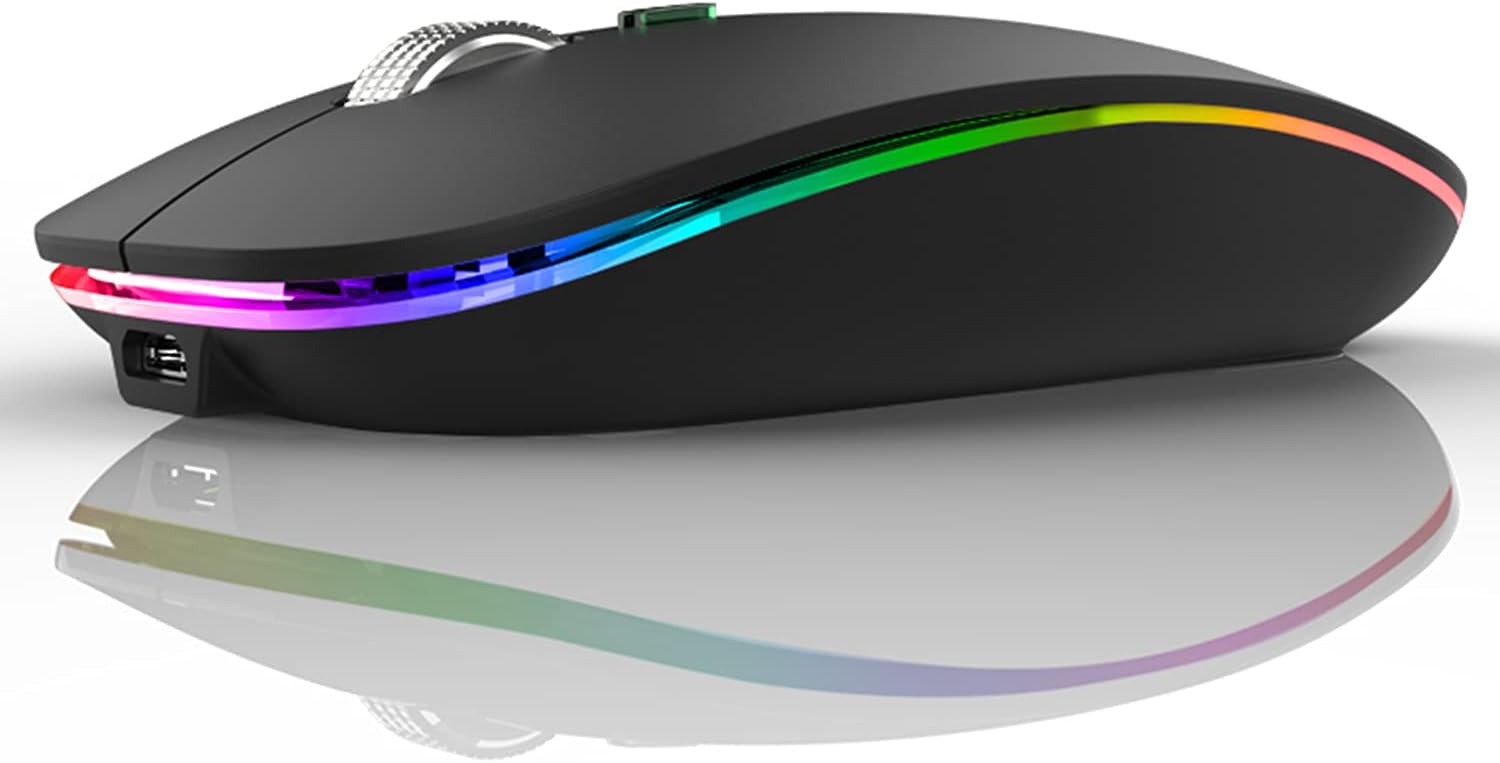
The Uiosmuph G12 is a budget-friendly wireless mouse that punches above its weight in features. Designed for students, remote workers, and travelers, it combines a slim profile with silent clicks and a rechargeable battery. At under $10, it offers impressive value without sacrificing essential functionality.
Its standout feature is the built-in rechargeable battery, which saves you money and hassle compared to disposable AA or AAA batteries. The mouse also includes a USB C adapter, making it compatible with the latest laptops and tablets. The silent buttons are a game-changer for library or office use, as they produce minimal sound even with heavy clicking.
The 7-color LED light adds a touch of personality, cycling through hues like blue, green, and red. While some may find it distracting, you can turn off the light using the bottom switch, and the auto-sleep mode kicks in after 8 minutes to conserve power. The optical sensor tracks accurately on most surfaces, though glossy desks may require a mouse pad.
On the downside, the mouse lacks Bluetooth connectivity, so you must use the included USB receiver. The small size may not suit users with large hands who prefer a fuller grip. However, for the price, these trade-offs are minor. Build quality feels decent, with a matte black finish that resists fingerprints.
Overall, the Uiosmuph G12 is a solid choice for anyone seeking a reliable, quiet, and portable wireless mouse. Its rechargeable design and dual connectivity make it especially convenient for modern laptop users. If you need a no-fuss mouse for everyday tasks, this one delivers excellent performance on a budget.

Pros
- Visible battery indicator eliminates power anxiety.
- Silent clicks are truly quiet, perfect for shared spaces.
- Ergonomic design with wider thumb rest reduces hand strain.
- Rechargeable battery with auto-sleep extends usage between charges.
- Affordable price with versatile connectivity options.
Cons
- Right-handed only; not suitable for left-handed users.
- Bluetooth 5.0 does not support Windows 7 or XP; check compatibility.
- Some users may prefer a higher maximum DPI for gaming.
The INPHIC Wireless Mouse is a rechargeable, silent-click mouse designed for users who value convenience and comfort. With its visible battery indicator and ergonomic thumb rest, it targets students, office workers, and anyone spending long hours at a computer.
Standout features include the top-mounted battery level display, which shows remaining power at a glance, and silent buttons that keep noise to a minimum. In real-world use, the mouse operates smoothly, with a reliable Bluetooth 5.0 or 2.4G USB connection. The 400mAh battery lasts several days on a single charge, and the auto-sleep mode conserves power effectively.
Build quality is solid for its price point. The matte plastic finish feels durable, and the wider thumb rest provides noticeable palm support. The 4 adjustable DPI levels (800 to 2400) offer enough flexibility for everyday tasks, from document editing to light gaming.
A minor drawback is its right-handed design, which excludes left-handed users. Also, Bluetooth 5.0 is not compatible with older operating systems like Windows 7 or XP. Some users may desire a higher DPI range for fast-paced gaming, but for general productivity, the mouse performs admirably.
Overall, the INPHIC Wireless Mouse delivers excellent value. Its visible battery indicator, silent clicks, and ergonomic design make it a top choice for anyone seeking a reliable, comfortable, and affordable wireless mouse. Highly recommended for daily use in quiet environments.

Pros
- Seamless 3-device switching with dedicated button enhances productivity.
- Rechargeable battery with long life reduces hassle of frequent battery changes.
- Silent clicks allow focused work without disturbing others.
- Metal scroll wheel and side scroll improve navigation and durability.
- Affordable price backed by a 36-month warranty.
Cons
- Buttons are non-programmable, limiting customization options.
- Side buttons are not supported on macOS.
- DPI adjustment uses LED blinks instead of on-screen indicator, which may be less intuitive.
The TECKNET Wireless Mouse is a versatile input device designed for users who need to control multiple devices without clutter. With support for two Bluetooth connections and one 2.4GHz connection, it seamlessly switches between a laptop, tablet, and desktop with a single button press. This makes it ideal for professionals, students, or anyone who works across multiple screens.
Standout features include a precision metal scroll wheel that offers a cool, smooth feel and adds durability, plus a side scroll wheel for effortless horizontal scrolling in spreadsheets or design software. The 6-level DPI adjustment (800 to 4800) lets you toggle between precise control for detailed work and fast movement for browsing, with an LED indicator showing the selected level.
Build quality is solid with a comfortable ergonomic shape, and the rechargeable battery is a major convenience: a full charge in 1.5-2 hours provides up to three months of use with two hours of daily usage. Silent clicks keep the mouse quiet in open offices or libraries, and it automatically sleeps after 10 minutes to save power.
One drawback is that the buttons are non-programmable, which may disappoint users who want to customize shortcuts. Additionally, the side buttons are not supported on macOS, and the DPI indicator uses blinks rather than a screen display, which could be less intuitive for some. However, these are minor trade-offs for the price.
Overall, the TECKNET Wireless Mouse delivers excellent value with its multi-device switching, rechargeable battery, and quiet operation. It is a smart choice for anyone seeking a functional, low-maintenance mouse for productivity or everyday use. The 36-month warranty adds extra confidence in the purchase.

Pros
- Tri-mode connectivity allows easy switching between desktop, laptop, and tablet.
- Rechargeable battery with indicator eliminates battery anxiety and waste.
- Honeycomb magnetic cover improves heat dissipation and stores the receiver.
- Wide compatibility with multiple operating systems and devices.
- Attractive LED lighting adds a personalized touch to your setup.
Cons
- Bluetooth feature is incompatible with Apple devices using the M4 chip.
- Plastic build may feel less premium compared to higher-end mice.
- Honeycomb design may allow dust and debris to accumulate over time.
The Uciefy Bluetooth Wireless Mouse is a versatile and budget-friendly input device designed for users who juggle multiple gadgets. With tri-mode connectivity including Bluetooth 5.0/5.1 and 2.4GHz, it effortlessly pairs with desktops, laptops, tablets, and even iPads (excluding M4 chip models). This makes it an ideal companion for remote workers, students, or anyone seeking seamless device switching without extra dongles.
Standout features include the innovative honeycomb magnetic cover that not only looks futuristic but also promotes breathable heat dissipation during extended use. The cover cleverly hides the USB receiver, so you never lose it. Additionally, the built-in rechargeable battery with a front charging indicator and rear battery level display ensures you always know the power status, putting an end to sudden shutdowns.
The mouse sports a sleek, lightweight design with vibrant 7-color LED breathing lights that add a fun, customizable aesthetic. In real-world use, the optical sensor tracks smoothly on most surfaces, and the tri-mode switching is quick and reliable. The included USB receiver and Type-C adapter guarantee broad compatibility with older and newer ports alike.
However, there are a few drawbacks. The plastic construction feels a bit basic, and the honeycomb shell can collect dust over time. More importantly, Bluetooth will not work with Apple devices using the M4 chip, so those users must rely on the 2.4GHz receiver. Battery life is not specified but typical for rechargeable mice; expect a few days to a week depending on usage and LED settings.
Overall, the Uciefy Bluetooth Wireless Mouse delivers excellent value for its price. It combines practical multi-device support, a unique design, and reliable performance in a compact package. If you need an affordable, feature-rich mouse for daily productivity and don't mind the plastic build, this is a solid choice.

Pros
- Tri-mode connectivity (Bluetooth 5.0/3.0 and 2.4G) for versatile use across multiple devices.
- Long battery life (3 months per charge) with convenient USB-C recharging.
- Silent clicks that are genuinely quiet, great for focused work.
- Ergonomic shape with thumb rest reduces fatigue.
- Affordable price with high build quality and warranty.
Cons
- Forward and back side buttons are not functional on macOS.
- Ergonomic design is optimized for right-handed users only.
- No on-board memory for saving DPI presets; adjustments are per-session.
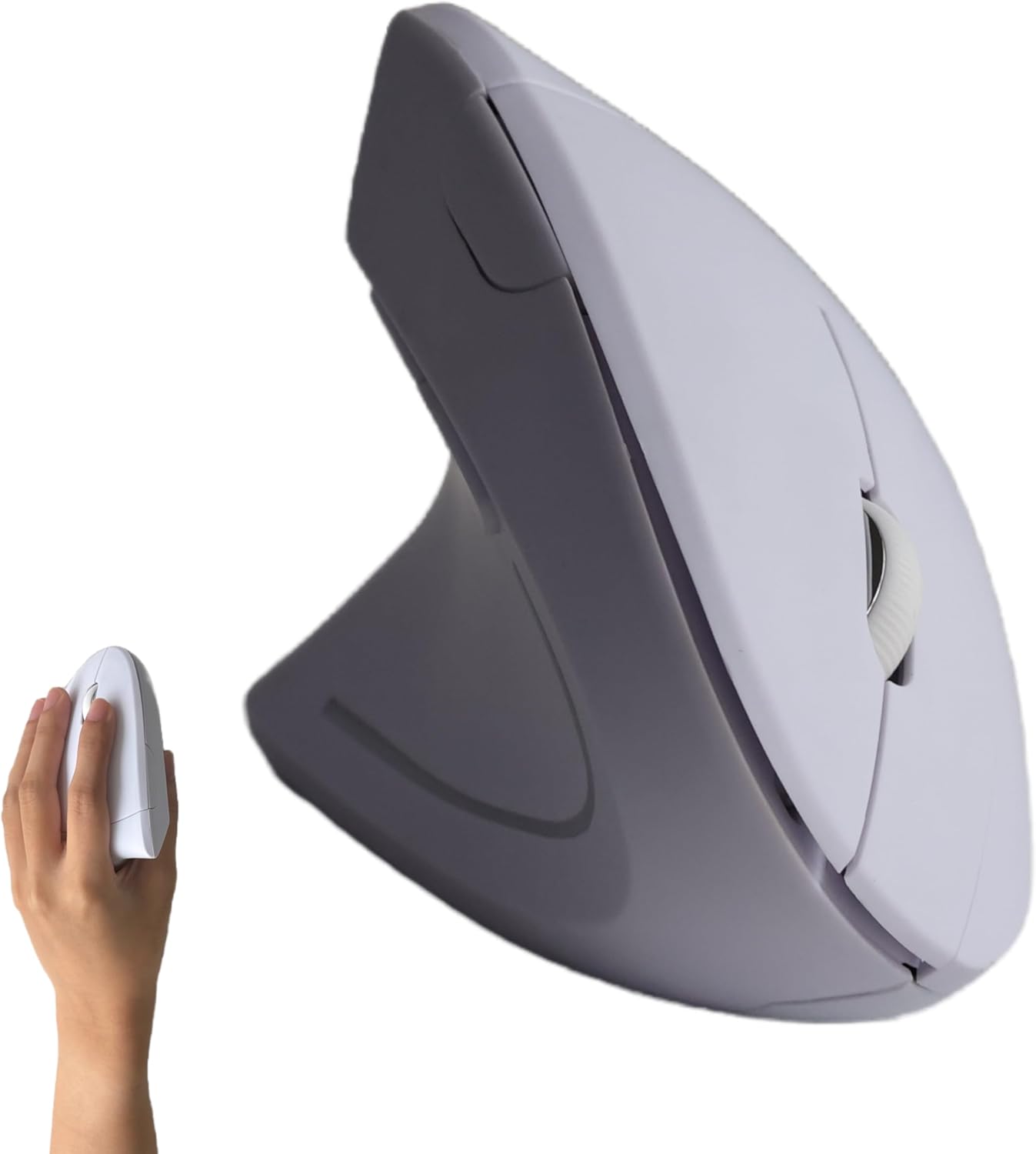
The TECKNET Wireless Mouse is a versatile, budget-friendly input device designed for users who juggle multiple devices and value a quiet workspace. With tri-mode connectivity (Bluetooth 5.0, 3.0, and 2.4G), it can pair with up to three devices simultaneously, making it an excellent choice for professionals who switch between a laptop, tablet, and desktop throughout the day.
Standout features include the 700mAh rechargeable battery, which provides up to three months of use on a single charge, and the ultra-silent clicks that are 99% quieter than standard mice. The six adjustable DPI levels (800 to 4800) offer precise control for everything from office work to graphic design, and the ergonomic left-side thumb rest helps reduce wrist strain during extended use.
Build quality is solid for the price, with durable switches rated for 6 million clicks and a 36-month warranty that adds confidence. The mouse is lightweight and portable, fitting easily into a laptop bag. Compatibility is broad, supporting Windows, macOS, Android, and iOS devices, though the forward/back buttons do not work on Mac.
One drawback is the ergonomic design is tailored for right-handed users, which may exclude left-handed buyers. Additionally, there is no on-board memory for saving DPI settings, so you must adjust each time you reconnect. The USB-A receiver is standard, but some newer laptops may require an adapter.
Overall, the TECKNET Wireless Mouse offers exceptional value for its price. It combines reliable multi-device connectivity, long battery life, and silent operation in a comfortable package. Ideal for students, office workers, and casual gamers who want a no-fuss, affordable wireless mouse that performs well across multiple platforms.
How to Choose the Best Rechargeable Mouse
Finding the right wireless mouse goes beyond looking at the price tag. We compared the most popular rechargeable models based on battery capacity, connection reliability, build quality, and everyday comfort. Here are the key factors to weigh before you make a purchase.
Battery Life and Charging Speed
A rechargeable mouse is only useful if it keeps up with your workflow. Look for a built-in battery of at least 500mAh and an advertised runtime of 30 days or more. Many of the mice we reviewed deliver anywhere from two to three months of use per charge, especially when they include an automatic sleep mode.
Fast charging is another feature to prioritize. The TECKNET 2.4G Rechargeable Mouse, for example, can provide a full day of work from just a five-minute top-up. The Uineer model includes a visible battery indicator, and the Afaartcci mouse packs a 500mAh cell that fully charges in about two hours.
Connectivity Options: Bluetooth vs. 2.4G vs. Tri-Mode
Consider how many devices you switch between during a day. A dual-mode mouse toggles between Bluetooth and a 2.4G receiver, while a tri-mode model like the TECKNET Side Scroll supports two Bluetooth connections and one 2.4G connection.
If you work on a laptop, desktop, and tablet, tri-mode is a major time-saver. For two connections, the Uciefy Honeycomb Mouse offers Bluetooth plus a USB-C adapter, with the receiver stored under a magnetic cover.
Ergonomics and Comfort
The best rechargeable mice are the ones you forget you’re holding. Look for a contoured shape that supports your palm, a comfortable thumb rest, and a lightweight build. The TECKNET Ergonomic Rechargeable Mouse features a left-side thumb contour that helps keep your wrist in a neutral position during long work sessions.
For right-handed users, the INPHIC Rechargeable Mouse adds a wider thumb rest to reduce pressure on your hand. If you prefer a smaller profile, the Uiosmuph G12 is super slim and easy to slide into a laptop bag. Pay attention to your grip style, and if you already feel discomfort, our guide to the best ergonomic mouse for carpal tunnel offers more targeted advice. You can also improve your entire desk setup by learning how to position keyboard and mouse ergonomically.
DPI Adjustability and Silent Clicks
A high-DPI sensor lets you match cursor speed to the task at hand. Most of these mice offer six levels of DPI, ranging from 800 to 4800, so you can move from a spreadsheet to a 4K monitor without changing mice. The TECKNET Bluetooth Rechargeable Mouse and the TECKNET Side Scroll model both provide 6-level DPI control.
Silent switches are a must for shared offices or late-night work sessions. Models like the TECKNET Bluetooth Rechargeable Mouse and the Uiosmuph G12 use quiet switch mechanisms that reduce click noise by up to 90%. For a truly complete ergonomic office setup, you might also consider a split ergonomic keyboard to ease typing strain.
Final Thoughts
If you’re looking for a versatile wireless mouse that handles multiple devices with ease, the TECKNET Wireless Mouse is our top recommendation. For a slim and travel-ready design that still delivers quiet clicks and a long battery life, the Uiosmuph LED Wireless Mouse is an excellent alternative. No matter which you choose, switching to a rechargeable mouse is a simple upgrade that pays off every day.
Frequently Asked Questions
How long does a rechargeable mouse battery last?
Most rechargeable mice in this category offer anywhere from 30 to 90 days of battery life on a single charge, depending on daily usage and whether the mouse has an auto-sleep feature. The TECKNET models with 700mAh to 800mAh batteries tend to last around three months with about two hours of use each day. You’ll also find visible battery indicators on mice like the Uineer and INPHIC models, so you can charge before it becomes an emergency.
Can I use a rechargeable mouse while it’s charging?
Yes, most modern rechargeable mice support pass-through use, but some may not respond while the battery is completely empty. For best results, give your mouse a quick charge before you hit the low-battery warning. The Uciefy mouse, for example, includes a charging indicator so you know exactly when it’s ready.
Are rechargeable mice good for gaming?
Rechargeable mice with adjustable DPI levels up to 4800 can handle casual gaming and everyday productivity with ease. They offer precise tracking and reliable wireless connections, though hardcore gamers might still prefer a dedicated gaming mouse with a higher polling rate. For office tasks and light gaming, the best rechargeable mice are more than sufficient.
What’s the difference between Bluetooth and 2.4G wireless mice?
Bluetooth mice connect directly to your device without a dongle, which is convenient for laptops and tablets. 2.4G mice use a small USB receiver for a stable connection and lower latency. Many of the mice we reviewed support both connection types, so you can choose what works best for your device. To keep your whole workspace comfortable, you might also want to review our tips on how to reduce wrist pain from typing.



Write Your Review
No reviews yet. Be the first to share your experience!