

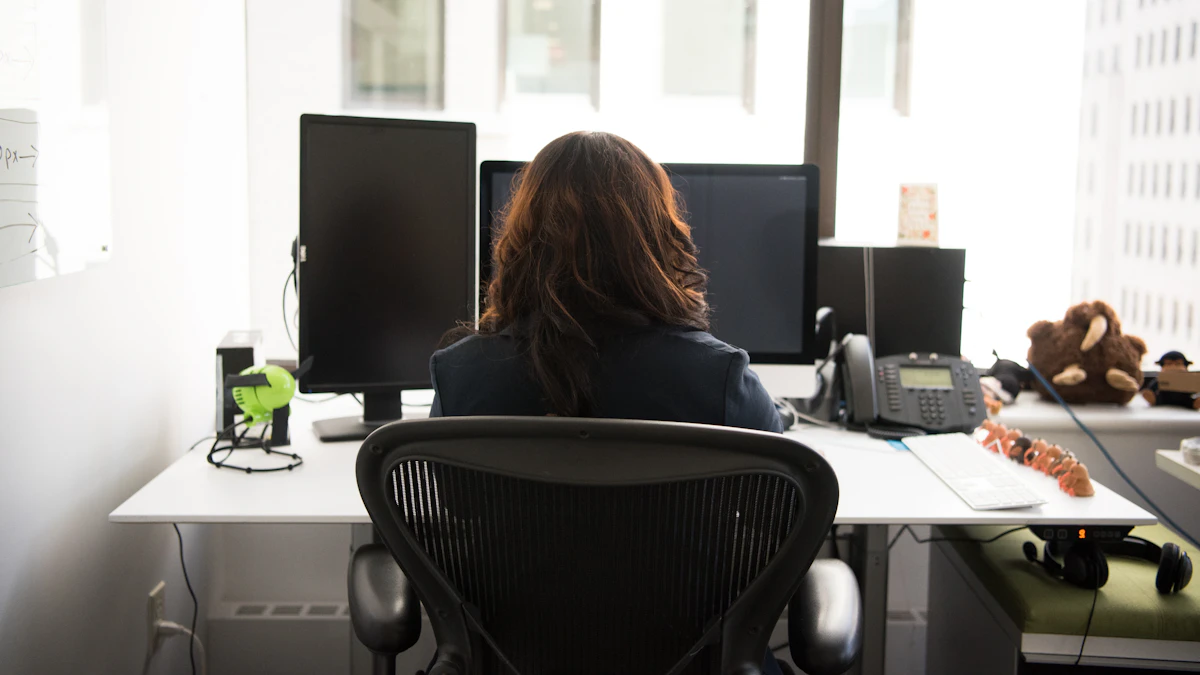
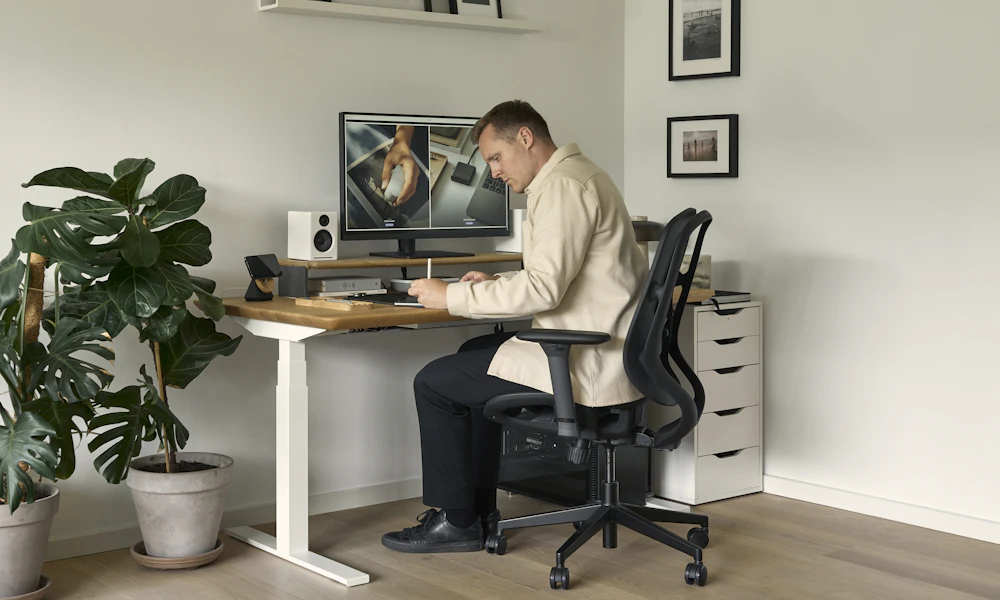
To sit properly in an office chair for back pain, keep your feet flat on the floor, your hips and knees at roughly 90 degrees, and let the lumbar support press into the small of your back so you don’t slouch. Get up and move for a minute or two every 30 minutes.
- Your knees should bend at roughly a 90 degree angle with your feet flat on the floor or a footrest, according to Mayo Clinic’s office ergonomics guide.
- OSHA recommends a chair that reclines at least 15 degrees from vertical, since sitting bolt upright for hours adds steady load to the lower back.
- Lumbar support should press into the small of your back, not your mid-back, to keep the natural inward curve of your spine.
- UCLA Health recommends standing, stretching, or walking for a minute or two every 30 minutes, since no sitting position stays healthy for hours straight.
- Slouching forward stretches the ligaments in your lower back and adds pressure to the spinal discs, according to UCLA Health’s spine care program.
This article is for informational purposes only and is not medical advice. If you have persistent pain, consult a physician or physical therapist.
In this article:
- Why back pain happens when you sit
- 7 ways to sit properly
- Quick posture checklist
- How to set up your workspace
- Stretches that help
- When to see a doctor
- Frequently asked questions
Why Back Pain Happens When You Sit
Sitting puts more pressure on your spinal discs than standing does, and that pressure goes up further when you slouch. According to UCLA Health’s spine care program, sitting for long stretches adds stress to the back, neck, arms, and legs, and a slouched position overstretches the ligaments that hold your spine in place while straining the discs between each vertebra (UCLA Health, Ergonomic and Proper Posture for Sitting).
None of this means sitting is dangerous on its own. It means a fixed position, held too long without support or movement, wears on tissue that’s built for change, not stillness. A chair that supports the natural curve of your lower back, paired with regular movement, is what keeps that wear from turning into pain over a full workday.
A typical scenario: a home office built around a laptop, a dining chair or a leftover chair with no real lumbar shape, and a full day of video calls with no obvious reason to stand up. None of those pieces is dangerous on its own. Stacked together for eight hours, they add up to the kind of low-grade ache that shows up by mid-afternoon and lingers into the evening.
7 Ways to Sit Properly in an Office Chair
Run through these in order. Most take under a minute to adjust once you know what to look for.
1. Keep Your Feet Flat on the Floor
Your feet should rest flat on the floor, or on a footrest if the chair sits too high for your legs. Mayo Clinic’s ergonomics guide points to this as the starting point for chair height: get your feet grounded first, then adjust everything else around it (Mayo Clinic, Office Ergonomics: Your How-To Guide).
2. Sit All the Way Back in the Chair
Push your hips back until they touch the base of the backrest. Perching on the front edge, a common habit when leaning toward a screen, removes the lower back support the chair is designed to give you.
3. Set Your Seat Height for a 90-Degree Knee Angle
With your feet flat, your knees should bend at roughly 90 degrees, thighs close to parallel with the floor. If your knees point sharply up or down, the seat height needs adjusting, not your posture.
4. Let the Lumbar Support Fit the Small of Your Back
OSHA’s guidance on chair components calls for lumbar support that’s height-adjustable so its curve lines up with the small of your back, the slight inward curve just above your hips. Support placed too high or too low does little to stop slouching (OSHA, eTools: Computer Workstations, Chairs).
5. Keep Your Elbows Close and Relaxed
Rest your elbows near your sides at close to 90 degrees, shoulders down and relaxed rather than shrugged toward your ears. Reaching forward for a keyboard set too far away pulls your upper back out of the same neutral position you just set up below.
6. Recline Slightly Instead of Sitting Bolt Upright
A slight recline shifts some of your body weight onto the backrest instead of your spine. OSHA recommends chairs that tilt back at least 15 degrees from vertical. Sitting perfectly upright for hours isn’t the goal, a slight lean back with support is.
7. Avoid Crossing Your Legs
Crossing your legs tilts your pelvis and shifts your spine out of the neutral position the rest of this list just built. Keep both feet flat and level instead, even if crossing feels more comfortable out of habit.
Quick Posture Checklist
| Body Part | Correct Position | Quick Check |
|---|---|---|
| Feet | Flat on the floor or a footrest | No gap or dangling under the desk |
| Knees | About 90 degrees, thighs near parallel to the floor | Adjust seat height, not posture, if this is off |
| Hips | Pushed back, touching the base of the backrest | You shouldn’t be able to slide a hand behind your lower back |
| Lower back | Supported by lumbar support at the small of the back | Curve sits above your hip bones, not your ribs |
| Elbows | Close to your sides, near 90 degrees | Shoulders relaxed, not shrugged |
Give any new adjustment a few days before judging whether it’s helping, since muscles that have adapted to a slouched position take some time to settle into a better one.
How to Set Up Your Workspace to Prevent Back Pain
Good sitting posture only holds up if the rest of the desk supports it. A chair with adjustable seat height, lumbar support, and recline is the foundation, and a model built specifically around back pain, rather than a general office chair, tends to fit the checklist above by default. See our picks for office chairs built for lower back pain, or, if the main issue is losing that inward curve by afternoon, our chairs with adjustable lumbar support.
Desk and monitor height matter too. If your screen sits too low, you’ll round forward regardless of how well the chair is set up. Our guide to correct monitor height covers that half of the setup, and our piece on signs your office chair is bad for your back is worth a read if you’re not sure whether to adjust your current chair or replace it.
Stretches That Help
A few movements may help loosen the muscles that tighten from sitting, though they’re not a substitute for a chair that supports your lower back in the first place.
- Seated spinal twist. Sit tall, place one hand on the opposite knee, and gently rotate your torso. Hold 15 to 20 seconds each side, then switch.
- Standing back extension. Stand, place your hands on your lower back, and gently lean backward. Hold a few seconds and repeat three or four times.
- Hip flexor stretch. Step one foot forward into a shallow lunge, keeping your back straight, to counter the tightness that builds from hours of hip flexion while seated.
UCLA Health’s guidance on prolonged sitting frames movement itself, not just stretching, as the goal: standing, stretching, or walking for a minute or two every 30 minutes rather than holding any single position, however good, for hours straight.
When to See a Doctor
Most back pain that shows up from sitting eases with better posture, a better chair, and regular movement over a week or two. See a doctor or physical therapist if pain persists for more than a couple of weeks despite those changes, if it radiates down one leg, or if you notice numbness, tingling, or weakness. Those symptoms point to something a chair adjustment alone won’t resolve, and a professional can check for a cause a product review isn’t equipped to diagnose.
Frequently Asked Questions
What is the correct sitting position for lower back pain?
Feet flat on the floor, knees near 90 degrees, hips pushed back into the chair, and lumbar support fitting the small of your back. A slight recline, around 15 degrees, takes some load off the spine compared to sitting bolt upright.
Should I sit up straight or lean back?
A slight recline is generally better than sitting perfectly upright. OSHA’s guidance recommends chairs that tilt back at least 15 degrees, since some recline shifts weight onto the backrest instead of your spine.
How often should I get up if I have back pain?
UCLA Health recommends standing, stretching, or walking for a minute or two every 30 minutes. Staying in any single position too long, even a good one, adds to the wear.
Does a lumbar cushion actually help?
For many people, yes, especially on chairs without built-in lumbar support. It works by filling the gap between your lower back and the backrest so the natural inward curve of your spine holds through the day.
Can bad sitting posture cause sciatica?
Poor posture doesn’t cause sciatica on its own, but sitting for long stretches, especially slouched or with crossed legs, can aggravate nerve irritation in people who already have it. Correcting your setup may help reduce that aggravation.
Is a kneeling chair better for back pain than a regular office chair?
Not necessarily. Kneeling chairs shift pressure off your lower back onto your shins and knees, which helps some people and bothers others. A well-adjusted standard chair with real lumbar support works for most people without that tradeoff.
Proper sitting posture comes down to a short list: feet flat, knees near 90 degrees, hips back, lumbar support at the small of your back, and regular movement every 30 minutes. Get the chair and desk right first, and posture tends to follow.


Write Your Review
No reviews yet. Be the first to share your experience!