

If you have a herniated disc, look for a chair with a wide recline range, adjustable lumbar support, and an adjustable seat depth, in that order. These three features let you change position often and keep your lower spine supported in a neutral curve. No chair treats or fixes a herniated disc. This is a comfort and positioning guide, not medical advice.
- A wide recline range matters most. Research reviewed by the National Institutes of Health shows reclining reduces pressure on the lumbar discs compared with sitting upright, while unsupported upright sitting increases it.
- Adjustable lumbar support should sit snugly against the inward curve of your lower back, not press into your mid or upper back.
- Seat depth that leaves 2 to 4 inches of space between the front edge and the back of your knees keeps pressure off the underside of your thighs and supports proper pelvic position.
- Most herniated disc symptoms improve within six to eight weeks regardless of chair, according to Mayo Clinic, so a chair is one part of daily comfort, not a treatment.
- Cleveland Clinic notes that leg pain, numbness, or weakness alongside back pain warrants a conversation with a doctor before you spend money on furniture.
This article covers general seating ergonomics and is not medical advice. A herniated disc is a diagnosed medical condition. Talk to a doctor or physical therapist about your specific situation before making decisions based on back pain, and seek care promptly if you notice leg pain, numbness, weakness, or loss of bladder or bowel control.

In this article:
- Features that actually matter
- Features you can safely ignore
- How much should you spend?
- Certifications and standards to look for
- Red flags in product listings
- When to talk to a doctor before buying
- Frequently asked questions
5 Features That Actually Matter
1. Recline Range and Synchro-Tilt
Look for a chair that reclines at least 20 to 30 degrees past upright, ideally with a synchro-tilt mechanism where the backrest and seat move together at a fixed ratio. This keeps your feet flat on the floor as you recline instead of tipping you backward. A systematic review published through the National Institutes of Health found that reclining reduces pressure on the lumbar discs compared with an upright seated position, while sitting unsupported without a backrest increases it (National Institutes of Health, PubMed Central). Being able to change your recline angle throughout the day, rather than being locked into one position, is the point, not any single “best” angle. A chair with only two or three fixed recline stops limits that flexibility far more than the number on the spec sheet suggests, so check whether the mechanism adjusts continuously or clicks between a handful of preset angles before you buy.
2. Adjustable Lumbar Support
Check that the lumbar support adjusts both in height and in depth, not just one or the other. Your lower back’s natural inward curve sits at a different height depending on your torso length, so a fixed lumbar bump built into the frame only fits people whose proportions happen to match it. Our guide to what lumbar support actually does covers the mechanics in more detail. The support should contact your lower back without pressing hard enough to push you forward off the backrest.
3. Seat Depth Adjustment
A seat pan that’s fixed at one depth rarely fits everyone in a household or office the same way. Sit all the way back against the backrest and check the gap between the front edge of the seat and the back of your knees. Aim for 2 to 4 inches of clearance. Too little space and the edge presses into the back of your thighs, cutting circulation. Too much space and you lose lower back contact with the support, undoing the point of adjustable lumbar support in the first place.
4. Firm, Supportive Cushioning
A cushion that’s too soft lets your pelvis sink and rotate backward, flattening the natural curve the lumbar support is trying to maintain. Firmer, higher-density foam holds its shape through a full workday and under repeated sitting and standing, while soft foam compresses permanently within a year or two of daily use. Press a palm into the seat at the store or check return policies closely if buying online, since cushion firmness is hard to judge from a listing photo alone. Foam density is sometimes listed in the specs as pounds per cubic foot, and a higher number generally holds its shape longer under daily use.
5. Adjustable Armrests
Armrests that adjust in height, width, and ideally depth let you support your forearms without shrugging your shoulders or leaning to one side, a compensation pattern that indirectly loads the lower back over a full day. This matters more for anyone spending hours at a keyboard than it does for occasional sitting. Armrests set too high push your shoulders up toward your ears, and armrests set too low do nothing at all, so the adjustment range is what earns them a place on this list, not just their presence.
Features You Can Safely Ignore
Built-in massage motors, heating elements, and gaming-style bucket seats with fixed, non-adjustable lumbar bumps add cost without addressing the three features above. A headrest is a comfort preference, not a lumbar feature, since it supports your neck, not your lower back. Marketing language like “orthopedic” or “medical grade” on a consumer office chair listing is not a regulated or verified claim, and it’s worth ignoring in favor of checking the actual adjustment specs.
How Much Should You Spend?
| Tier | Price Range | What You Get |
|---|---|---|
| Budget | $150-$250 | Basic lumbar adjustment, limited recline, fixed seat depth |
| Mid-range | $250-$500 | Adjustable lumbar height and depth, synchro-tilt, adjustable seat depth |
| Premium | $500-$1,200+ | Fully adjustable lumbar, wide recline range, premium foam, adjustable armrests |
Most people managing disc-related back pain do fine in the mid-range tier, since the core features, adjustable lumbar support, synchro-tilt recline, and seat depth adjustment, show up reliably starting around $250 to $300. See our picks for reclining office chairs for back pain or our office chairs with adjustable seat depth for back pain if those are the features you’re prioritizing.

Certifications and Standards to Look For
ANSI/BIFMA X5.1 is the industry standard most general office chairs are built and tested against, covering structural safety and durability rather than medical suitability (BIFMA, Standards Overview). No certification verifies that a chair helps a herniated disc specifically, since that isn’t something a furniture testing standard measures. Treat BIFMA compliance as a baseline for build quality, not a health claim, and be skeptical of any listing that implies otherwise.
Red Flags in Product Listings
- Any listing that claims a chair “treats,” “cures,” or “fixes” a herniated disc. No chair does this, and a listing making that claim is prioritizing sales copy over accuracy.
- “One size fits all” lumbar support with no height or depth adjustment. Back curves vary by person, and a fixed bump is a compromise, not a fit.
- Vague spec sheets that list “ergonomic design” without naming actual adjustment ranges in inches or degrees.
- Extremely short return windows on a chair marketed specifically for back pain, since you often can’t tell if the fit works until you’ve sat in it for several days.
When to Talk to a Doctor Before Buying
A new or worsening herniated disc is a medical diagnosis, and a chair purchase shouldn’t substitute for medical guidance. Cleveland Clinic lists leg pain, numbness, tingling, or muscle weakness alongside back pain as reasons to see a doctor, and describes loss of bladder or bowel control alongside back pain as a medical emergency requiring immediate care. If you haven’t been formally diagnosed and are self-treating based on symptoms alone, that’s also worth raising with a doctor or physical therapist first, since back pain has many causes and a chair suited to a disc issue isn’t necessarily suited to, for example, a muscle strain or a different spinal condition.
Frequently Asked Questions
Can an office chair fix a herniated disc?
No. A supportive chair can make sitting more comfortable and reduce unnecessary strain, but it does not treat or resolve a herniated disc. Most herniated disc symptoms improve over six to eight weeks with time and, often, physical therapy or medical guidance.
What recline angle is best for a herniated disc?
There is no single best angle. Research shows reclining generally reduces disc pressure compared with unsupported upright sitting, so the ability to adjust and change position through the day matters more than locking into one specific degree.
Is a kneeling chair or exercise ball better than a regular chair for a herniated disc?
Neither is well suited to a herniated disc specifically. Both remove back support entirely, which most people with disc-related pain find less comfortable, not more, for sustained sitting. Ask a physical therapist before switching to either.
Should I get a standing desk instead of a new chair?
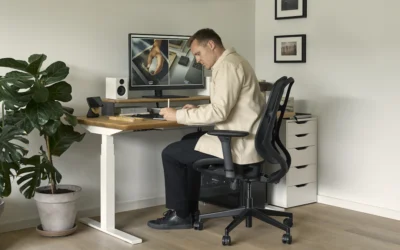
Alternating between sitting and standing through the day is commonly recommended for general back comfort, but a standing desk does not replace the need for a supportive chair during the time you do sit.
Is a firmer or softer seat cushion better for back pain?
Firmer, higher-density cushioning generally holds pelvic position better than soft foam, which can let the pelvis sink and flatten the lower back’s natural curve over time.
Prioritize recline range, adjustable lumbar support, and seat depth, in that order, and treat everything else as a secondary preference. A chair is one part of managing daily comfort with a herniated disc, not a substitute for a doctor’s guidance, so bring your specific symptoms to a medical professional before assuming any product will resolve them.
Sources
- Mayo Clinic, Herniated Disk: Symptoms and Causes
- Cleveland Clinic, Herniated Disk (Bulging Disk): Symptoms and Treatment
- National Institutes of Health (PubMed Central), Comparison of In Vivo Intradiscal Pressure Between Sitting and Standing in Human Lumbar Spine: A Systematic Review and Meta-Analysis
- BIFMA, Standards Overview





Write Your Review
No reviews yet. Be the first to share your experience!