

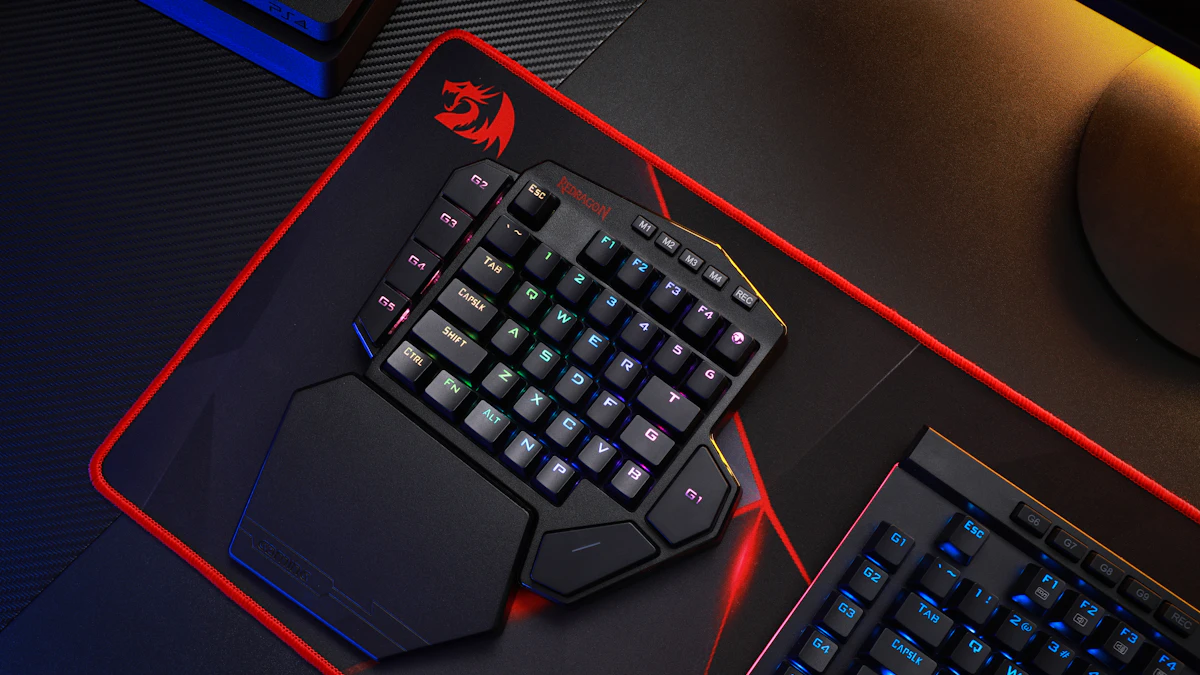
A gaming keyboard tray is wider, usually 28 to 32 inches or more, to fit a full keyboard and a large or XL mousepad on the same surface. A standard office tray runs 20 to 24 inches wide, built around a compact keyboard and mouse combo for typing, not fast lateral mouse sweeps. Both should still tilt down and away from you for wrist comfort.
- Gaming trays typically run 28 to 32+ inches wide, versus 20 to 24 inches for a standard office tray.
- An XL gaming mousepad (600 x 300mm or larger) needs roughly 24 inches of surface width on its own, before the keyboard even fits.
- Many gaming keyboards default to positive tilt, feet flipped up in back, which OSHA and Cornell’s ergonomics program both flag as a wrist extension risk, the opposite of the negative tilt recommended for sustained typing.
- Gaming trays generally cost $10 to $30 more than a comparable office tray for the extra width and reinforced mounting hardware.
- A standard office tray works fine for casual or turn-based gaming. Fast, wide mouse sweeps common in shooters are where the extra width starts to matter, and that gap only shows up once you are actually mid-game, not when the tray is empty on the showroom floor.
In this article:
- What makes a gaming keyboard tray different?
- What is a standard office keyboard tray?
- Gaming vs office tray: size and mousepad space
- Gaming vs office tray: tilt and wrist posture
- Gaming vs office tray: cost
- When a gaming tray is worth the extra cost
- When a standard office tray is enough
- Can you use a standard tray for gaming?
- Frequently asked questions
What Makes a Gaming Keyboard Tray Different?
A gaming keyboard tray is built around the same basic mechanism as any under-desk tray, a height-adjustable platform that slides out on tracks, but the platform itself is wider and often deeper. That extra room exists for one reason: gaming mousepads are considerably bigger than office ones, and the keyboard and mouse need to share the same surface without the mouse running out of room mid-swing.
Some gaming trays also use a reinforced mounting bracket rated for more repeated lateral force, since fast mouse movement puts more sideways stress on the tray’s slide mechanism than the more static hand position used for typing. Over months of daily use, that repeated sideways load is exactly the kind of stress a standard office bracket was never engineered to absorb, which is why a budget office tray pressed into gaming duty sometimes develops play in the slide track faster than one built for the job.
What Is a Standard Office Keyboard Tray?
A standard office keyboard tray is sized for a compact keyboard and a mouse platform just wide enough for normal cursor movement, typically 20 to 24 inches total. It is built primarily around typing comfort: negative tilt, a stable surface at elbow height, and a small footprint that fits under most desks without eating into knee clearance.
Our guide to correct keyboard tray height and angle covers the numbers behind that setup in more detail, elbow angle near 90 to 100 degrees and a slight negative tilt, if you are dialing in an office tray specifically. If you are still deciding whether you need a tray at all, our guide to what a keyboard tray is and whether you need one covers that first question, and applies equally whether the end goal is typing or gaming.
Gaming vs Office Tray: Size and Mousepad Space
| Feature | Office Tray | Gaming Tray |
|---|---|---|
| Typical width | 20 to 24 inches | 28 to 32+ inches |
| Mousepad fit | Standard pad, roughly 8 x 10 inches | Large or XL pad, up to 24+ inches wide |
| Mounting hardware | Standard brackets | Often reinforced for lateral force |
| Typical price | $30-$70 | $45-$100 |
| Tilt default | Negative, built for typing | Varies, some default to flat or positive |
| Best for | Typing-heavy work, compact desks | Shooters and other mouse-intensive games |
An XL gaming mousepad in the 600 x 300mm range, common for first-person shooters where players sweep the mouse across a wide arc, takes up close to 24 inches of surface width on its own. Add a compact keyboard next to it and a standard 20 to 24 inch office tray simply does not have the room, the mousepad either hangs off the edge or the keyboard gets pushed into an awkward, cramped position. Neither outcome is a small inconvenience once you are a few hours into a session, a mousepad that shifts every time your hand reaches the edge breaks aim consistency in exactly the games where consistency matters most.
Gaming vs Office Tray: Tilt and Wrist Posture
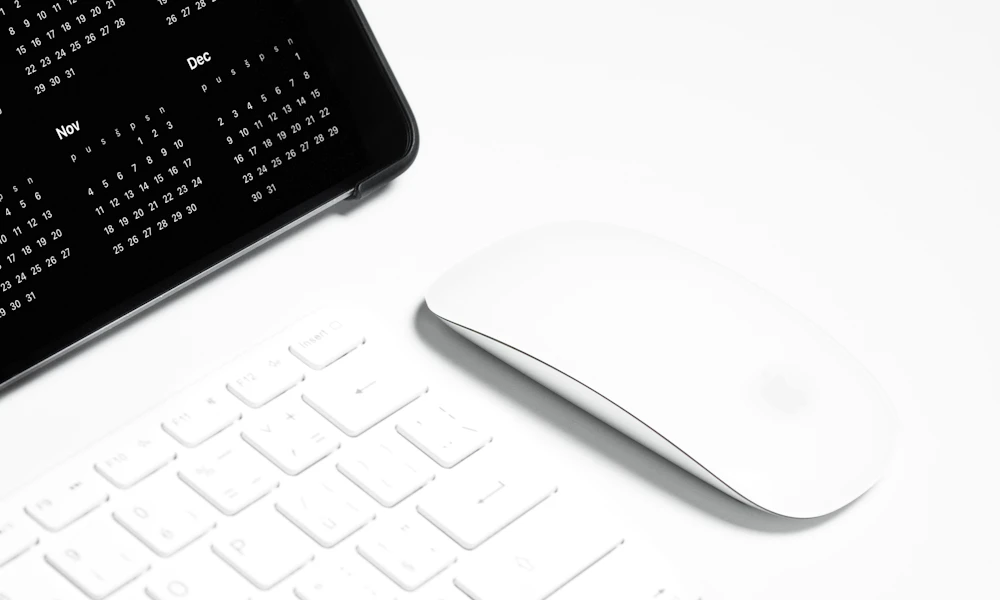
This is the one place where gaming trays can actually work against ergonomics rather than for it. OSHA’s guidance on keyboard positioning recommends a slight negative tilt, the back of the tray lower than the front, to keep wrists straight during typing (OSHA, Computer Workstations eTool: Keyboards). Cornell’s ergonomics program backs the same recommendation for sustained use (Cornell CUErgo, Computer Workstation Ergonomics Guidelines).
Many standalone gaming keyboards ship with flip-out feet on the back edge, raising the keyboard into a positive tilt some players prefer for the feel of the keys during fast input. That positive tilt bends the wrists upward, the same mechanical pattern ergonomics guidance recommends avoiding for long typing sessions. A gaming tray with a wide, flat surface does not fix this on its own, the keyboard’s own feet still determine the angle. If you game for long stretches and want the ergonomic benefit of a tray, keep the keyboard’s feet folded flat and let the tray provide the negative tilt instead. It is a five-second adjustment that costs nothing and undoes one of the more common wrist-strain habits in gaming setups, folding the feet down is genuinely that simple, yet it is one of the most skipped steps because the feet are usually flipped up by default straight out of the box.
Gaming vs Office Tray: Cost
Standard office trays run $30 to $70. Gaming trays generally add $10 to $30 on top of a comparable office model, mostly for the wider platform and, on some models, reinforced mounting hardware rated for more lateral stress. Past that range, the extra cost tends to buy finish and brand rather than a meaningful functional upgrade. Factor in what you already own too. If a large mousepad is sitting in a drawer because your current tray cannot fit it, the upgrade pays for itself the first time you actually get to use the pad you bought.
When a Gaming Tray Is Worth the Extra Cost
Pick a gaming tray if you play shooters or other games with fast, wide mouse movement, you already own or want a large or XL mousepad, or your current office tray forces your mousepad to hang off the edge. See our picks for keyboard trays built for gaming setups for models sized around a full-width mousepad.
When a Standard Office Tray Is Enough
A standard office tray is the better buy if most of your day is typing, your gaming is casual or turn-based, or your desk is tight on space and a wider platform will not fit anyway. Our home office keyboard tray picks cover solid options sized for typing-first setups.
Can You Use a Standard Tray for Gaming?
Yes, for casual or turn-based games where the mouse mostly stays in one spot. It becomes a real limitation once a game asks for wide mouse sweeps and your pad is bigger than the tray, since the pad either overhangs the edge or you end up nudging the whole setup back into position mid-session. If that is happening regularly, that is the clearest sign it is time to size up rather than keep working around it. Repositioning a slipping mousepad mid-match is a small annoyance the first few times and a genuine distraction once it happens every session, worth fixing with the right-sized tray rather than living with indefinitely.
Frequently Asked Questions
Will a gaming keyboard tray fit an XL mousepad?
Most gaming trays rated 28 inches or wider fit a large mousepad alongside a standard keyboard. Check the exact width against your mousepad’s dimensions before buying, since XL pads vary in size.
Why does my office keyboard tray feel too narrow for gaming?
Office trays are sized for a compact mouse pad and typing-focused keyboard, usually 20 to 24 inches wide. A gaming mousepad alone can take up most or all of that space, leaving no room for the keyboard.
Is positive tilt on a gaming keyboard bad for your wrists?
For short sessions it is unlikely to cause problems. For long, frequent sessions, positive tilt bends the wrists upward, the same posture ergonomics guidance recommends avoiding during extended typing or mouse use.
Do I need a reinforced tray if I only play casually?
Not usually. Reinforced mounting mainly matters for frequent, fast, wide mouse movement. Casual or turn-based gaming puts little extra lateral stress on a standard tray.
Can I convert a standard office tray into a gaming setup?
To a point. A smaller mousepad can work on a standard tray, but a true XL gaming pad usually needs the extra width a gaming-rated tray provides.
The core difference comes down to width and what it needs to hold. A gaming tray earns its keep once your mousepad and keyboard genuinely do not fit on a standard platform together. Short of that, a well-adjusted office tray with correct tilt does the ergonomic job just as well.


Write Your Review
No reviews yet. Be the first to share your experience!