

This article discusses general ergonomic seating and is not medical advice. Back pain has many possible causes, and a chair alone cannot diagnose or treat any of them. If you have persistent, severe, or worsening back pain, or pain that radiates into your legs, talk to a doctor or physical therapist before assuming a new chair will resolve it. The chairs below are compared on ergonomic features commonly associated with seated back comfort, not on any medical claim.
With that in mind, chair choice does matter for how your back feels during a long workday. A big and tall office chair with genuine lumbar support, matched to your actual weight and frame, supports better sitting posture than a standard chair that is too narrow or lacks adjustable lower back support. The eight chairs below range from 330 to 550 pounds in rated capacity, with lumbar mechanisms including adjustable, inflatable, and pop-out designs.
A few listings in this category do not publish a specific weight capacity; those are noted directly rather than assigned a number that cannot be verified. Every product here was checked against chairs already used elsewhere on this site to avoid repeating the same listing under a different headline.
Disclosure: Ergonook is a participant in the Amazon Associates program. Links below are affiliate links, and we may earn a commission from qualifying purchases. This does not affect which chairs we recommend or how we rank them.

Pros
- 400 pound rating with adjustable lumbar support built in as the core feature.
- Quiet rubber wheels for shared spaces.
- Heavy duty metal base adds stability.
- Straightforward high back executive design without unnecessary extras.
Cons
- This is a general ergonomic design rather than a chair engineered around a specific back condition; it will not suit every type of back pain.
- Higher price than some of the other 400 pound rated chairs in this roundup.
This chair is rated to 400 pounds and centers its design on adjustable lumbar support, positioned specifically for buyers dealing with back discomfort during long sitting sessions.
A heavy duty metal base and quiet rubber wheels round out the practical details, and thick padding covers the seat and backrest for extended comfort. The high back executive design keeps the feature set straightforward rather than adding extras that drive up cost.
As with any office chair marketed for back pain, this is a general ergonomic design rather than a chair engineered for a specific diagnosed condition; see the disclaimer at the top of this roundup for more on that distinction.
Weight capacity: 400 pounds.
Lumbar: adjustable support.
Base: heavy duty metal.
Wheels: quiet rubber.
Cushion: thick padded.
A solid baseline pick for buyers who want adjustable lumbar support in a 400 pound rated frame without extra features driving up the price.
This is a general ergonomic chair, not a medical device; anyone with a diagnosed back condition should follow their healthcare provider's specific guidance alongside any chair choice.
Compare against the higher-capacity picks in this roundup if 400 pounds does not cover your needs.

Pros
- Nearly 3 inches of lumbar height travel covers a wide range of torso lengths
- Extra-thick molded foam seat reduces pressure during long sitting sessions
- Flip-up, rotating armrests slide neatly under tables when not needed
Cons
- Lumbar adjusts in height only, not forward-and-backward depth
- Lower price point means fewer premium finishing details than the executive-style picks on this list

Pros
- Entry-level price point among the candidates checked for this roundup.
- High back mesh covers more of the upper back than the mid back chairs elsewhere on this site.
- Adjustable lumbar support rather than fixed.
- Flip-up armrests fold away when needed.
Cons
- 330 pound rating is the lowest capacity in this roundup, not suited to users above that weight.
- Fewer premium extras than the pricier picks in this roundup.
This chair is rated to 330 pounds and built around high back mesh construction, covering more of the upper back than the mid back chairs found elsewhere on this site, with adjustable lumbar support as the primary comfort feature.
Flip-up armrests and a rolling base round out the design at an entry-level price point among the candidates checked for this roundup.
As with every chair covered here, this is a general ergonomic design rather than a chair built to treat a specific diagnosed condition.
Weight capacity: 330 pounds.
Design: high back mesh.
Lumbar: adjustable support.
Armrests: flip-up.
A dependable entry point for users near the 330 pound capacity ceiling who want high back coverage and adjustable lumbar support at a lower price.
Users above 330 pounds should choose one of the higher-capacity chairs elsewhere in this roundup instead.
This is a general ergonomic chair; consult a healthcare provider for guidance specific to a diagnosed back condition.

Pros
- Push-button lumbar adjustment is faster to use than a knob or lever mechanism
- Adjustable headrest adds neck support that some executive-style chairs skip
- Upgraded casters roll more smoothly than basic hard-plastic wheels
Cons
- Rating on this pick runs lower than the mesh options on this list
- Leather traps more heat than a mesh backrest over a full day

Pros
- 400 pound rating with a built-in foot rest, useful for reclined breaks.
- Wide seat sized for larger frames.
- Leather upholstery wipes clean easily.
- Established brand with multiple big and tall listings across this site's roundups.
Cons
- Higher price than several other 400 pound rated chairs in this roundup.
- Foot rest adds bulk to the base footprint when extended.
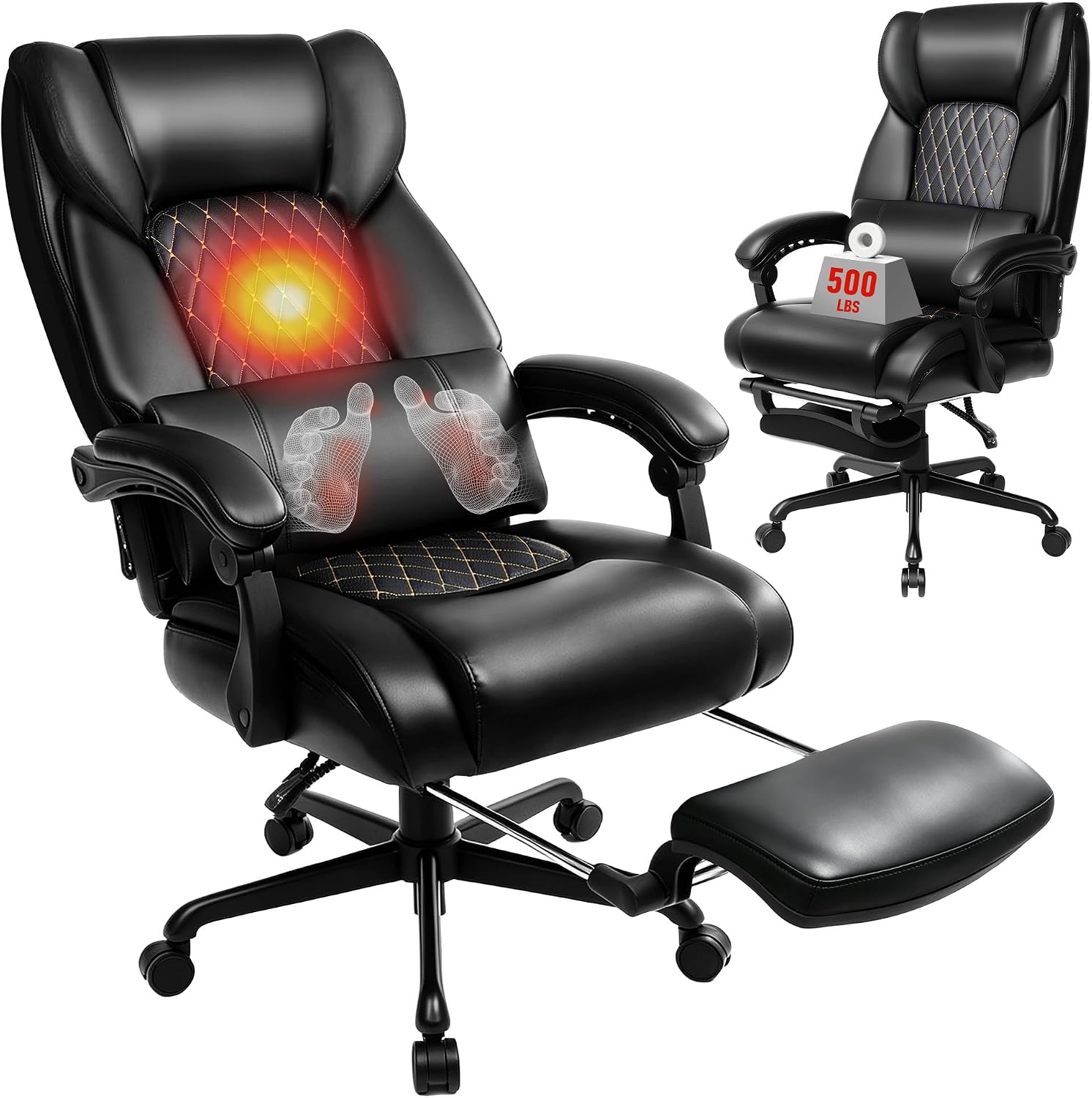
EXCEBET rates this chair to 400 pounds and builds it around a wide seat, leather high back design, and a built-in foot rest, marketed specifically for lower back pain relief through supportive lumbar positioning.
The foot rest folds away when not needed and extends for reclined breaks, adding bulk to the base footprint when in use. Leather upholstery wipes clean easily compared to fabric alternatives.
As with every chair in this roundup, comfort features here support general ergonomic sitting rather than treating a specific diagnosed back condition.
Weight capacity: 400 pounds.
Seat: wide.
Extras: built-in foot rest.
Upholstery: leather.
Lumbar: included support.
A fit for buyers who want a built-in foot rest alongside 400 pound capacity and leather upholstery.
Compare against the lower-priced 400 pound chairs in this roundup if the foot rest is not a priority.
This is a general ergonomic chair; anyone with a diagnosed back condition should follow their healthcare provider's specific guidance.

Pros
- Inflatable lumbar system offers more precise pressure adjustment than a fixed foam pad, useful for students who sit through long back-to-back study blocks
- Grid-pattern leather improves breathability compared to standard smooth PU leather
- Mid-range price sits between the budget and premium picks in this roundup
Cons
- Inflatable lumbar system requires manual pumping to adjust, less convenient than a lever-based mechanism
- Rating of 4.0 is on the lower end of this roundup, worth weighing against the feature set

Pros
- Inflatable lumbar support lets you dial in exact firmness rather than a preset shape
- Flip-up arms make the chair more flexible in tight desk spaces
- Straightforward tilt lock keeps the recline predictable
Cons
- Inflatable airbags can lose pressure gradually over time and may need periodic reinflation
- Rating trails the higher-end executive picks on this list

Pros
- Inflatable lumbar targets support precisely where needed rather than a fixed zone
- Wide 21 inch seat is roomier than many task chairs at a similar price
- PU leather is easy to wipe clean
Cons
- Inflatable system needs occasional reinflation over time
- PU leather runs warmer than mesh over long sitting sessions
Buying Guide
Adjustable, inflatable, and pop-out lumbar support
The chairs in this roundup use three distinct lumbar mechanisms. Adjustable lumbar support slides up, down, or in and out to match your specific lower back curve. Inflatable lumbar support uses an air bladder you pump up or release on demand, giving the finest control but adding a mechanical part. Pop-out lumbar support extends outward from the backrest at a fixed position rather than sliding along a track. None of these is objectively better for every back; the right choice depends on whether your comfortable lumbar position changes through the day or stays fairly consistent. See what to look for in an ergonomic office chair for how lumbar type interacts with other fit factors.
Matching capacity to your actual weight
A chair rated below your actual weight will not provide the support it claims to, regardless of how good the lumbar mechanism is, since the frame and cushion are engineered around the stated capacity. This matters more for back comfort specifically than for most other ergonomic factors, because a sagging or overloaded seat changes your pelvic position and undermines whatever lumbar support the chair offers. Confirm the published rating covers your weight with margin before evaluating any other feature, since a chair rated exactly at your current weight leaves no room for normal day-to-day fluctuation.
Seat depth and thigh support
Lumbar support only works correctly if you can actually sit back against it, and a seat that is too deep or too shallow for your thigh length prevents that. If a chair in this roundup does not mention adjustable seat depth, check the fixed seat depth measurement against your own thigh length from the back of your knee to your hip when seated, since even excellent lumbar support cannot compensate for a seat pan that keeps you perched forward, away from the backrest entirely.
Recline and movement over a static position
Staying in one fixed position for hours, even a well-supported one, is generally considered less favorable for back comfort than being able to shift posture periodically throughout the day. A chair with a working recline lock and tilt tension lets you change position without losing lumbar contact, which is worth weighing alongside the lumbar mechanism itself rather than treating recline as a separate, lower-priority feature that only matters for breaks. See signs your office chair is bad for your back for a broader list of warning signs beyond lumbar support alone.
Published weight capacity versus general back-pain marketing
Many chairs use “back pain relief” or similar phrasing in their titles regardless of whether they publish a specific weight rating. Treat an explicit capacity number as more reliable than that marketing language alone, and check the current listing directly when a figure is not published. None of the phrasing used by any seller in this category constitutes a medical claim, and none should be read as one, regardless of how the listing title is worded.
Armrest height and shoulder tension
Lower back comfort is often discussed on its own, but shoulder and upper back tension from poorly positioned armrests can contribute to overall discomfort that gets attributed to the lower back. Armrests set too high force your shoulders up toward your ears over a workday, while armrests set too low let your shoulders slump forward. Check that any chair you choose lets the arms sit at a height where your shoulders stay relaxed and your elbows rest near a 90 degree angle at your desk.
This roundup focuses on chairs rated for higher body weights. If you do not need that capacity range, our general office chair for lower back pain guide covers standard-capacity models using the same emphasis on lumbar mechanism, seat depth, and recline range, without the added frame cost of a higher weight rating you may not actually need.
Final Thoughts
For most shoppers who want dependable adjustable lumbar support without extra features driving up cost, the value-priced 400 pound pick from this roundup pairs a 400 pound rating with a heavy duty metal base at a moderate price. Anyone above the 400 pound range should look at the 550 pound capacity pick from this roundup instead, which carries a 550 pound rating with double space casters built for a heavier duty cycle.
FAQ
Can a new office chair fix back pain?
Not on its own, and this article does not claim otherwise. A supportive chair can reduce the strain that poor seating adds to a workday, but back pain has many possible causes that a chair cannot diagnose or address. Persistent, severe, or worsening pain, or pain that radiates into the legs, warrants a conversation with a doctor or physical therapist rather than a chair purchase alone.
Which lumbar mechanism is best for back pain?
There is no single best mechanism for everyone. Adjustable, inflatable, and pop-out lumbar systems each suit different preferences and back shapes, and the right one depends on your own comfortable position rather than a general ranking. If you are unsure, a chair with a wider adjustment range gives more room to experiment than a chair with a single fixed lumbar position.
How long should I expect to adjust to a new chair?
Give a new chair at least a week or two of regular use before judging whether it helps, since your body needs time to adapt to a different lumbar position and seat depth than you are used to, and an initial adjustment period is normal even for a genuinely better-fitting chair. If discomfort increases rather than improves over that period, reconsider the fit rather than continuing to push through it, and consult a healthcare provider if pain persists or worsens.
Should I combine a supportive chair with other ergonomic changes?
Yes, chair support is one factor among several, including desk height, monitor position, and how often you stand up and move during the day. See desk stretches for office workers for general movement guidance to pair with a supportive chair, and consult a healthcare provider for advice specific to any diagnosed condition.




Write Your Review
No reviews yet. Be the first to share your experience!