

A track-mounted keyboard tray is the better default for a permanent home office desk, since the screwed-in rail is generally sturdier under daily typing. Skip straight to a trackless, clamp-on tray if you rent, can’t drill into your desk, or need to remove it easily. Both solve the same ergonomic problem, the choice mostly comes down to how permanent your setup is and whether you actually own the desk you are working at.
- Track-mounted trays bolt a metal rail to the underside of the desk, so the platform slides on a fixed mechanism rather than relying on a clamp.
- Trackless trays clamp to the desk edge or surface with no drilling, which makes them the only realistic option for rented furniture.
- Track-mounted trays generally feel steadier under sustained typing, since the rail is fastened directly into the desk rather than gripping it from the outside.
- Trackless trays can wobble on thin or hollow-core desks, where there isn’t enough material for the clamp to bite into firmly.
- Cornell’s ergonomics program recommends a height-adjustable, negative-tilt keyboard surface regardless of mounting style, the mounting method itself isn’t an ergonomics factor on its own. Whichever style you buy, confirm it still adjusts through a real height and tilt range rather than locking into a single fixed position.
In this article:
- Track vs trackless at a glance
- What is a track-mounted keyboard tray?
- What is a trackless keyboard tray?
- Stability
- Installation
- Cost
- When track-mounted is the better choice
- When trackless is the better choice
- Can a trackless tray be as stable as a track-mounted one?
- Frequently asked questions
Track vs Trackless Keyboard Tray: At a Glance
| Feature | Track-Mounted | Trackless |
|---|---|---|
| Installation | Requires drilling into the desk | Clamps on, no drilling |
| Stability | Generally steadier under daily typing | Can wobble on thin or hollow desks |
| Works on rented furniture | No | Yes |
| Removal | Leaves screw holes if removed | Removes cleanly, no marks |
| Typical cost | $40-$90 | $30-$80 |
| Best for | Permanent desks, daily heavy typing | Renters, shared desks, occasional use |
What Is a Track-Mounted Keyboard Tray?
A track-mounted keyboard tray fastens a metal rail or bracket directly to the underside of the desk with screws. The keyboard platform then slides in and out, or adjusts up and down, along that fixed rail. Because the rail itself is bolted into solid material, the whole assembly resists the kind of side-to-side flex that comes from typing pressure.
This is the older, more established design, and it’s still what most office furniture installers reach for when a keyboard tray needs to hold up to years of daily use. The tradeoff is permanence. Once the rail is screwed in, moving the tray to a different desk means drilling new holes and living with the old ones. Some rails are adjustable in width to fit different desk depths, but the mounting points themselves are fixed the moment the screws go in.
What Is a Trackless Keyboard Tray?
A trackless keyboard tray skips the screwed-in rail entirely. Instead, a clamp or bracket grips the desk edge or the underside of the surface, held in place by tension or a tightening screw rather than a permanent fastener. No drilling, no holes, and the whole unit comes off in a few minutes if you need to move it.
The appeal is obvious for anyone who doesn’t own their desk outright, a rental apartment, a dorm room, or a shared office where drilling into the furniture isn’t an option. The mechanism holding it on has to do more work than a bolted rail, which is where the stability tradeoff comes from. Most trackless designs use either a spring-loaded clamp or a manual tightening screw, and the better models add rubber or felt padding at the contact point to both protect the desk finish and add friction against slipping.
Track vs Trackless: Stability
A track-mounted tray generally wins here. The rail is fastened into the desk itself, so the connection point isn’t relying on friction or clamping pressure to stay put under the repeated forward and downward force of typing.
Trackless trays can perform well too, but the result depends heavily on the desk. A solid wood or thick engineered-wood desktop gives a clamp plenty of material to grip. A thin, hollow-core desk, common in budget furniture and some rentals, doesn’t give the clamp much to bite into, and that’s where wobble shows up. If you’re going trackless, check your desk’s edge thickness and construction before assuming any clamp-on tray will feel solid. A desk edge under about half an inch thick, common on some particleboard and laminate desks, is the size where clamps most often struggle to get a confident grip.
Track vs Trackless: Installation
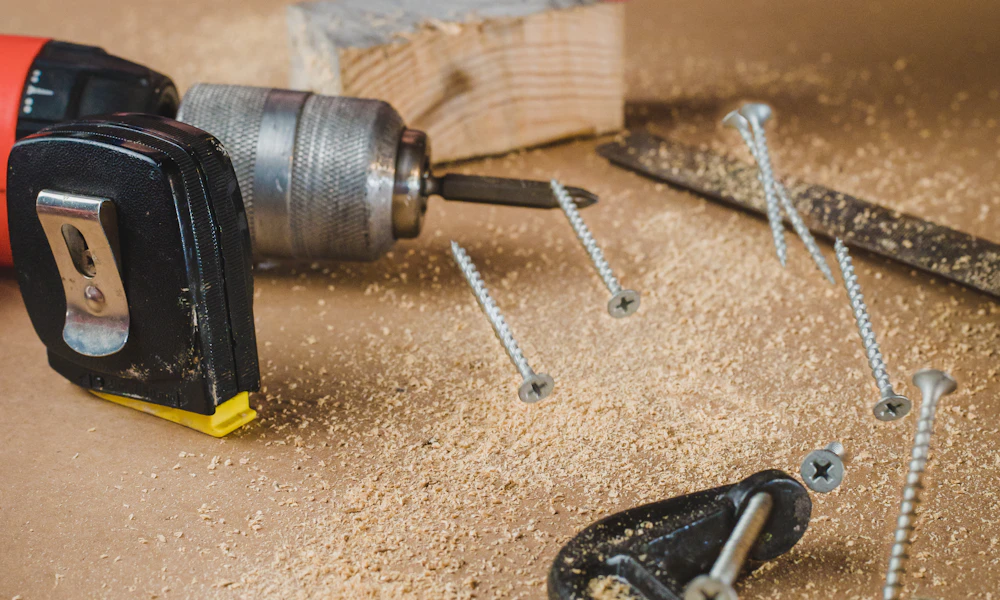
This is where trackless wins clearly. Clamping a trackless tray to a desk edge takes a few minutes with no tools beyond what ships in the box, and removing it later leaves no trace. Track-mounted installation means measuring, drilling pilot holes, and driving screws into the underside of the desk, usually a 20 to 40 minute job the first time, longer if you’re working in a tight space on your back. Having a second person hold the tray in position while you drive the screws makes the job noticeably faster than doing it solo.
That installation gap matters most for anyone who isn’t certain they’ll keep the same desk long-term. Drilling into a desk you might sell, return, or leave behind in a move is a real cost, even if the tray itself performs better once it’s mounted. Whichever mount you pick, check the knee clearance it leaves before buying, our guide to measuring keyboard tray knee clearance covers that step.
Track vs Trackless: Cost
Track-mounted trays typically run $40 to $90, reflecting the more substantial hardware and mounting rail included. Trackless models run a comparable $30 to $80, so cost alone rarely decides the choice between the two styles. Where the price does jump is on trackless trays marketed specifically as rigid, direct-mount designs built to compete with track-mounted stability, those can run toward the top of the range or slightly above it. Either way, the mounting hardware itself is a small part of the total cost, most of the price difference between budget and premium trays in both categories comes down to the platform material, tilt mechanism, and included wrist rest.
When Track-Mounted Is the Better Choice
Pick track-mounted if you own the desk, plan to keep it for years, and type for long stretches every day. The extra installation time pays off in a tray that doesn’t shift or loosen under regular use. See our picks for keyboard trays built for an ergonomic workspace for models with a solid mounting rail, or our adjustable keyboard tray roundup for options with a wider height and tilt range once installed.
When Trackless Is the Better Choice
Pick trackless if you’re renting, sharing a desk, or simply don’t want to commit to drilling holes into furniture you might replace. It’s also the more practical choice for a standing desk converter or a desk you reconfigure often, since remounting a track-mounted tray every time you rearrange isn’t realistic. Our under-desk keyboard tray picks include trackless, clamp-style options alongside traditional mounts.
Can a Trackless Tray Be as Stable as a Track-Mounted One?
Close, on the right desk. A well-built trackless tray clamped to a solid, thick desktop can feel nearly identical to a track-mounted one in daily use. What closes most of that gap is desk construction, not the tray itself. A thin veneer desktop or a desk with a rounded or beveled edge gives any clamp less to grip, and that’s where even a well-reviewed trackless tray starts to feel less planted.
If you’ve already got a trackless tray and it wobbles, check the clamp tension first. A loose clamp is the most common fixable cause, and it’s worth ruling out before assuming the desk or the tray design is the problem. Retighten it fully, check that the padding is still making full contact with the desk, and test again before deciding the tray itself needs replacing. Once your tray is mounted, whichever style you chose, our guide to correct keyboard tray height and angle covers getting the actual typing position right, and our guide to whether you need a keyboard tray at all covers that earlier question if you’re still deciding.
Frequently Asked Questions
Is a trackless keyboard tray better for a rented desk?
Yes. A trackless, clamp-on tray requires no drilling, so it can be removed at the end of a lease without leaving screw holes in furniture you don’t own.
Can I remove a track-mounted keyboard tray later?
Yes, but the mounting screws leave holes in the desk once removed. Factor that into the decision if the desk isn’t yours to modify permanently.
Why does my trackless keyboard tray wobble?
Usually a loose clamp or a desk edge too thin for a solid grip. Tighten the clamp first, and if the wobble continues, the desk construction is likely the limiting factor rather than the tray.
Can a track-mounted keyboard tray fit any desk?
Most fit standard desks, but very thin desktops or desks with internal wiring channels can limit where the rail can be screwed in. Check clearance underneath before buying.
Do trackless trays support heavier mechanical keyboards?
Many do, but check the weight rating specifically. A heavier mechanical keyboard and a wrist rest together can approach the limit on some lighter-duty trackless models.
Track-mounted and trackless keyboard trays solve the same ergonomic problem with different tradeoffs. Choose track-mounted for a desk you own and use daily for the long haul, and trackless when drilling isn’t an option or the setup needs to stay flexible.



Write Your Review
No reviews yet. Be the first to share your experience!