

Your laptop stand should raise the screen so its top edge sits at or slightly below your eye level when you sit up straight, per OSHA’s Computer Workstations guidance. For most people that means 2 to 6 inches of lift above a laptop sitting flat on the desk, though your own number depends on your screen size and how you sit.
- OSHA’s Computer Workstations eTool puts the top of the screen at or slightly below eye level, never above it.
- Cornell’s CUErgo lab recommends your eyes land on a point 2 to 3 inches below the top of the monitor casing, not the very top edge.
- A laptop closed on a flat desk typically sits 4 to 8 inches too low for most seated adults, which is the gap a stand needs to close.
- If you wear bifocals or progressive lenses, OSHA recommends a lower screen position than the standard rule, since you view through the bottom segment of the lens.
- Viewing distance matters alongside height. OSHA lists 20 to 40 inches as the preferred range, with about 25 inches, close to arm’s length, as a comfortable middle point.

In this article:
- The quick answer: stand height by product type
- Why laptop stand height matters
- How to measure the right height for you
- How to adjust your laptop stand to reach it
- Special cases
- Signs your laptop stand height is wrong
- Frequently asked questions
The Quick Answer: Stand Height by Product Type
Use this as a rough starting point, then confirm with the measurement method below, since desk height, screen size, and how you sit all change the exact number you need.
| Stand Type | Typical Lift | Best For |
|---|---|---|
| Portable folding stand | 2 to 6 inches | Short sessions, travel, minor height correction |
| Fixed riser stand | 4 to 8 inches | A standard 29 to 30 inch desk and an average seated height |
| Adjustable stand or articulating arm | 4 to 20+ inches | Taller users, standing desks, or switching positions through the day |
Why Laptop Stand Height Matters
Why does 2 to 6 inches sound so small when your laptop looks so far below eye level? Because most of the gap comes from desk height, not the laptop itself. On a standard 29 to 30 inch desk, a laptop lid closed at typing height already sits close to a reasonable base. The stand’s job is to close the remaining few inches, not lift the whole setup from the floor. A desk that’s unusually low or high for you changes that starting point, which is part of why a single universal number doesn’t work for everyone.
Cornell’s CUErgo lab frames the mechanism simply: when your eyes land 2 to 3 inches below the top of the screen, your neck stays close to neutral, upright over your shoulders instead of tilted down (Cornell CUErgo, Computer Workstation Ergonomics Guidelines). Get that wrong by even a couple of inches and you’re back to the same forward head tilt a stand is supposed to fix.
Height isn’t the only variable, either. Set the stand right but push the laptop too close or too far and you undo some of the benefit. OSHA’s preferred viewing distance of 20 to 40 inches works alongside the height rule, not instead of it (OSHA, Computer Workstations eTool: Monitors). A screen at the correct height but only 12 inches from your face still forces your eyes and neck to work harder than they should.
How to Measure the Right Height for You
- Sit in your normal work position, back supported, feet flat.
- Look straight ahead without tilting your head up or down, and note where your eyes naturally land.
- Check your laptop screen. The top edge should sit at or slightly below that eye line, with your eyes falling on a point 2 to 3 inches below the very top of the screen.
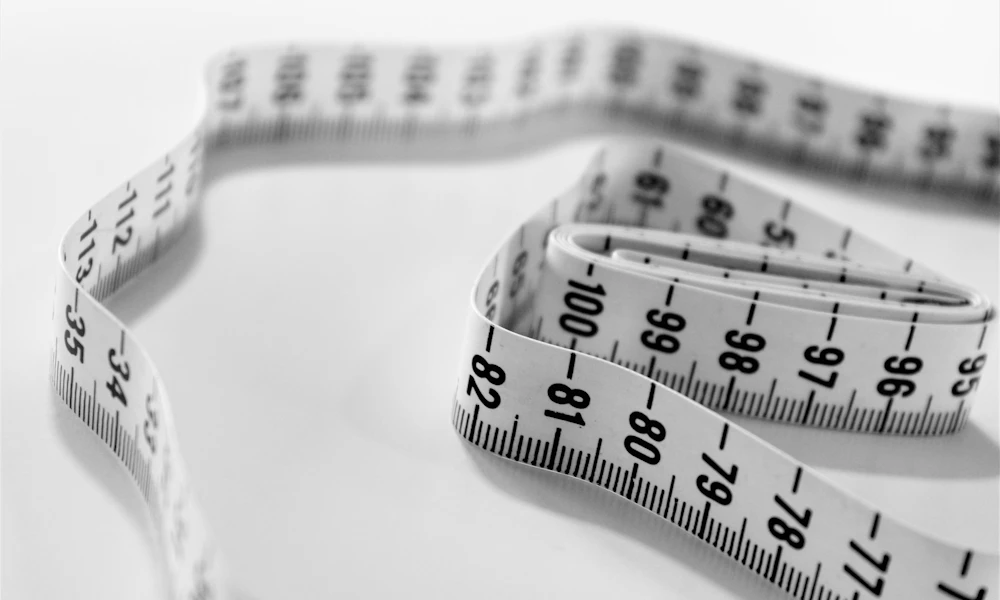
- Measure the gap in inches if the top of your screen currently sits noticeably below your eyes. That’s roughly how much lift your stand needs to provide.
- Leave room to fine tune once the stand is in place, since head position shifts slightly once you’re not straining to see the gap.
How to Adjust Your Laptop Stand to Reach It
Start with the stand at its lowest setting and raise it a notch at a time while you sit in your normal posture. Stop as soon as the top of the screen reaches your eye line, not before and not past it. If you’re using a fixed height stand instead of an adjustable one, measure first using the method above, then pick a stand whose fixed lift is closest to your number without going over. Our picks for adjustable laptop stands for an ergonomic setup cover models with enough range to dial this in precisely, worth a look if you’re between two fixed options.
Once the screen is right, add an external keyboard and mouse if you haven’t already. Raising a laptop without them fixes your neck and puts your wrists in an awkward high position instead, a tradeoff we cover in more depth in do you need a laptop stand for ergonomics.
Special Cases
- Taller users, above about 6 feet, often need the top of a fixed stand’s range or an articulating arm to get enough lift, especially on a standard height desk. Our picks for adjustable laptop stands for tall people cover models built for that range.
- Shorter users sometimes need less lift than expected, since a lower desk already puts the laptop closer to eye level. Over-lifting is a common mistake here, so measure before assuming more height is better. See our picks for adjustable laptop stands for short people if a standard stand sits too high even at its lowest setting.
- Bifocal or progressive lens wearers don’t follow the standard rule. OSHA’s guidance recommends a lower screen position than usual, since you naturally look through the lower segment of the lens and would otherwise tilt your head back to find the right focal point.
- Running two screens, laptop plus an external monitor, means matching heights between them, not optimizing the laptop stand alone. Set the external monitor first using the same eye level rule, then raise the laptop stand to match so you’re not tilting your head between two different heights all day. A mismatch of even a couple of inches between the two screens is enough to notice by the end of a workday, since your neck keeps making small corrections to switch focus.
- Switching between sitting and standing through the day changes the math too. A fixed stand height that works seated is almost always wrong once you stand up, since your eye level rises with you. An adjustable stand, or one built for standing desk use, saves you from resetting a fixed stand’s height twice a day.
Signs Your Laptop Stand Height Is Wrong
- Your chin tips up to see the screen, a sign the stand is set too low for your seated eye level.
- You find yourself hunching your shoulders forward toward the screen, often a sign it’s positioned too low or too far away rather than too high.
- Neck stiffness shows up by the afternoon specifically on days you’re using the laptop screen alone, without an external monitor.
- You’ve been adjusting the same stand for weeks, a sign to redo the measurement above rather than guessing at another notch.
Frequently Asked Questions
What if my laptop stand doesn’t go high enough?
Switch to a taller fixed stand or an adjustable one with more range. Stacking a stand on books works as a temporary fix, but it sacrifices the stability a taller stand provides on its own.
Should the top of the screen be exactly at eye level or below it?
At or slightly below, per OSHA guidance, not above it. A screen positioned above eye level forces you to tilt your chin up, which strains the front of the neck in the opposite direction.
Does screen size change the right stand height?
Somewhat. A larger 17-inch laptop screen has more vertical height already, so it often needs slightly less lift than a compact 13-inch screen to bring the top edge to the same eye line.
Is it bad to set a laptop stand too high?
Yes. Too high forces your chin up and your head to tilt back, which strains the back of the neck just as much as looking down strains the front.
How do I check the height without a tape measure?
Sit normally and close your eyes for a second, then open them without adjusting your head. Wherever your eyes land first is close to your natural eye level. Compare that to where the top of your screen currently sits.
Get the top of the screen to your eye level, give or take that 2 to 3 inch margin, and pair the stand with an external keyboard and mouse. Most of the guesswork disappears once you measure instead of estimating.


Write Your Review
No reviews yet. Be the first to share your experience!