

A horizontal laptop stand is the better default if you use the laptop’s own screen as your main display. A vertical stand only makes sense once you run an external monitor and close the lid, since it does nothing for you otherwise. Most home offices need horizontal; vertical is a second-monitor accessory, not a general-purpose stand.
- A vertical stand only helps once you’re running an external monitor and closing the laptop lid, known as clamshell mode.
- Closing the lid can raise internal temperatures 12 to 22 degrees Fahrenheit above open-lid use under heavy load, so a solid, non-ventilated vertical stand is the wrong choice for sustained work.
- A horizontal stand is the only option if you’re using the laptop’s built-in screen as your primary or only display.
- Cornell’s ergonomics program flags awkward, repeated posture as a primary risk factor for strain, which is why screen height matters regardless of which stand you pick.
- Vertical stands save roughly 10 to 12 inches of desk depth compared to a laptop lying flat, useful on small desks with an external monitor already in place.
In this article:
- Vertical vs horizontal at a glance
- What is a vertical laptop stand?
- What is a horizontal laptop stand?
- Desk space
- Cooling
- Use case: which one fits your setup
- When vertical is the better choice
- When horizontal is the better choice
- Can you run a laptop closed on a vertical stand safely?
- Frequently asked questions
Vertical vs Horizontal Laptop Stand: At a Glance
| Feature | Vertical Stand | Horizontal Stand |
|---|---|---|
| Uses laptop’s own screen | No, requires an external monitor | Yes |
| Desk footprint | Small, laptop stands on its edge | Larger, laptop lies flat |
| Cooling | Needs a ventilated design, lid is closed | Bottom vents stay exposed, lid stays open |
| Typical price | $15-$40 | $25-$80 |
| Best for | Dual or triple monitor setups, small desks | Single-screen laptop use, no external monitor |
| Setup complexity | Requires external keyboard, mouse, and monitor | Works with just the laptop |
What Is a Vertical Laptop Stand?
A vertical laptop stand holds the laptop on its edge, closed, next to an external monitor rather than in front of you. It’s built for clamshell mode: the laptop becomes a closed box that does the computing while a separate monitor, keyboard, and mouse handle everything you see and touch. You never look at the laptop screen at all once it’s set up this way.
These stands are small, usually just a base and a narrow slot, and take up a fraction of the desk space a flat laptop would. That’s the entire appeal: reclaiming desk space once the laptop’s own screen is no longer in use. Most mount into a dock or slot that holds the laptop by its edge, so the exact fit matters more than with a horizontal stand, thicker laptops need a wider slot than an ultrabook.
What Is a Horizontal Laptop Stand?
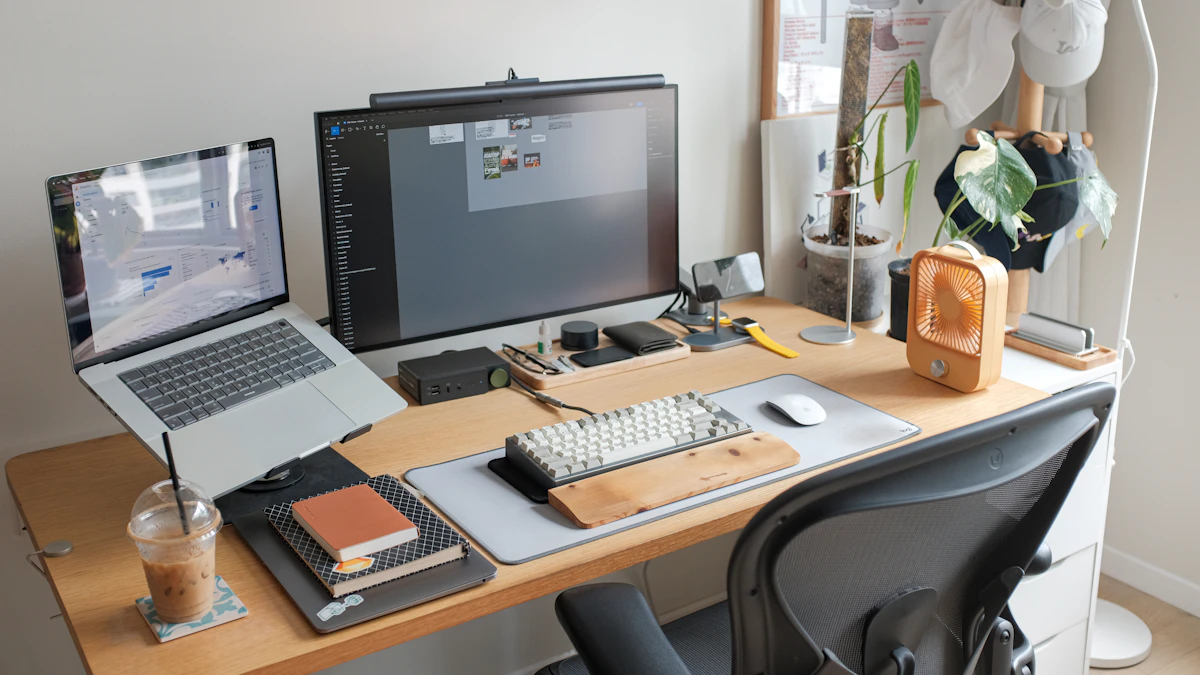
A horizontal laptop stand tilts the laptop up while keeping it open, so you’re typing on the built-in keyboard or, more often, on an external keyboard while the laptop’s own screen stays visible and raised toward eye level. This is the default laptop stand most people picture, and it’s the only option if you don’t have (or don’t want) a second monitor. Most tilt to one of a few fixed angles rather than adjusting continuously, which is usually enough since the goal is raising the top of the screen to eye level, not fine-tuning by the degree.
Cornell’s ergonomics program points to sustained awkward posture, like looking down at a low screen for hours, as a primary risk factor for musculoskeletal strain (Cornell CUErgo, Computer Workstation Ergonomics Guidelines). A horizontal stand addresses that directly by raising the screen you’re actually looking at.
Desk Space
A vertical stand wins here by a wide margin. Standing the laptop on its edge reclaims roughly 10 to 12 inches of desk depth compared to a laptop lying flat in front of you, space that matters on a small desk once an external monitor is already sitting there.
A horizontal stand still takes up less depth than the laptop sitting flat on the desk, since tilting it back angles the footprint slightly, but nowhere near what a vertical stand reclaims. If desk space is the deciding factor and you already own an external monitor, vertical is the clear pick.
Cooling
This is where vertical stands cause real problems if you buy the wrong kind. Closing the lid and running a laptop under sustained load, like video calls or heavier software, can push internal temperatures 12 to 22 degrees Fahrenheit above what the same laptop runs at with the lid open. A closed lid also traps heat around the keyboard deck and hinge area.
A solid wood or plastic vertical stand makes this worse by blocking the bottom intake vents entirely. A ventilated stand that lifts the laptop slightly off its base and leaves the vents clear avoids most of the problem, but it’s still worth checking your laptop’s temperatures under load the first week rather than assuming it’s fine. Most laptops have a built-in way to check this, either the manufacturer’s own utility or a third-party temperature monitor, and running it for a few minutes during normal work tells you more than guessing from how warm the case feels.
Horizontal stands rarely have this issue, since the lid stays open and the laptop’s own cooling system works the way it was designed to.
Use Case: Which One Fits Your Setup
The decision mostly makes itself once you know whether an external monitor is already part of your setup. No external monitor means horizontal is your only real option. An external monitor you use as your main screen, with the laptop just running in the background, points straight to vertical.
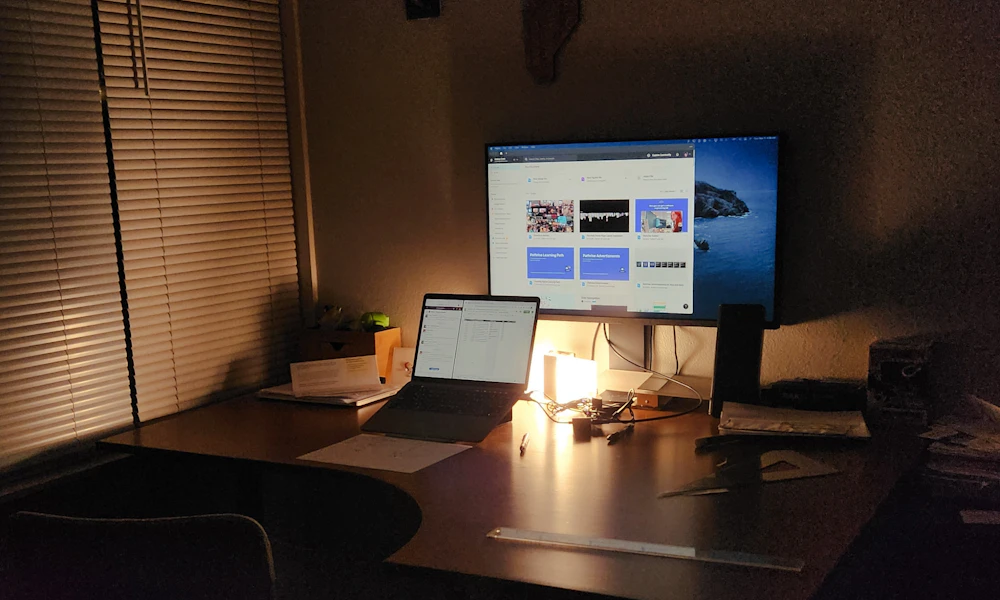
The middle case is a laptop paired with an external monitor used as a second screen, not a replacement. Here a horizontal stand still makes sense, since you’re actively switching your eyes between both screens rather than ignoring the laptop entirely. Matching both screens to a similar height reduces how far your eyes and neck have to travel every time you glance between them, which matters more the more often you switch.
When Vertical Is the Better Choice
Pick vertical if you already run an external monitor as your main screen, your desk is tight on space, or you’re setting up a dual or triple monitor workstation where the laptop is just extra horsepower sitting closed off to the side. See our picks for vertical laptop stands built with proper venting for clamshell use.
When Horizontal Is the Better Choice
Pick horizontal if you don’t have an external monitor, you travel between workspaces and want one setup that works everywhere, or you specifically need to see the laptop screen for things like a second reference window. Our laptop stand picks for standing desks cover solid horizontal options, and if you’re running the laptop alongside a monitor rather than instead of one, our dual screen setup picks are built for that middle case. For the ergonomics case behind raising the screen at all, see our guide to whether you need a laptop stand for ergonomics.
Can You Run a Laptop Closed on a Vertical Stand Safely?
Yes, for most laptops and most workloads, as long as the stand is ventilated and you’re not pushing the machine hard for hours at a time. A closed lid isn’t inherently unsafe. It’s specifically sustained heavy load, video encoding, large file transfers, demanding video calls, combined with a solid, unventilated stand that causes the temperature spikes worth worrying about.
If you’re not sure, run the laptop closed for a normal workday and check whether the chassis feels noticeably hot to the touch near the hinge, or whether fan noise increases compared to open-lid use. Either sign is worth addressing with a better-ventilated stand or, on hot days, a small desk fan aimed at the laptop’s base. See our related guide on laptop stands versus external monitors for neck pain if you’re still deciding whether to add a monitor to the setup at all.
Frequently Asked Questions
Can I use a vertical laptop stand without an external monitor?
Not usefully. The laptop screen faces sideways or away from you on a vertical stand, so you need a separate monitor to see anything while it’s set up this way.
Does closing the lid on a vertical stand damage the laptop over time?
Not if it’s ventilated and the laptop doesn’t run hot for extended periods. Consistently high internal temperatures can shorten battery and component lifespan over years of daily use, which is why airflow around the stand matters.
Can I switch between vertical and horizontal depending on the day?
Some stands are designed to do both, but most are built for one orientation only. If you switch setups often, a horizontal stand that also allows a near-vertical angle is more flexible than owning two separate stands.
Do vertical laptop stands only work with MacBooks?
No, most vertical stands use an adjustable dock or slot that fits a range of laptop thicknesses, though it’s worth checking the width range against your specific model before buying.
Do I need an external keyboard with a horizontal laptop stand?
For regular use, yes. Tilting the laptop up raises the built-in keyboard out of a comfortable typing position, so pairing the stand with a separate keyboard and mouse gets the full ergonomic benefit.
If you already run an external monitor as your main screen, go vertical and reclaim the desk space. If the laptop screen is still doing the work, horizontal is the only stand that makes sense, and it’s worth pairing with an external keyboard once you’re using it daily.


Write Your Review
No reviews yet. Be the first to share your experience!