

Do you need a laptop stand for ergonomics? Yes, if you work on a laptop for more than an hour at a stretch. Raising the screen to eye level cuts the neck bend that puts close to 50 pounds of force on your cervical spine at a 45 degree tilt. If you only check email on the couch, skip it.
- Looking down at a laptop screen at a 45 degree angle can put roughly 50 pounds of load on your neck, according to Mayo Clinic Health System.
- A laptop stand raises the screen but also raises the keyboard out of reach, so you need a separate keyboard and mouse to get the full benefit.
- Decent adjustable stands run $30 to $60. A stack of two or three hardcover books does almost the same job for $0.
- Cornell’s ergonomics program recommends pairing any laptop stand with external input devices once you use the laptop for more than an hour at a time.
- CDC/NIOSH research flags four or more hours of daily notebook use as a real risk factor for musculoskeletal discomfort.
What a Laptop Stand Actually Does
A laptop stand lifts your screen closer to eye level. That’s the whole job. It doesn’t fix your posture by itself, and it won’t make your laptop meaningfully faster or cooler for most models.
The catch is built into laptop design. When the screen sits at a comfortable eye height, the keyboard ends up too high for a neutral wrist position. When the keyboard sits low enough to type comfortably, the screen ends up too low for your neck. Cornell’s ergonomics program calls this out directly: laptops force a tradeoff between neck posture and wrist posture, and the stock setup can’t fix both at once (Cornell CUErgo, 5 Tips for Laptop Use).
Picture a typical spare-bedroom home office. Laptop flat on the desk, screen sitting maybe eight inches below eye level, shoulders rounding forward by hour two. A stand closes most of that gap in one move.
A stand solves half of that problem. It raises the screen toward the neutral posture range, where your ears, shoulders, and hips roughly stack in line. It does nothing for your wrists unless you add a separate keyboard and mouse, which is why the two purchases go together more often than not. If you’re setting up the rest of the desk too, our guide to setting up a laptop for ergonomics covers the full layout.
What the Research Says About Laptop Posture
Here’s the number that matters. According to Mayo Clinic Health System, tilting your head forward to a 45 degree angle, close to what happens when you look down at a laptop flat on a desk, can put nearly 50 pounds of force on your neck. Compare that to roughly 12 pounds when your head sits upright over your shoulders (Mayo Clinic Health System, Tech Neck: Effect of Technology).
A CDC/NIOSH study on notebook computer configuration found that laptop use produces more neck flexion, more downward head tilt, and more neck extensor muscle activity than working on a desktop setup with a separate monitor. The same research flagged four or more hours of daily notebook use as a genuine risk factor for musculoskeletal discomfort, not just a minor annoyance (CDC/NIOSH, Effects of Notebook Computer Configuration and Task on User Biomechanics, Productivity, and Comfort).
Cornell’s laptop use guidelines back this up with a practical cutoff: if you’re on the laptop for more than an hour at a time, get an external keyboard, a monitor, or both. Short bursts of laptop-only work, checking a spreadsheet for ten minutes, don’t carry the same risk.
None of this makes a laptop stand a medical fix. It reduces a known mechanical stressor. It isn’t a substitute for care if you’re already dealing with pain, and persistent pain is a conversation for a doctor or physical therapist, not a product review.
Who a Laptop Stand Is Worth It For
Not everyone in a home office needs one, but a few groups get a clear return on the purchase.
- Remote workers logging four or more hours a day. That’s the exact threshold CDC/NIOSH research flagged for elevated risk.
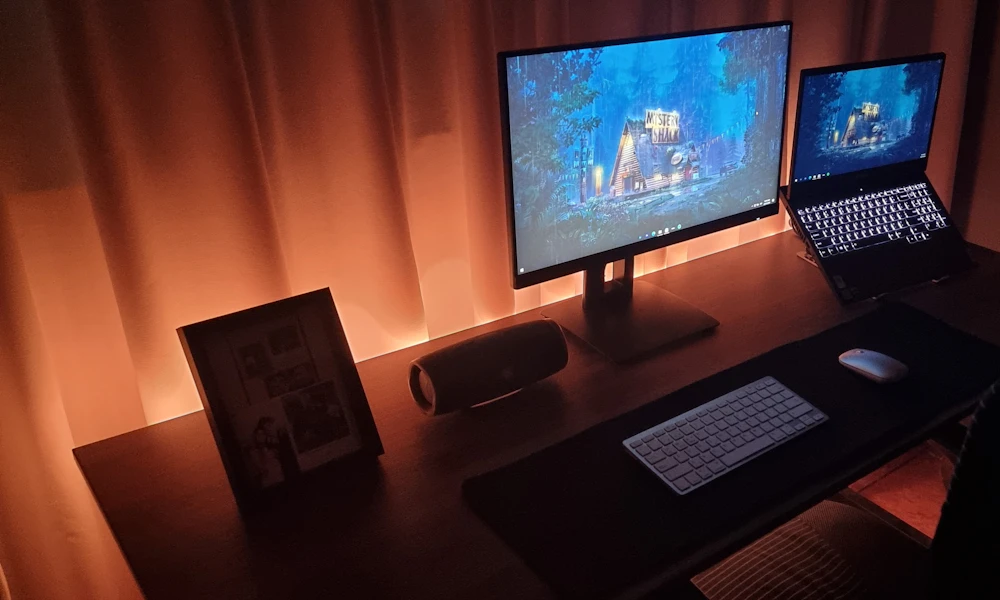
- Anyone already using a separate keyboard and mouse. You’ve solved the wrist half of the tradeoff already, so a stand completes the setup instead of creating a new problem.
- People who alternate between a laptop screen and an external monitor. A stand keeps the laptop at a usable secondary height instead of flat on the desk next to a monitor arm.
- Anyone who already feels tension by mid-afternoon. If your neck or shoulders ache by 3 p.m. most days, the mechanics above are a likely contributor.
Who Should Skip It
Not everyone needs one, and pretending otherwise is how a $50 stand ends up collecting dust in a drawer.
Skip it if you use your laptop for less than an hour a day, mostly for browsing or email at the kitchen table. Skip it if you already dock into an external monitor for most of the workday, since the laptop screen barely matters once it’s closed or off to the side. And skip it if you’re not willing to also buy a keyboard and mouse. A stand without external input devices just moves the strain from your neck to your wrists, which is not a trade worth making.
How Much Does a Good Laptop Stand Cost?
| Tier | Price Range | What You Get |
|---|---|---|
| Budget | $15-$25 | Fixed height, usually one angle, often plastic |
| Mid-range | $30-$60 | Adjustable height and angle, aluminum build, better airflow |
| Premium | $80-$150+ | Articulating arm, VESA mount compatibility, tool-free adjustment |
Most home office setups do fine in the mid-range tier. A fixed budget stand is a reasonable trial run, but if you’re using it daily past the first month, the adjustable tier pays for itself in comfort. Some adjustable stands also qualify for FSA or HSA reimbursement if your employer’s plan covers ergonomic equipment, worth checking before you buy if you have either account through work. See our picks for laptop stands built for standing desks if you switch between sitting and standing through the day, or our neck-pain-focused laptop stand picks if that’s the specific problem you’re solving for.
Laptop Stand vs a Stack of Books
Skip the $50 purchase if you just want to try the idea first. A stack of two or three hardcover books under your laptop gets the screen most of the way to eye level, for free, using whatever is already on your shelf.
The tradeoffs are real, though. Books don’t tilt the screen for glare control against a window. They don’t fold flat for a bag if you’re moving between a home office and a coworking space. And they don’t hold a heavier 17-inch gaming laptop as steadily as a stand rated for the weight. If the book stack works for you after a week and you’re still reaching for it, that’s your sign the real product is worth the money.

Common Mistakes That Waste the Money
- Buying a stand without a keyboard and mouse. You’ll fix your neck and strain your wrists instead, trading one problem for another.
- Setting the screen too high. The top third of the screen should sit at or slightly below eye level, not above it, or you’ll tip your chin up instead of down.
- Using it on a soft or unstable surface. A stand balanced on a couch cushion or a stack of papers wobbles and defeats the point of a stable, adjustable setup.
- Choosing a fixed-height stand when you switch between sitting and standing. You’ll end up readjusting constantly, or giving up on the stand altogether, which is why adjustable models cost more.
- Ignoring the rest of your desk setup. A stand raises the screen, but if your chair or desk height is already off, you’ve just moved the same problem three inches higher.
Frequently Asked Questions
Do I need an external keyboard with a laptop stand?
Yes, for regular use. Raising the screen without a separate keyboard puts your wrists in an awkward, elevated typing position, trading a neck problem for a wrist one.
Is a laptop stand worth it for gaming laptops?
Often yes, mainly for cooling and screen height, but check the weight rating first. A heavier 17-inch gaming laptop needs a sturdier stand than a 13-inch ultrabook.
Can I use a laptop stand without a mouse?
You can, but you lose part of the benefit. Reaching up to a raised trackpad all day puts steady strain on your shoulder that a mouse at desk height avoids.
Do laptop stands help with overheating?
Some do, since raising the laptop improves airflow underneath, but a stand isn’t a substitute for a cooling pad if your laptop already runs hot under heavy use.
Do I still need a laptop stand if I have a docking station?
Usually not for the screen itself, since a docking station typically feeds an external monitor. A stand still helps if you keep the laptop screen active as a second display next to it.
Are cheap laptop stands worth buying?
For occasional use, yes. For daily, all-day use, a $15 fixed stand tends to wobble and limits you to one height, which matters more the longer you sit at it.
A laptop stand is worth it once you’re past an hour of daily use, and it pays off fastest when it’s paired with an external keyboard and mouse. Below that threshold, or if you’re already docked into a monitor, a stack of books or your current setup is doing fine.


Write Your Review
No reviews yet. Be the first to share your experience!