

A standing desk memory preset is a saved height setting on an electric desk’s control panel that returns the desktop to an exact position with one button press. Most keypads store two to four presets. You need one if more than one person uses the desk, or if you switch between sitting and standing every day.
- Most electric standing desks with a digital keypad store two to four height presets you can recall with a single button press, instead of holding the up or down button until the display matches your old number.
- Cornell University’s ergonomics program recommends roughly 20 minutes sitting, 8 minutes standing, and 2 minutes moving in each half hour, a rhythm that’s easier to keep when one button does the height math for you.
- Presets matter most on a shared desk. Research on sit-stand compliance shows people quietly stop switching positions once the process feels like a chore.
- Cornell’s formulas put ideal standing elbow height at about 0.62 times your height and seated elbow height at about 0.46 times your height, numbers a preset only has to get right once.
- A basic single-motor desk without a keypad still raises and lowers by hand, but you’re reading a tape measure or eyeballing it every time instead of pressing one button.

In this article:
- What is a standing desk memory preset?
- How a memory preset works
- Types of memory presets
- Do you actually need one?
- Memory preset vs manual height adjustment
- How to choose the right preset desk
- Frequently asked questions
What Is a Standing Desk Memory Preset?
A memory preset is a saved height programmed into an electric standing desk’s digital controller. Set the desk to a height you like, hold the preset button for a few seconds, and the controller stores that exact position. From then on, pressing that same button drives the desk straight back to it, no eyeballing a tape measure or squinting at a digital readout to remember if you were at 41 or 42 inches last time.
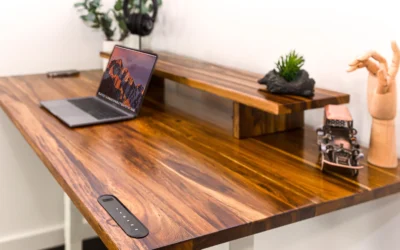
The feature only exists on desks with a motorized frame and a digital keypad. A manual crank desk or a fixed-height desk has nothing to save a position to, since there’s no controller in the loop.
A common real-world example: a spare bedroom converted into a home office where two people trade off days. Without presets, the second person either works at the wrong height all day or spends a minute re-adjusting before they even open their laptop. With four presets, both people press one button and get back to their own numbers in about three seconds.
How a Memory Preset Works
Inside the desk’s controller box, a sensor tracks the motor’s position as the legs extend or retract, usually by counting rotations of the lifting screw. When you save a preset, the controller writes that count to memory tied to a specific button. Press the button later and the controller drives the motors until the count matches again, then stops automatically.
That’s why presets are precise down to a fraction of an inch. You’re not aiming a moving desk at a number on a screen. You’re triggering a stored target the controller hits every time on its own.
Types of Memory Presets
Not every keypad offers the same setup. Here’s how the common versions differ.
| Preset Type | Typical Slots | Best For |
|---|---|---|
| Basic 2-button | 2 (sit and stand) | One person, two positions, no fuss |
| Standard 4-button | 4 | One person with multiple tasks (typing, drafting, standing meetings) |
| Multi-user keypad | 4, often labeled by user or task | Shared desks, like a home office 2 people use on different days |
| App-connected | Unlimited, saved to a phone app | People who want usage tracking or reminders, not just height recall |
Do You Actually Need a Memory Preset?
If you’re the only person using the desk and you land on roughly the same sitting and standing height every day, a preset saves you a few seconds each time but isn’t essential. You can just hold the button until the display hits your usual number. Our standing desk memory preset picks are worth a look if you want the feature built in rather than added later.
The feature earns its keep in a few specific situations:
- Share the desk with someone else. Two different body heights mean two very different settings. A shared desk without presets means someone is always re-measuring.
- Switch tasks throughout the day. A typing height and a drawing or reading height aren’t the same. Presets make switching between them a non-event instead of a chore.
- Have a monitor set up for a two-monitor rig. If you’ve paired the desk with a dual-monitor setup, small height changes shift both screens at once, so getting back to the exact same spot matters more.
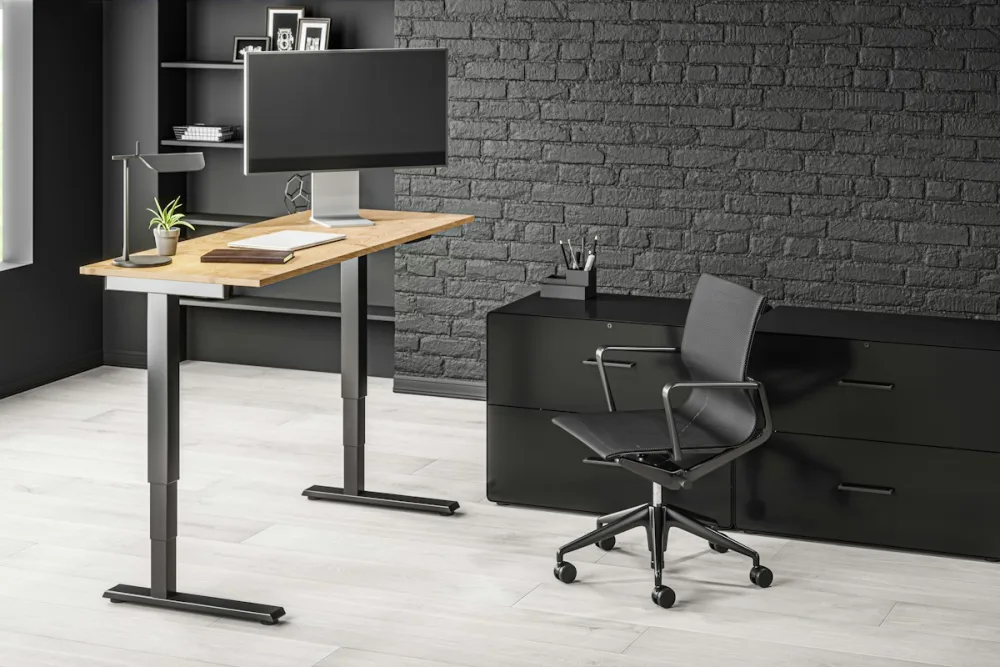
Memory Preset vs Manual Height Adjustment
Manual height adjustment just means holding a button (or, on older desks, turning a crank) until the desk reaches roughly the height you want. It works fine, but “roughly” is doing a lot of work in that sentence. Without a saved number, you’re relying on memory or a sticker on the leg to land in the same spot twice.
A memory preset removes the guesswork entirely. The tradeoff is cost. Desks with a preset keypad and the motor controller to support it typically sit at a higher price point than basic single-button models, since you’re paying for the electronics, not just the motor.
There is a small failure mode worth knowing about. If the desk is unplugged and moved to a new outlet, or if the frame is manually forced past its usual range, some controllers lose their calibration and the presets stop landing exactly where they used to. A quick reset (check your manual, it is usually holding both up and down buttons together for several seconds) fixes this in under a minute.
How to Choose the Right Preset Desk for You
Start by counting how many distinct heights you’d actually use. One person with a sit height and a stand height needs just two presets. A shared desk with two people, each with their own sit and stand height, needs four, which is the most common keypad size for a reason.
If you’re outfitting a desk under 40 inches wide for a tighter space, check our compact standing desk picks first, since not every small-footprint frame includes a full 4-button keypad. Confirm the preset count on the spec sheet before buying, not just “programmable memory” as a vague feature bullet.
Frequently Asked Questions
How many memory presets do most standing desks have?
Most digital keypads store two to four presets. Two covers a single sit and stand height. Four covers multiple tasks or two people sharing the same desk.
Do standing desk presets get lost if the desk loses power?
It depends on the controller. Most modern keypads save presets to non-volatile memory, so a power outage or unplugging the desk doesn’t erase them. Check the manual if you’re unsure before assuming a preset failed.
Can you change a saved preset later?
Yes. Move the desk to the new height you want, then hold the same preset button again until it beeps or the display confirms the save. This overwrites the old setting.
Can you add memory presets to a manual crank desk?
No. Presets require an electric motor and a digital controller to track position. A hand-crank desk has no controller, so there’s nothing to save a height to.
Is an app-connected preset better than a physical keypad?
Not necessarily better, just different. An app can log your sit-stand time and send reminders, but a physical keypad button is faster for the basic job of recalling a saved height.
A memory preset is a small feature that solves a specific annoyance: getting back to the exact height you already know works, without redoing the math every time. If you’re the only user and you rarely change tasks, it’s a nice-to-have. If you share the desk or switch between sitting, standing, and other tasks daily, it’s close to essential. See our full breakdown of whether standing desks are worth it for the bigger picture before you shop.
Related Reading
Signs Your Standing Desk Motor Is Failing · Bamboo vs Laminate Standing Desk Top


Write Your Review
No reviews yet. Be the first to share your experience!