

Most desk converters hold 15 to 35 lbs, enough for a laptop and one monitor. Electric, motorized converters typically hold 45 to 80 lbs, enough for dual monitors or a small desktop tower. Add up your actual gear before you buy, since the printed number on the box is a ceiling, not a target.
- Manual, spring or gas-assisted converters typically max out around 15 to 35 lbs.
- Electric, motorized converters usually handle 45 to 80 lbs, and some premium models go past 100 lbs.
- A single monitor plus a keyboard and mouse runs about 15 to 20 lbs total, well within most manual converters.
- Dual monitors push the total to 30 to 40 lbs, which is where a lot of budget converters start to struggle.
- Manufacturers rate weight capacity under lab conditions at full extension, so buying toward the middle of a converter’s range, not the edge, holds up better over years of daily lifting.

In this article:
- The quick answer by setup type
- Why weight rating matters
- How to calculate your total setup weight
- How to choose the right rated converter
- Special cases
- Signs your converter is overloaded
- Frequently asked questions
The Quick Answer: Weight Capacity by Setup Type
| Your Setup | Typical Total Weight | Minimum Converter Rating to Look For |
|---|---|---|
| Laptop only | 3-6 lbs | 15 lbs (manual) |
| Laptop + 1 monitor | 15-20 lbs | 25 lbs (manual) |
| Dual monitors | 25-32 lbs | 35 lbs (manual, upper range) or 45 lbs (electric) |
| Dual monitors + laptop | 30-38 lbs | 45 lbs (electric) |
| Desktop tower + 1-2 monitors | 40-55 lbs | 60-80 lbs (electric) |
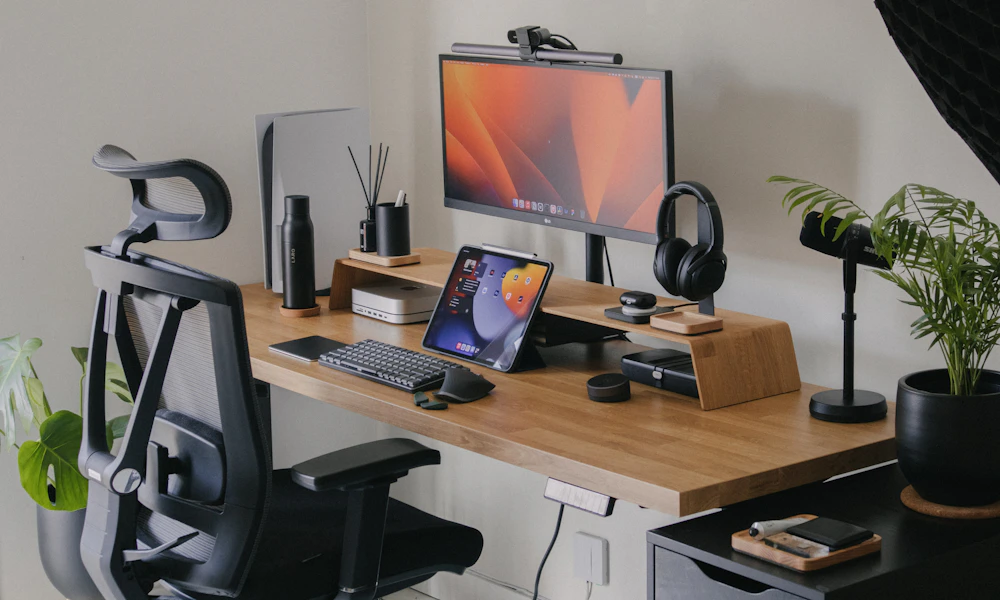
These numbers assume standard-size monitors, 24 to 27 inches. Ultrawide or larger monitors add several pounds each, covered under special cases below.
Why Weight Rating Matters
A desk converter isn’t just a shelf, it’s a lifting mechanism. Manual models use a spring or gas cylinder to counterbalance the weight of your gear, so you can raise the platform with one hand instead of hauling the full load yourself. OSHA’s general guidance on desk-based equipment points to exactly this kind of mechanical assist, spring-loaded or pneumatic lift systems, as the safer alternative to manually lifting a load repeatedly throughout the day (OSHA, Computer Workstations eTool: Desks).
That assist only works within its rated range. Overload a spring or gas cylinder and the platform gets harder to lift, drifts back down on its own, or stalls partway up, since the mechanism can no longer counterbalance the extra weight. On electric converters, an overloaded motor works harder on every cycle, which shortens its life well before the warranty period ends.
There is a safety angle too, not just a durability one. A platform that fails mid-lift, or one that sags and tips on one side under an uneven load, can send a monitor sliding off the edge. That risk goes up on converters with a mounting arm on one side and a flat platform on the other, since the weight is never evenly distributed to begin with. Staying within the rated capacity, and centering heavier items rather than pushing them to one edge, keeps that risk low.
There’s a cost angle too. Most desk converter warranties exclude damage caused by exceeding the rated weight, so a mechanism that fails under an overloaded setup is a replacement you pay for yourself, not a covered repair. Manufacturers test to the rated limit under controlled lab conditions, not the higher load some buyers assume the platform can handle just this once.
How to Calculate Your Total Setup Weight
Add up what’s actually going on the platform. Most of this you can find on the product spec page without a scale.
- Start with your monitor. A 24-inch monitor runs 8 to 12 lbs, a 27-inch runs 12 to 16 lbs, and an ultrawide or 32-inch-plus display can push past 20 lbs on its own.
- Add your laptop, if it stays on the platform. A 13-inch ultrabook is about 3 lbs, a 15-inch laptop closer to 4 to 5 lbs, and a 17-inch gaming laptop can hit 7 to 8 lbs.
- Add keyboard and mouse. Together these usually run 2 to 3 lbs, negligible on their own but part of the total.
- Add anything else that sits on the platform. Speakers, a desk lamp, or a document holder each add 1 to 5 lbs.
- Total it up, then add a 20 percent margin. A setup that weighs 25 lbs should sit on a converter rated for at least 30 lbs, not exactly 25.
How to Choose the Right Rated Converter
Match the converter type to where your total setup weight lands. Under 20 lbs, a manual spring-assisted converter is plenty, and it’s the cheaper option. Between 25 and 35 lbs, look closely at manual models rated at the top of their range, or step up to an entry-level electric converter for more margin. Past 35 lbs, especially with dual monitors, an electric converter is the safer long-term choice since the motor doesn’t fatigue the way a spring does under repeated heavy loads.
Spring and gas-assist mechanisms lose a small amount of tension every year, even under normal use, since the gas in a cylinder slowly permeates through its seals. A converter that comfortably held 25 lbs when new might only manage 20 lbs reliably after two or three years. Buying with headroom above your current setup weight accounts for that gradual drop, not just today’s load. Electric converters don’t lose lift strength the same way, but their motors do wear over thousands of cycles, so the same margin-over-current-load logic still applies even without a gas spring involved.
If your setup is a single monitor with a keyboard and mouse, our picks for single-monitor standing desk converters cover models sized right for that load. If you’re running dual monitors or a heavier setup, see our extra-large standing desk converter picks built for more weight and more surface area. Still deciding between a converter and a full standing desk in the first place? Our desk converter vs standing desk comparison covers that decision.
Special Cases
A small-form-factor desktop tower, the kind that sits next to a monitor rather than under the desk, adds 10 to 20 lbs on its own. Most manual converters aren’t rated for that, so if your setup includes a tower on the platform, plan on an electric model rated for 60 lbs or more.
Dual ultrawide monitors are the heaviest common setup, sometimes 40 lbs combined before you add anything else. Check the converter’s weight distribution rating too, not just the total, since some models cap how much can sit on each monitor mount independently of the platform’s overall limit.
Shared desks, a home office used by two people on different shifts, or a converter that moves between a desktop setup and a laptop-only day, need the rating matched to the heaviest combination that will ever sit on the platform, not the average. Buying for the lightest common setup and hoping the occasional heavier day is fine is how converters get overloaded without anyone deciding to overload them on purpose.
Once you’ve settled on a converter with the right rating, our guide to setting up a desk converter correctly covers height and positioning once it’s on your desk.
Signs Your Converter Is Overloaded
- The platform is noticeably harder to lift than it was when new, or requires two hands where one used to work.
- It drifts back down on its own after you raise it, instead of holding position.
- You hear a creak, grind, or click from the lifting mechanism during raise or lower.
- The platform sags or tilts slightly at full height, even when the load is centered.
- On electric models, the motor runs noticeably slower or hotter than when you first set it up.
Any one of these on its own might just be normal wear. Two or more together, especially paired with a setup you know is near or past the rated weight, means it’s time to remove some weight from the platform or replace the converter with a higher-rated model.
Frequently Asked Questions
Can a desk converter hold two monitors?
Most can, as long as the combined weight of both monitors plus your keyboard and mouse stays under the rated capacity, typically 30 to 45 lbs for a converter built to handle dual monitors.
What happens if you overload a desk converter?
The lifting mechanism struggles or fails, either drifting back down on its own, getting hard to raise, or wearing out well before its expected lifespan. On electric models, an overloaded motor also runs hotter and can fail sooner.
Do manual desk converters hold less weight than electric ones?
Generally yes. Manual, spring or gas-assisted converters typically top out around 35 lbs, while electric motorized converters commonly handle 45 to 80 lbs or more.
Can I put a desktop computer tower on a desk converter?
Only if the converter is rated for it, usually 60 lbs or higher. A small-form-factor tower alone can add 10 to 20 lbs to your total setup weight.
Where do I find a desk converter’s weight rating?
It’s listed in the product specifications, usually labeled as weight capacity or load capacity. If it’s not listed clearly, treat that as a reason to look elsewhere rather than assume it can handle a heavy setup.
Add up your actual gear, build in a margin, and match that number to a converter rated above it. Getting the weight rating right up front is what keeps the lifting mechanism working smoothly for years instead of straining on every adjustment. A five-minute weigh-in of your gear now saves a replacement purchase later, and it costs nothing but a bathroom scale and a couple of minutes checking product specs before you check out.










Write Your Review
No reviews yet. Be the first to share your experience!