

The best monitor distance from eyes is at least 20 inches, per OSHA, with 20 to 30 inches being a comfortable working range for most screens and most people. Pair that distance with the American Optometric Association’s 20-20-20 rule: every 20 minutes, look at something 20 feet away for at least 20 seconds to rest your eyes.
- OSHA’s Computer Workstations eTool recommends a minimum viewing distance of 20 inches from your eyes to the screen.
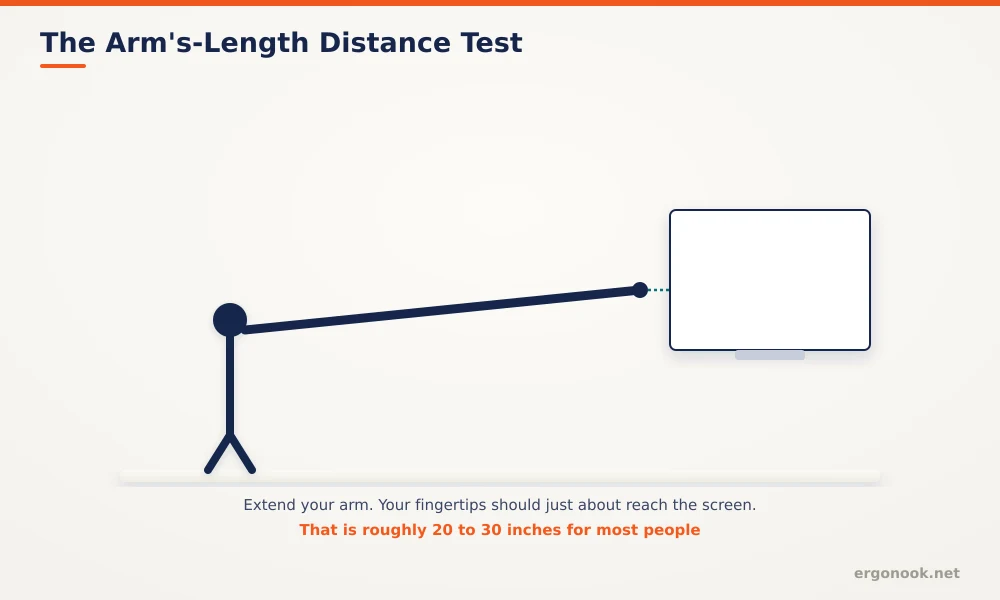
- Cornell University’s ergonomics program places the ideal distance at roughly an arm’s length away.
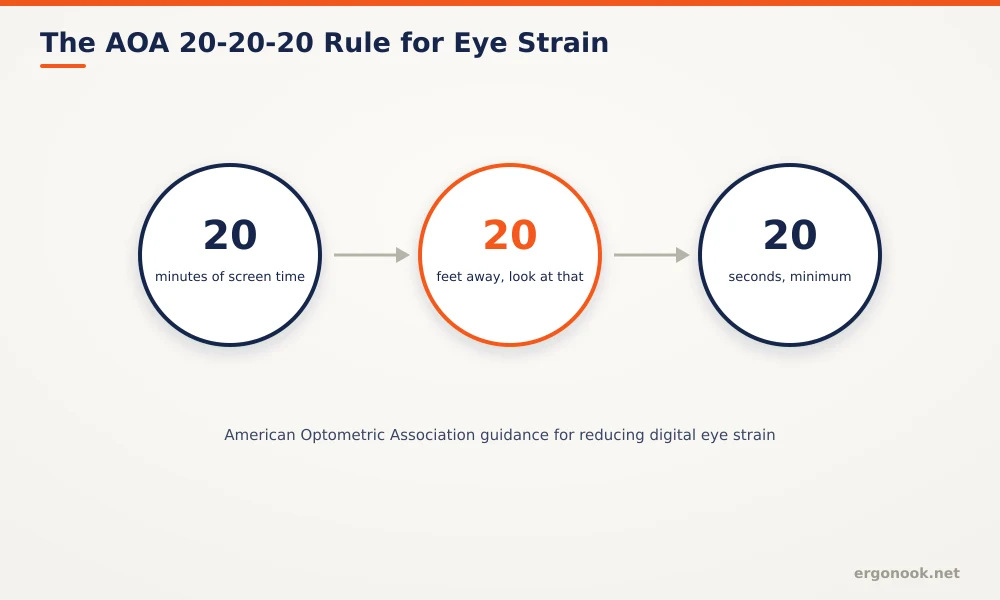
- The American Optometric Association’s official 20-20-20 rule: every 20 minutes, look at something 20 feet away for 20 seconds.
- Larger and higher-resolution screens are comfortable a bit farther back; text size matters more for comfort than screen size alone.
In this article:
- The quick answer: distance by your setup
- Why monitor distance matters
- How to measure your own distance
- How to adjust your setup to reach it
- Distance and digital eye strain
- Distance with multiple monitors
- Signs your monitor distance is wrong
- Frequently asked questions
The Quick Answer: Distance by Your Setup
| Your Setup | Recommended Distance |
|---|---|
| Standard 24 to 27 inch monitor | 20 to 28 inches |
| 32 inch or larger / ultrawide | 28 to 36 inches |
| Small text or detail work | Closer end of your comfortable range, plus larger font settings before moving closer |
| Laptop screen | Same 20 inch minimum; pair with an external keyboard so you’re not forced closer to reach the keys |
Why Monitor Distance Matters
Sitting too close to a screen forces your eyes to maintain a stronger near-focus for hours at a time, which is part of what drives digital eye strain, alongside reduced blink rate and screen glare. OSHA’s guidance is direct on the minimum: at least 20 inches between your eyes and the display, with the screen centered in front of you rather than off to one side (OSHA). Distance and monitor height work together, not separately. Moving a screen closer without adjusting height can undo a correctly set eye-level position, since your effective viewing angle changes with both variables at once.
How to Measure Your Own Distance
Cornell’s ergonomics program frames the target simply: the monitor should sit roughly an arm’s length away (Cornell University Ergonomics Web). Sit in your normal working position, extend your arm toward the screen, and your fingertips should land close to the display, not several inches short of it or pressing into it. If you have to lean forward noticeably to read text comfortably, you’re either too far away or the text is too small for the distance you’re sitting at.
How to Adjust Your Setup to Reach It
A monitor arm makes distance the easiest adjustment on the whole desk, since you can push the screen back or pull it closer in seconds rather than physically relocating a stand. If your desk is too shallow to hit 20 inches with a fixed stand, that’s a sign to prioritize an arm over a stand riser. Increasing font and interface scaling in your operating system is also a legitimate fix. It’s often easier and cheaper than moving the monitor, and it solves the problem directly instead of compensating for small text by sitting closer. Our picks for the best dual monitor arm for a small desk cover models with enough reach to make that adjustment easily.
Distance and Digital Eye Strain
Correct distance reduces the strain of near focus, but it doesn’t eliminate the need for regular breaks. The American Optometric Association endorses the 20-20-20 rule for exactly this reason: every 20 minutes, look at something roughly 20 feet away for at least 20 seconds (American Optometric Association). Shifting focus relaxes the muscles responsible for near vision and prompts a full blink, which re-lubricates the eye, something people do less often than normal while staring at a screen.
Distance With Multiple Monitors
A dual or triple monitor setup complicates distance slightly, since a curved arc that keeps every screen equidistant from your eyes isn’t always practical on a flat desk. The practical compromise is keeping your primary monitor, the one you look at most, within the 20 to 30 inch range, and treating secondary screens as reference displays that don’t need to hit the same standard as strictly. If you use two monitors equally rather than one primary and one secondary, angling both slightly inward toward you keeps the outer edges from sitting meaningfully farther away than the center.
Signs Your Monitor Distance Is Wrong
Dry, tired, or burning eyes by mid-afternoon are the most common signal, though they can also come from low blink rate alone regardless of distance. Headaches that build gradually during screen work, rather than appearing suddenly, often point to sustained near-focus strain. If you catch yourself leaning toward the screen repeatedly through the day, that’s a habit worth fixing at the source, either by moving the monitor closer within the recommended range or increasing text size, rather than letting the lean become your default posture.
Frequently Asked Questions
Is sitting closer to a monitor bad for your eyes long-term?
Prolonged close-range focus contributes to digital eye strain symptoms, but there’s no strong evidence it causes permanent eye damage. Comfort and reduced strain are the main reasons to keep the recommended distance.
Does monitor distance matter if I use blue light glasses?
Distance and blue light are separate issues. Blue light glasses don’t change the near-focus strain that comes from sitting too close, so the distance guidance still applies either way.
Should laptop distance be different from a desktop monitor?
The same 20 inch minimum applies. The bigger issue with laptops is that reaching the keyboard often forces you closer than that, which is why pairing a laptop stand with an external keyboard helps.
Does distance need to be the same for a secondary monitor?
Not exactly, but keep it close. A secondary screen used only occasionally can sit slightly farther without much impact, since you’re not maintaining near-focus on it continuously.
The best monitor distance from eyes starts at 20 inches and extends to about an arm’s length for most setups, with larger screens comfortable a bit farther back. Pair that distance with the 20-20-20 rule, since correct positioning reduces strain but doesn’t replace the need for regular breaks.


Write Your Review
No reviews yet. Be the first to share your experience!