

After hours of typing, scrolling, and clicking, you might feel a dull ache in your wrists or a tightness in your forearms. You are not alone. Many professionals and remote workers face this discomfort daily, often without realizing that a simple upgrade to an ergonomic mouse and keyboard set can make a world of difference. This guide covers the best ergonomic mouse and keyboard sets for 2026, carefully selected to help you work longer with less strain. Whether you are a writer, a coder, or a data analyst, these options are designed to support natural hand positioning and reduce repetitive stress injuries. For a deeper look at how ergonomic keyboards can help with persistent pain, read our guide on the best ergonomic keyboard for wrist pain.
Bundled sets tie you to matching a keyboard and mouse from the same line, so if you already have a mouse you like, buying a bundle may mean paying for a mouse you don’t need.
Disclosure: Ergonook is a participant in the Amazon Associates program. Links below are affiliate links, and we may earn a commission from qualifying purchases. This does not affect which products we recommend or how we rank them.

Pros
- Keyboard and mouse designed to work together as a matched set
- Simplifies buying both accessories at once
- Certified ergonomic design
Cons
- Smaller review history than the standalone Wave Keys keyboard
- Costs more upfront than buying just the keyboard alone
This combo bundles the Wave Keys keyboard with the Lift vertical mouse, both designed and approved according to criteria set out by ergonomists.
The keyboard brings the same wavy shape and memory foam palm rest as the standalone version, while the Lift mouse adds a 57 degree vertical grip built for small to medium hands.
Both connect through Bluetooth or a shared Logi Bolt receiver, and the pairing is meant to give a consistent ergonomic setup across your whole workstation.
It has a smaller review history than the standalone keyboard, since it's a newer bundled offering.
It suits anyone outfitting both a keyboard and mouse at once who wants a matched, certified pair.
Who should buy this combo? Anyone who needs both a new keyboard and mouse and wants a matched, certified ergonomic pair.
Who might want to look elsewhere? Anyone who already has a mouse they like should buy the standalone Wave Keys keyboard instead.
Setup tip: Pair both devices to the same Logi Bolt receiver to save a USB port if your computer has limited ports.

Pros
- Ergonomic wave design with wrist rest reduces strain for long typing sessions.
- Easy plug-and-play 2.4G connection with a single receiver for both devices.
- Automatic sleep mode helps conserve batteries, and wake-up is instant.
- Wide compatibility with Windows and macOS, plus dual system layout switch.
- Responsive after-sales support offers peace of mind beyond the standard return period.
Cons
- Batteries not included; you'll need to purchase two AA batteries separately.
- USB receiver is stored on the back of the mouse, which may be inconvenient for installation.
- Mouse is designed for right-handed users only, not ambidextrous.
The ULSOU Wireless Keyboard and Mouse Combo is designed for users who spend long hours at a computer and want to reduce wrist strain without breaking the bank. Its wave-shaped keyboard with built-in wrist rest and contoured mouse aim to provide a more natural, comfortable typing and mousing experience.
The standout feature is the ergonomic wave keyboard that gently curves to fit your fingers, and the adjustable stand lets you tilt the keyboard to the perfect angle. The mouse, shaped for right-handed use, includes forward and back buttons that make browsing faster. The 2.4G connection is reliable up to 33 feet, and setup is truly plug-and-play with a single USB receiver for both devices.
Build quality is solid for the price, with a matte black finish that resists fingerprints. The keyboard keys have a standard membrane feel with decent travel, while the mouse glides smoothly on most surfaces. The automatic power-saving feature is a nice touch, activating after short periods of inactivity to extend battery life.
One drawback is that batteries are not included, so you need to buy two AA batteries separately. Also, the USB receiver is stored on the bottom of the mouse, which can be slightly awkward to access. The mouse is designed for right-handers only, so left-handed users may need to look elsewhere.
Overall, the ULSOU combo delivers excellent ergonomic value for its price. It's a great choice for office workers, students, or anyone who wants to improve comfort and reduce wrist pain while using a desktop or laptop. The combination of thoughtful design, easy setup, and reliable performance makes it a worthwhile investment.

Pros
- Significant reduction in wrist strain compared to standard keyboard and mouse setups
- High build quality with stain-resistant fabric and soft-touch grip
- Long battery life: up to 2 years for keyboard and mouse on a single AA battery each
- Multi-device support with easy switching and Logitech Flow for cross-screen file transfers
Cons
- Split keyboard design may take a few days to get used to for touch typists
- Lift mouse is designed specifically for small to medium hands, not ideal for larger hands
- No backlighting on the keyboard, which could be a drawback for low-light environments
The Logitech Ergo K860 keyboard and Lift vertical mouse combo is a complete ergonomic solution for anyone who spends long hours at a desk. This set targets office workers, programmers, and creative professionals who experience wrist or forearm fatigue from conventional peripherals. By combining a curved split keyboard with a vertical mouse, Logitech addresses the two main sources of upper body strain: unnatural wrist angles and repetitive motion.
The K860 keyboard stands out with its split keyframe that reduces wrist bending by 25%, while the memory foam wrist rest supports 54% more of your palm compared to standard models. Real-world use reveals a noticeably relaxed typing posture, especially when using the adjustable palm lift to angle the board. The Perfect Stroke keys are scooped to match fingertips, delivering quiet, fluid keystrokes that feel precise without being mushy. The Lift mouse complements this with a 57-degree vertical grip that lifts the wrist into a natural handshake position, easing tension in the forearm and upper body. Its SmartWheel shifts smoothly between notched and free scrolling, and the four custom buttons (programmable via Logi Options+) boost productivity.
Design and build quality are excellent. The graphite finish is professional, and the keyboard's fabric surface is stain-resistant and easy to clean. The mouse has a softly textured grip with a thumb rest for added comfort. Both devices connect via Bluetooth or the included Logi Bolt USB receiver, supporting up to three devices with instant switching. Battery life is rated at two years per device on a single AA battery, which is impressive for a wireless set.
One minor drawback is the learning curve for the split keyboard layout: touch typists may need a few sessions to adapt to the curved key arrangement. Additionally, the Lift mouse is sized for small to medium hands, so users with larger hands might find it cramped. The keyboard also lacks backlighting, which could be an issue for those who work in dimly lit spaces.
Overall, this combo delivers on its ergonomic promise with thoughtful engineering and high-quality materials. It is a worthwhile investment for anyone committed to reducing repetitive strain injuries without sacrificing performance or connectivity. For users seeking relief from wrist pain and a more natural workstation setup, the Logitech K860 and Lift combo is a top-tier choice.

Pros
- Reduces wrist and forearm strain with ergonomic design
- Quiet scissor keys are ideal for shared workspaces
- Rechargeable batteries save money and reduce waste
- Adjustable palm rest and tilt base for personalized comfort
- Includes a vertical mouse with adjustable DPI and navigation buttons
Cons
- No backlighting on the keyboard, which may be a drawback for low-light use
- Some users might prefer a more traditional mouse shape
- The multifunction knob may take a short learning curve to master
The Perixx Periduo-614US is a wireless ergonomic keyboard and vertical mouse combo designed for anyone who spends long hours at a desktop computer. It targets professionals, remote workers, and home users seeking to reduce wrist and forearm strain without sacrificing productivity.
Standout features include the quiet laptop-style scissor keys that provide a familiar typing feel with minimal noise, ideal for open offices. The cushioned palm rest and detachable tilt base allow you to adjust the keyboard angle for personalized comfort, while the vertical mouse keeps your wrist in a neutral position. The multifunction control knob is a thoughtful addition, letting you adjust volume, mute audio, or switch to task management with a simple press or long press.
Build quality is solid, with a compact full-size layout that fits well on most desks. The wireless connection via a single nano receiver is stable and offers a range of up to 30 feet. Both the keyboard and mouse are USB-C rechargeable, and the batteries last about a month with typical daily use, which is convenient and eco-friendly.
One potential drawback is the lack of backlighting, which may be an issue for those who work in dim lighting. Additionally, users accustomed to a standard mouse may need a short adjustment period to the vertical design. The multifunction knob, while useful, might require a brief learning curve to use effectively.
Overall, the Perixx Periduo-614US offers excellent ergonomic value with quiet keys, adjustable support, and a vertical mouse, all at a competitive price point. It is a smart choice for anyone looking to improve comfort and reduce strain during long work sessions.
Pros
- Ergonomic split design promotes natural hand positioning and reduces wrist strain.
- Cushioned palm rest with adjustable tilt brackets adapts to your preferred typing angle.
- Multi-device connectivity (up to 3 devices) boosts productivity across platforms.
- Included ergonomic mouse offers palm/thumb support and adjustable DPI for precise control.
- Compact layout saves desk space without sacrificing full-size functionality.
Cons
- Split design requires a short adjustment period for users accustomed to standard keyboards.
- Lower-profile keycaps may feel different for those who prefer taller or mechanical keys.
- No backlighting, which may be a drawback for typing in low-light environments.
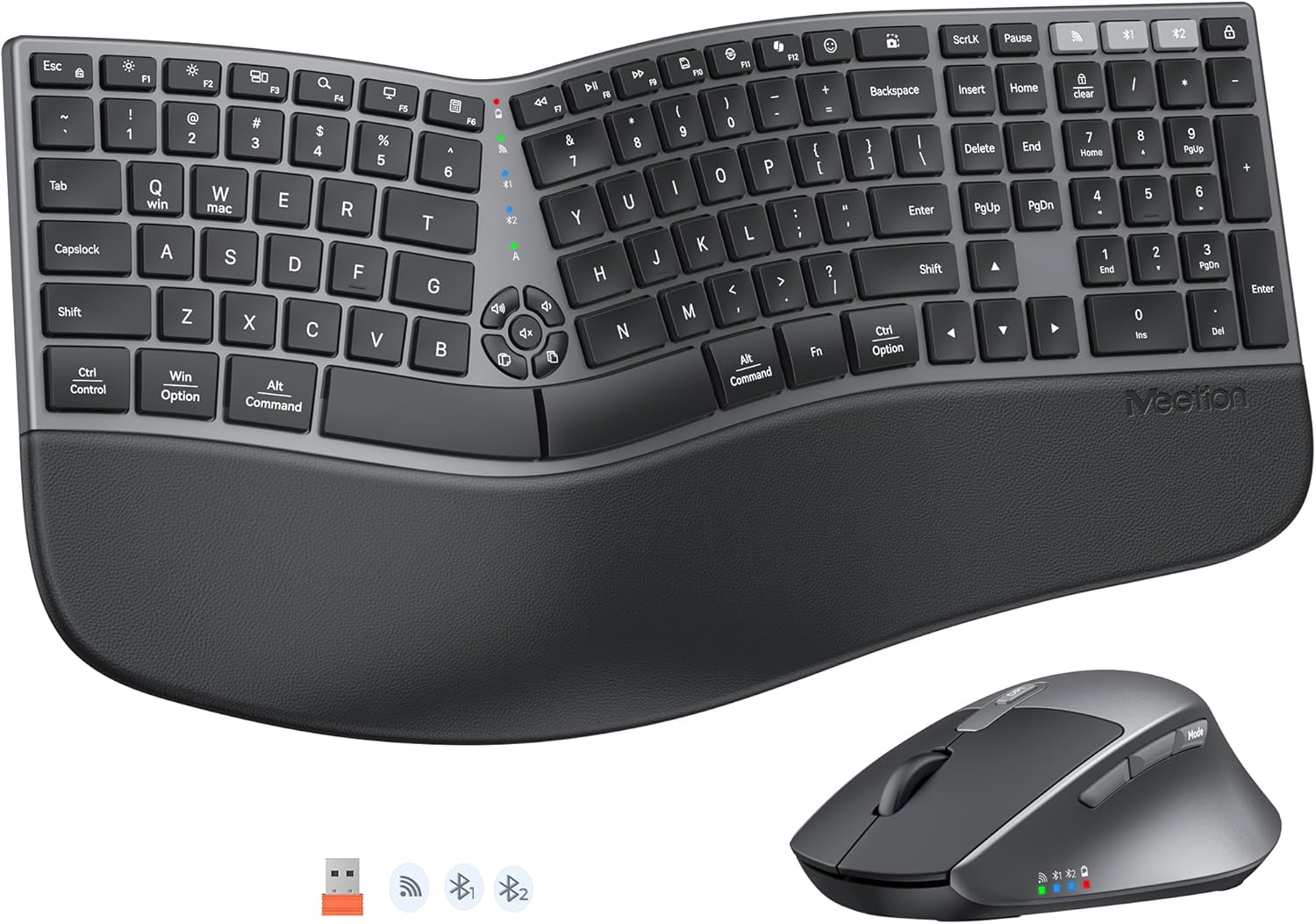
The MEETION Ergonomic Keyboard and Mouse combo is a wireless set designed to improve typing comfort and reduce desk clutter. It targets office workers, remote professionals, and anyone experiencing wrist fatigue from long hours at the computer.
Standout features include a curved split keyboard that allows each hand to type at a natural angle, eliminating the need to stretch or twist your wrists. The cushioned palm rest is thickened and made from a soft non-slip material, with four adjustable tilt brackets so you can find the perfect angle whether sitting or standing. The included ergonomic mouse offers a palm and thumb rest with 4-level DPI adjustment for tailored cursor speed.
Build quality is solid for the price point, with low-profile squared keycaps that give the keyboard a neat, space-conscious footprint. The multi-device connectivity works smoothly via a USB receiver or Bluetooth, letting you switch between up to three devices without cables. Real-world performance is reliable, though the split layout may feel awkward at first.
One honest drawback is the adjustment period required: the split design forces a more natural hand posture, which can slow typing speed initially. Additionally, the lower-profile keycaps lack the tactile feedback some users prefer, and there is no backlight for low-light use. These trade-offs are typical for ergonomic keyboards and are outweighed by the comfort benefits.
Overall, the MEETION Ergonomic Keyboard and Mouse combo delivers excellent value for its price. It is a practical choice for anyone seeking to alleviate wrist pain and maintain a clean workspace. With a strong rating and thoughtful design, it earns a solid recommendation for ergonomic shoppers.

Pros
- Excellent ergonomic design helps alleviate wrist and forearm strain
- Cushioned palm rest adds significant comfort during extended use
- Multi-device switching is smooth and convenient for multitaskers
- Rechargeable with long battery life reduces need for frequent charging
- Precision mouse with forward/backward buttons enhances browsing efficiency
Cons
- Keyboard is not backlit, limiting use in low-light conditions
- Full-size layout occupies considerable desk space (20.75 x 11 inches)
- Some users may prefer mechanical key switches over membrane keys
The ProtoArc EKM01 Plus Wireless Ergonomic Keyboard Mouse Combo is a thoughtfully designed set aimed at users who spend long hours at a computer and want to reduce wrist discomfort. It combines a full-size split keyboard with a contoured mouse, both optimized for natural hand and arm positioning. This combo is particularly suited for office workers, writers, and anyone prone to repetitive strain injuries.
Standout features include the curved split keyframe that promotes a more relaxed typing posture, and the cushioned memory foam palm rest that minimizes wrist bending. The ability to switch between up to three devices using Bluetooth or the USB receiver is a major convenience for those who work across multiple computers or tablets. The mouse offers precise 2000 DPI tracking and includes forward/backward buttons for efficient web navigation.
Build quality is solid, with a durable plastic construction and a professional gray black finish. The keyboard has four adjustable tilt legs to find the perfect angle, and the mouse fits comfortably in the hand with its palm and thumb rest. Both devices are powered by rechargeable 500mAh batteries that deliver up to 250 hours of standby time after a full charge, with auto sleep to save power.
One notable drawback is the lack of backlighting on the keyboard, which may be an issue for those who type in dim environments. Additionally, the full-size layout requires ample desk space, so measuring your workspace is advisable. The keys use a membrane mechanism, which may not satisfy users who prefer the tactile feedback of mechanical switches.
Overall, the ProtoArc EKM01 Plus offers excellent value for ergonomic comfort and multi-device flexibility. While it has a few limitations, its thoughtful design and reliable performance make it a strong recommendation for anyone seeking to improve their typing comfort and reduce wrist pain.
Pros
- Comfortable ergonomic keyboard with wave key layout and adjustable stand
- Convenient phone/tablet holder enhances desk organization and multitasking
- Stable 2.4G wireless connection with no software installation required
- Compatible with both Windows and Mac operating systems
- Responsive customer service and after-sales warranty
Cons
- Mouse designed only for right-handed users, not ambidextrous
- USB receiver located on the back of the mouse, which may be less convenient for some
- Requires separate AA batteries for keyboard and mouse, not included in the package
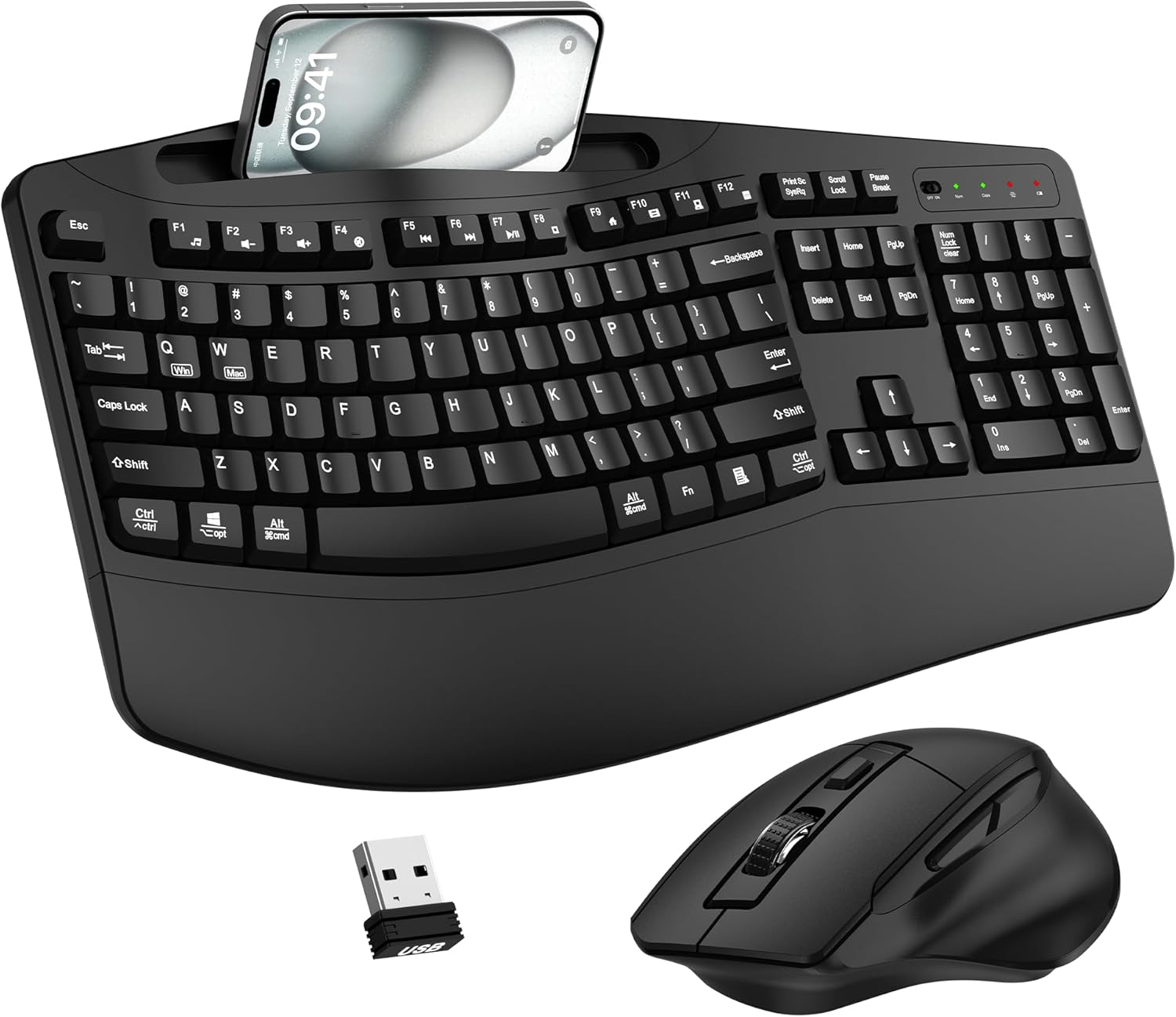
The EDJO Wireless Keyboard and Mouse Combo is designed for users who spend long hours at a desk and need ergonomic support. Its wave key layout and built-in wrist rest promote a natural hand position, reducing fatigue during extended typing or browsing sessions. The inclusion of a phone and tablet holder on the keyboard adds a thoughtful touch for keeping your devices within easy view.
Standout features include the plug-and-play 2.4G wireless connection, which uses a single USB receiver for both devices and offers a reliable range of up to 33 feet. The mouse features a contoured shape that fits snugly in the right hand, with dedicated forward and back buttons for efficient web navigation. The auto power saving function helps preserve battery life, though you will need to provide two AA batteries (one each for keyboard and mouse).
Build quality is solid for its price range, with a clean black finish that suits most office or home setups. The adjustable keyboard stand lets you tilt the keyboard to a comfortable angle, and the wrist rest is firm yet cushioned. The phone holder is a nice bonus, but it may not accommodate very large tablets with thick cases.
One potential drawback is that the mouse is right-handed only, which limits usability for left-handed users. Additionally, the USB receiver is stored on the underside of the mouse, so you will need to flip it over to access it. These are minor inconveniences that do not detract significantly from the overall value.
Overall, the EDJO combo is a great choice for anyone looking to improve ergonomics without breaking the bank. It combines comfort, convenience, and reliable wireless performance, making it well-suited for home offices, corporate workstations, or casual computing. The after-sales warranty adds further peace of mind.
Pros
- Excellent all-day comfort with a wavy layout and cushioned palm rest.
- Quiet mouse clicks are ideal for shared offices or home workspaces.
- Long battery life: up to 3 years for the keyboard and 2 years for the mouse.
- Versatile connection options with Bluetooth and Logi Bolt, plus multi-device switching on the keyboard.
- Eco-friendly build using recycled plastic without sacrificing quality.
Cons
- The ergonomic wave shape may take time to get used to if you are accustomed to flat keyboards.
- The mouse is tailored for medium to large hands, which may not suit users with smaller hands.
- Easy-Switch is only available on the keyboard, not the mouse, limiting multi-device pairing to the keyboard.
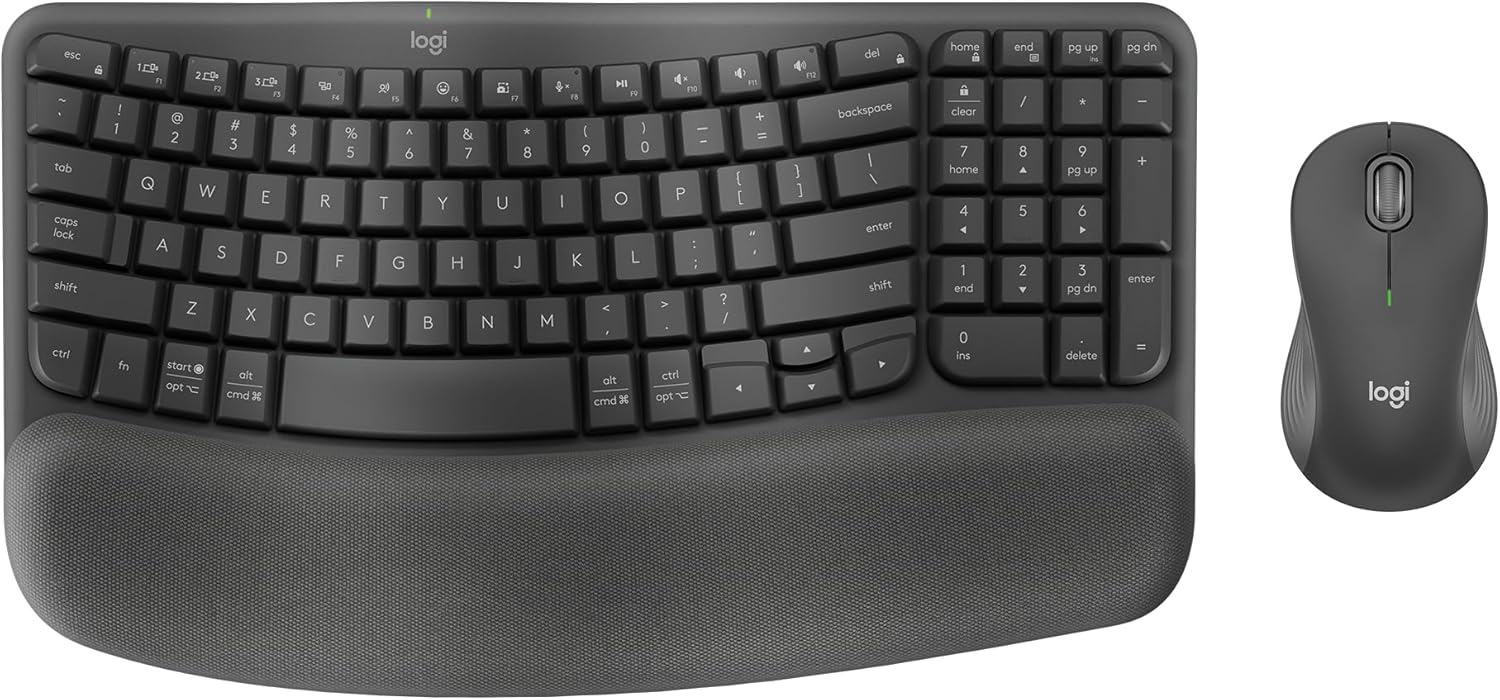
The Logitech Wave Keys MK670 Wireless Ergonomic Keyboard and Mouse Combo is a well-rounded solution for anyone spending long hours at a desk. Its wave-shaped keyframe and cushioned palm rest encourage a natural hand and wrist position, making it a strong choice for office workers, writers, or anyone looking to improve their typing posture.
The standout feature is the wavy design, which places your hands, wrists, and forearms in a comfortable alignment without the need for an expensive split keyboard. The memory foam palm rest adds a layer of plush support, while the compact layout allows the mouse to sit closer for better shoulder positioning. The included Signature M550 L mouse is equally thoughtful, with a contoured shape, rubber grip, and SilentTouch technology that reduces click noise by 90% for a quieter workspace.
Connectivity is flexible, offering Bluetooth or the Logi Bolt receiver, and the keyboard can switch between up to three paired devices using Easy-Switch. Battery life is impressive, with up to three years on the keyboard and two years on the mouse. The build quality feels solid, and both devices incorporate certified post-consumer recycled plastic, adding an eco-friendly touch without compromising durability.
There are a few things to consider. The ergonomic wave shape may feel different at first, and users with particularly small hands may find the mouse too large. Also, unlike the keyboard, the mouse does not support Easy-Switch device switching. Still, these are minor issues compared to the overall comfort and productivity gains.
Overall, the Logitech Wave Keys MK670 combo is a smart investment for anyone prioritizing ergonomics and focus. It combines thoughtful design, quiet operation, and reliable wireless performance in a single setup, making it one of the better ergonomic combos in its price range.
Pros
- Dramatically reduces wrist and forearm strain compared to traditional keyboard and mouse setups.
- Generous battery life with easy recharging via USB-C, perfect for office or home use.
- Pillowed wrist rest is comfortable and stays in place during typing.
- Vertical mouse offers smooth, silent clicks and side scrolling for added convenience.
- Affordable price point for a complete ergonomic combo with solid build quality.
Cons
- USB-C port is an adapter for the receiver, not a direct connection, which may confuse some users.
- Split keyboard takes time to adjust to for those used to standard layouts.
- Vertical mouse may feel large for users with smaller hands.
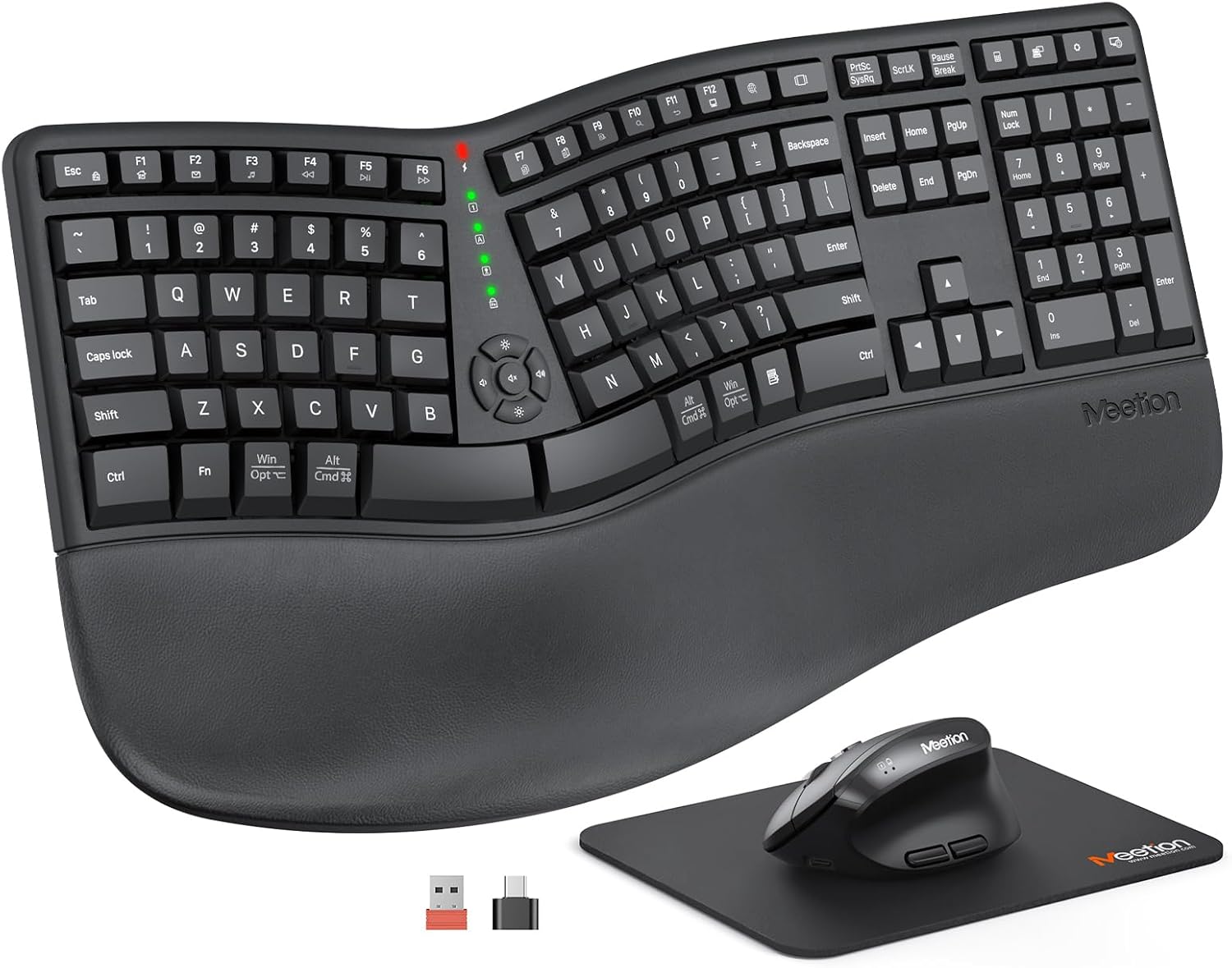
The MEETION Ergonomic Keyboard and Mouse Combo is designed for users who spend long hours at a computer and want to reduce discomfort. The split keyboard and vertical mouse work together to keep your wrists and arms in a neutral position, making it a great choice for office workers, writers, and anyone prone to repetitive strain injuries.
The standout feature is the Director-C split keyboard, which separates into two halves. This allows each hand to type at a more natural angle and distance, eliminating the twisting and reaching that cause fatigue. The concave key well and angled keys further enhance comfort by following the natural contours of your fingers. The included pillowed wrist rest adds a layer of soft, non-slip support that keeps your wrists comfortable even during marathon typing sessions.
The vertical mouse is equally impressive, offering a handshake grip that relieves pressure on the wrist and forearm. With adjustable DPI (800 to 2400), silent clicks, and a side-scrolling wheel, it handles everything from precise editing to casual browsing. Both devices are rechargeable with 500mAh batteries that last up to two months, so you seldom need to think about charging. The single USB-A receiver connects both devices reliably within 33 feet, keeping your desk free of dongles.
One potential drawback is the USB-C adapter, which must be plugged into the USB-A receiver to work. This can cause confusion if you expect the USB-C port to act as a direct connection. Additionally, the split layout demands a learning curve, and the vertical mouse may feel large for users with smaller hands. These are common trade-offs with ergonomic gear, but they are worth considering before purchase.
Overall, the MEETION combo delivers excellent ergonomic value at a reasonable price. It effectively reduces strain and improves posture without sacrificing functionality. If you want to upgrade your workstation to prevent discomfort, this set is a practical and affordable solution.
Buying Guide: What to Look for in an Ergonomic Mouse and Keyboard Set
Choosing the right set can feel overwhelming with so many options. Focus on these key features to find the best fit for your needs.
Ergonomic Design and Posture Support
The primary goal of an ergonomic set is to keep your wrists, hands, and forearms in a neutral position. Look for a keyboard with a split or curved keyframe that allows your hands to rest naturally. A vertical mouse can also help by reducing forearm twisting. For more on this, check out our review of the best split ergonomic keyboards.
Palm rests are another critical feature. A cushioned wrist rest reduces pressure on the carpal tunnel area. Many models offer adjustable tilt legs to customize the angle, whether you sit or stand.
Wireless Connectivity and Multi-Device Support
Modern ergonomic sets often support Bluetooth and USB receivers, allowing you to switch between your laptop, tablet, and phone seamlessly. This flexibility is a huge productivity booster. If you work across multiple devices, look for a set with Easy-Switch or similar technology.
Battery life matters too. Rechargeable batteries or long-lasting AAs mean less downtime. Some models also feature auto-sleep modes to conserve power.
Mouse Customization and DPI
An ergonomic mouse should fit your hand size and grip style. Vertical mice are popular for reducing wrist strain, while contoured designs offer thumb rests. Adjustable DPI settings let you control cursor speed for precision tasks. For more on vertical mice, see our guide to the best vertical mouse for wrist pain.
Quiet clicks and programmable buttons can also enhance your workflow. These features may seem small but can make a big difference in daily comfort.
Compatibility and Workspace Fit
Ensure the set works with your operating system, whether Windows, macOS, or ChromeOS. Some models include dedicated switches for easy toggling. Also consider the size: a full-size keyboard may require more desk space, while compact designs free up room for your mouse. Measure your desk before buying, and think about your typing style. For more on proper setup, read our guide on how to position your keyboard and mouse ergonomically.
Final Thoughts
After evaluating the top contenders, we believe the best ergonomic mouse and keyboard set for most people is the Logitech Wave Keys Keyboard & Lift Mouse Ergonomic Combo, which offers a proven design, excellent palm support, and a vertical mouse that reduces strain for small to medium hands. For a more budget-friendly but highly rated alternative, the MEETION Ergonomic Keyboard and Mouse, Split Curved 2.4G/Bluetooth Keyboard delivers a split design and cushioned wrist rest at a lower investment, making it ideal for those new to ergonomic setups or with limited desk space. Both options are certified by ergonomists and built to improve your daily comfort.
Frequently Asked Questions
What is the best ergonomic mouse and keyboard set for wrist pain?
The Logitech Ergo K860 and Lift Vertical Mouse combo is a top pick for wrist pain relief, thanks to its split, curved keyboard and 57-degree vertical mouse. It is widely recommended by ergonomists for 2026.
Are wireless ergonomic keyboard and mouse sets reliable?
Yes, modern wireless sets use Bluetooth or 2.4 GHz receivers for stable connections. Many models support multi-device pairing and have long battery life, making them reliable for daily use.
How long does it take to adjust to a split keyboard?
Adjustment periods vary, but most users adapt within a few days to a week. The split design encourages a more natural hand position, which can feel unusual at first but quickly becomes comfortable.
Can I use an ergonomic mouse and keyboard with a Mac?
Yes, many sets are compatible with macOS. Look for models that include a dedicated Mac/Windows switch, like the Perixx Periduo-614US, which works seamlessly with both systems. For more on reducing wrist pain from typing, see our guide on how to reduce wrist pain from typing.


Write Your Review
No reviews yet. Be the first to share your experience!