

The fastest way to reduce back pain from sitting all day is fixing your chair’s lumbar support, getting up every 30 to 60 minutes, and checking your desk height. OSHA recommends a five-minute break from computer tasks every hour. Most people notice less stiffness within one to two weeks of consistent changes.
- OSHA’s Computer Workstations eTool recommends a five-minute break from computer tasks every hour, enough time to stand, stretch, or walk.
- A lumbar cushion runs about $20 to $40, but it works best as a temporary aid, not a permanent fix for a chair with no built-in support.
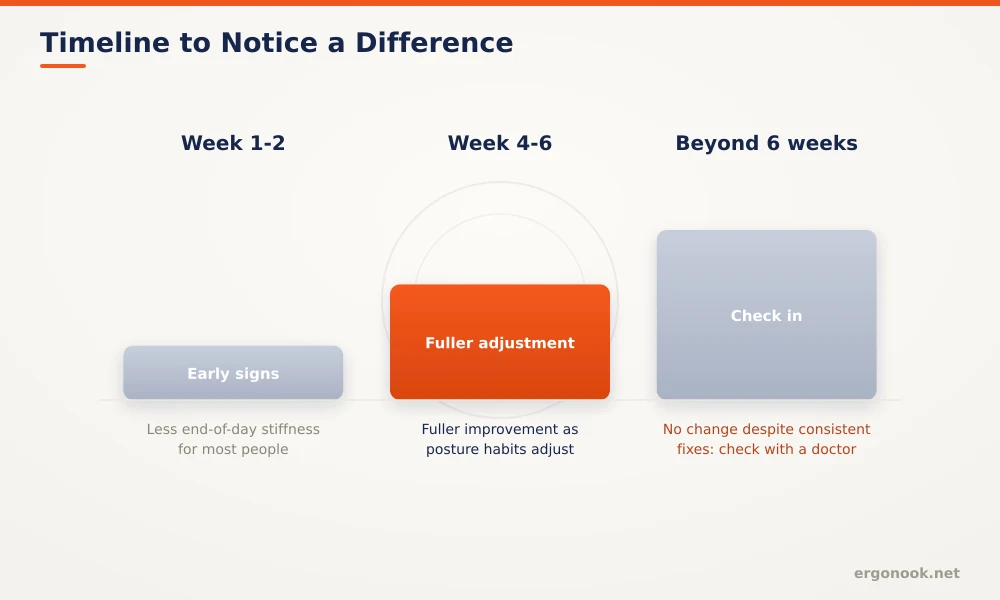
- Most people notice less end-of-day stiffness within one to two weeks of a properly fitted chair and regular movement breaks, with fuller improvement by four to six weeks.
- Sitting at the very front edge of your seat cuts off lumbar support entirely, one of the most common posture mistakes in an otherwise well-built chair.
This article is for general educational purposes and is not medical advice. If you have persistent pain, numbness, or tingling, talk to a doctor or physical therapist before changing your equipment or routine. For general workplace ergonomics guidance, see resources from OSHA and NIOSH.
In this article:
- Why sitting puts more strain on your back than standing
- 5 ways to reduce back pain from sitting all day
- How to set up your workspace to prevent back pain
- How long it takes to notice a difference
- When to see a doctor
- Frequently asked questions
Why Sitting Puts More Strain on Your Back Than Standing
Sitting increases pressure on the discs in your lower spine compared to standing, and that pressure builds the longer you stay in one position without shifting. A chair with poor lumbar support lets your lower back round into what’s called a posterior pelvic tilt, which flattens your spine’s natural curve and pushes more load onto the discs and surrounding muscles.
Cleveland Clinic’s guidance on low back pain points to the same root cause: a soft chair or couch that doesn’t hold the curve of your back forces those muscles to work overtime just to keep you upright (Cleveland Clinic). Mayo Clinic Health System’s posture guidance adds that your ears, shoulders, and hips should line up in a straight column when you sit, which is hard to do in a chair that lets you sink or slouch (Mayo Clinic Health System). Armrests set too high add to the problem too, pushing your shoulders toward your ears over a full day and creating upper back tension that often gets blamed on a separate cause.
5 Ways to Reduce Back Pain From Sitting All Day
These five changes address the most common causes of back pain from sitting, starting with the one that matters most.
1. Fix Your Chair’s Lumbar Support First
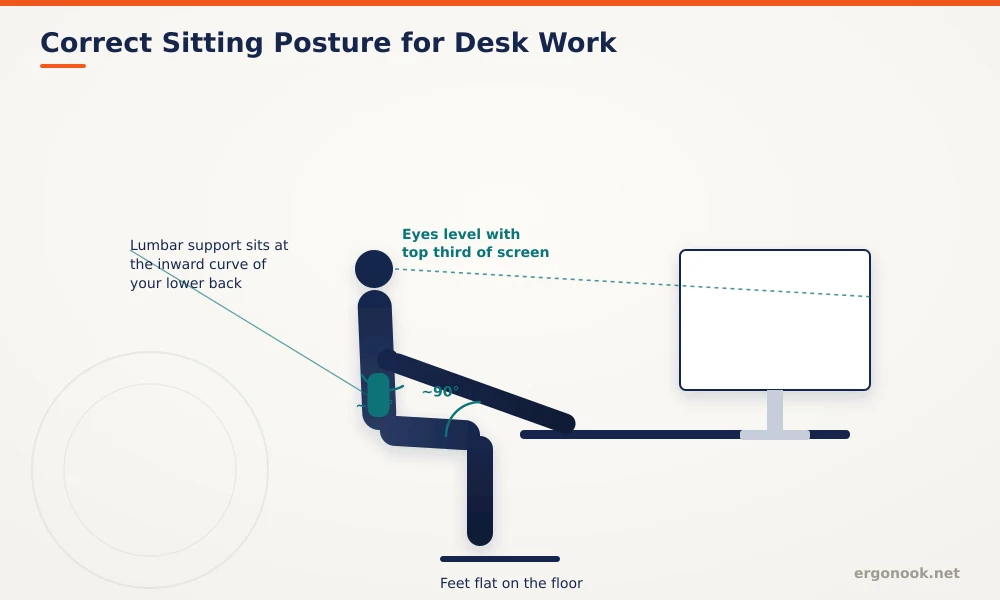
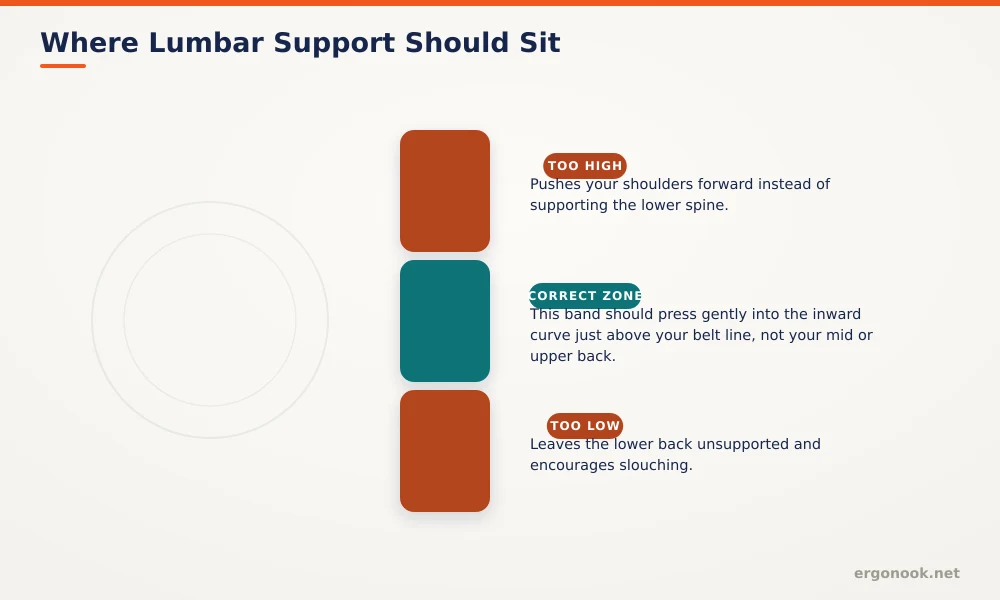
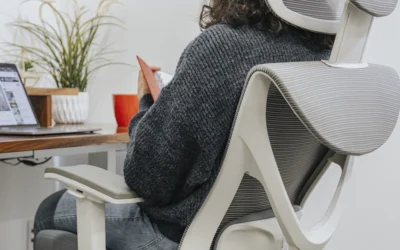
Start with the chair, since it’s the one variable you interact with the most hours per day. Check three things: whether the lumbar support actually sits at the curve of your lower back, not above or below it, whether your feet rest flat with knees near a 90 degree angle, and whether the seat depth lets your back reach the backrest without the front edge digging into your knees. A chair that fails any of these forces your spine to fight against it for hours.
2. Get Up Every 30 to 60 Minutes
OSHA’s ergonomics guidance recommends a five-minute break from computer tasks every hour, enough time to look away, stretch, get up, or walk (OSHA Computer Workstations eTool). Even a short walk to refill your water bottle counts. It’s the sustained static load that causes the ache, not any single posture, so breaking it up matters more than hunting for one perfect sitting position.
3. Check Your Desk and Monitor Height
A monitor set too low forces you to hunch forward, which rounds your upper back and adds strain lower down the spine as your body compensates to keep your head balanced over your shoulders. Check that your screen’s top third sits at eye level at the same time you fix your chair, since the two problems usually show up together.
4. Stop Sitting on the Edge of the Seat
Sitting at the very front edge of the seat cuts off lumbar support entirely, one of the most common habits we see in chairs that otherwise have good ergonomics built in. Slide back until your spine actually touches the backrest, even if that means adjusting the seat depth first.
5. Add Movement Outside Your Desk Time
A short walk during lunch, standing during phone calls, or a few minutes of stretching your hip flexors and lower back at the end of the day can offset some of the stiffness that builds up from a full day of sitting, even with a good chair. None of this needs to be a formal workout. The goal is avoiding long, unbroken stretches in one position.
How to Set Up Your Workspace to Reduce Back Pain From Sitting All Day
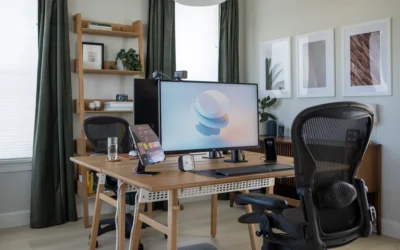
If your current chair doesn’t have adjustable lumbar support, or the seat depth doesn’t fit your frame, that’s usually the first thing to fix, before adding cushions or changing habits. Our chairs built specifically for lower back pain roundup covers models scored on lumbar adjustability and seat depth range, not just cushioning.
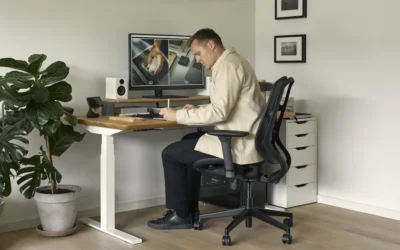
Desk height matters just as much as the chair. Your keyboard should sit at a height where your elbows rest near 90 degrees without reaching up or down, and your monitor’s top third should land at eye level. If you’re working from a laptop on a kitchen table, both of those are usually wrong by default, which is worth checking before you assume the chair is the only problem.
How Long It Takes to Notice a Difference
Swapping to a better chair or fixing your desk height doesn’t erase back pain overnight, especially if the discomfort built up over months or years of poor setup. Here’s a realistic timeline.
| Timeframe | What to Expect | What to Do |
|---|---|---|
| Day 1 to 3 | Normal to feel no different yet, or slightly more aware of your posture | Stick with the new chair and habits, don’t judge results this early |
| Week 1 to 2 | Less end-of-day stiffness for most people | Keep tracking your movement breaks |
| Week 4 to 6 | Fuller improvement as posture habits adjust alongside the equipment | Fine-tune lumbar height and desk position if still uncomfortable |
| Beyond 6 weeks, no change | Not typical for a setup fix alone | See a doctor or physical therapist |
When to See a Doctor
Most back pain from sitting responds to the changes above within a few weeks. Pain that doesn’t improve at all despite consistent changes, or that comes with numbness, tingling, or pain that radiates down a leg, is a sign to check with a doctor rather than keep adjusting equipment. Cleveland Clinic’s coping guidance notes that persistent or worsening pain deserves a professional evaluation rather than more trial and error at your desk (Cleveland Clinic).
Frequently Asked Questions
How often should I get up if I sit all day?
Roughly every 30 to 60 minutes is a commonly cited guideline. Even a short walk to refill your water bottle counts.
Can a cushion fix a chair with bad lumbar support?
A lumbar cushion can help temporarily, but it doesn’t replace a chair with properly shaped, adjustable support built in.
Does desk height matter for back pain, not just the chair?
Yes. A desk height that forces you to reach up or hunch forward adds strain on top of whatever the chair provides, so it’s worth fixing both at once.
Who shouldn’t rely on a chair change alone?
If the pain is sharp, radiates down a leg, or has lasted more than a few weeks, that’s beyond what a chair change can fix. See a doctor first.
Taken together, chair fit, desk height, and regular movement breaks reduce back pain from sitting more completely than any single fix. Most people see the biggest improvement from correcting a few small mismatches at once, then giving their body a few weeks to adjust to the combined change.



Write Your Review
No reviews yet. Be the first to share your experience!