

For most home offices, a desk converter is the better first buy. It costs less, needs no assembly, and works on the desk you already own. Skip straight to a full standing desk if you run dual monitors, need to lift more than about 20 kg (44 lbs) of gear, or know you want a permanent sit-stand setup.
| Feature | Desk Converter | Standing Desk |
|---|---|---|
| Typical cost | $120-$300 | $250-$700 |
| Setup time | Minutes, no tools | 30-90 minutes, some assembly |
| Weight capacity | Around 20 kg (44 lbs) | Up to 70-100+ kg (150-220+ lbs) on multi-motor frames |
| Desk space used | Sits on your current desk, shrinks usable depth | Full surface moves as one unit |
| Stability at standing height | Can wobble on cheaper models | Generally more stable, wider base |
| Works with existing desk | Yes | No, it replaces the desk |
| Best for | One monitor or a laptop, renters, tight budgets | Dual monitors, heavier gear, long-term setups |
In this article:
- What is a desk converter?
- What is a standing desk?
- Comfort and stability
- Cost
- Space and weight capacity
- When a converter is the better choice
- When a full standing desk is the better choice
- Can you use both?
- Frequently asked questions
What Is a Desk Converter?
A desk converter is a platform that sits on top of the desk you already have. Push it down and you’re sitting. Lift it up, usually with a spring, gas piston, or crank, and you’re standing at the same desk. It’s the cheapest way to add a sit-stand option to a home office without buying new furniture.
Most converters top out around 20 kg (44 lbs) of load, enough for one monitor, a keyboard, and a laptop. Push past that with dual monitors or a docking station and cheaper models start to feel shaky at full height.
Converters come in two rough shapes. A negative-space riser has the keyboard tray hanging lower than the desk surface, which keeps your typing height closer to sitting position even at full extension. A flat-platform converter is simpler, one wide shelf that lifts as a single unit, but it sits your keyboard higher than a riser style, which matters if you’re tall or already borderline on desk height. Either style clamps or rests on your current desk without tools.
What Is a Standing Desk?
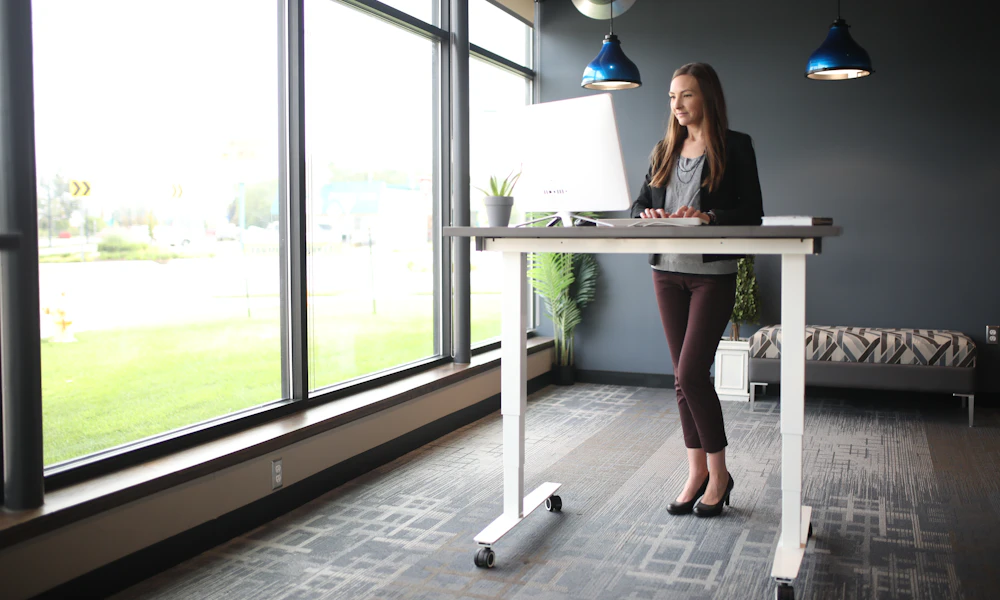
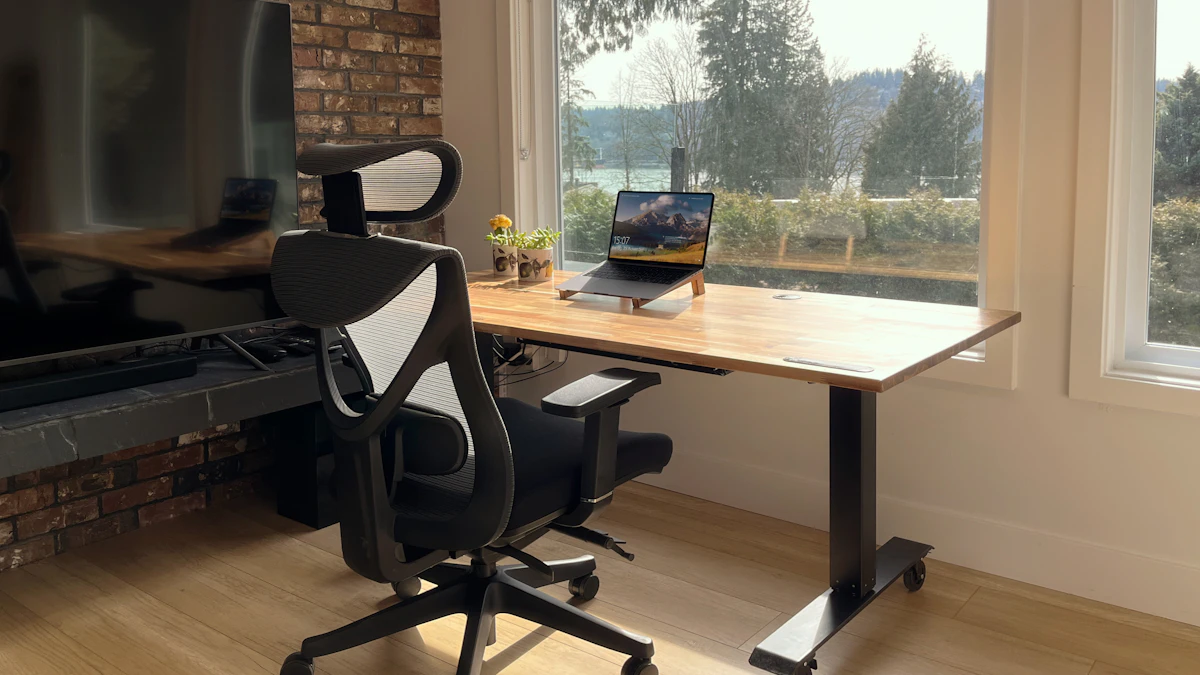
A standing desk replaces your current desk entirely. The whole surface rises and lowers on a motorized or manual frame, so nothing is stacked on top of anything else. Electric models with dual or triple motors handle significantly more weight, some rated well over 100 kg (220 lbs), which matters once you’re running two monitors, a printer, or a heavier all-in-one PC.
Frame type drives both price and capacity. Manual crank desks are the cheapest electric-free option but slow to adjust, which makes people skip standing up rather than crank for thirty seconds. Single-motor electric desks are the entry point for push-button height changes. Dual and triple-motor frames cost more but lift faster, hold more weight, and tend to wobble less at full height, the same stability advantage a converter can’t fully match since it’s still riding on a desk that wasn’t engineered for the load.
Desk Converter vs Standing Desk: Comfort and Stability
A full standing desk tends to feel steadier at standing height, mainly because the whole frame is built for that job, wider base, heavier motor, no separate platform balanced on top of a desk that wasn’t designed to support it. A budget converter on a wobbly desk can shake enough while typing to be distracting, especially on taller extensions.
Converters also cut into usable desk space. The platform itself takes up depth, so a 30-inch-deep desk effectively shrinks once a converter sits on it. If your desk is already tight, that’s worth measuring before you buy.
Desk Converter vs Standing Desk: Cost
Converters generally run $120 to $300. Full electric standing desks run $250 to $700 for a solid home office frame, more with a premium top or triple motor. The ranges overlap in the middle, and once you’re spending close to $300, a full desk is often the better value since you’re not also keeping the old desk underneath it taking up floor space.
Factor in what you already own, too. If your current desk is fine and paid off, a converter adds sit-stand ability for $120 to $300 total. A full standing desk replaces a desk you might otherwise keep, so the real cost includes selling or storing the old one. On resale, standing desks tend to hold value better on the used market than converters, since the demand for a full electric frame is steadier than for a secondhand platform riser.
Desk Converter vs Standing Desk: Space and Weight Capacity
This is the number that decides most purchases. A converter rated for 20 kg (44 lbs) covers a laptop and one monitor with room to spare. Add a second monitor, a monitor arm, a printer, or a full desktop tower, and you’re pushing past what most converters handle safely at full extension. Multi-motor standing desks are built for that load from the start.
Setup and Assembly
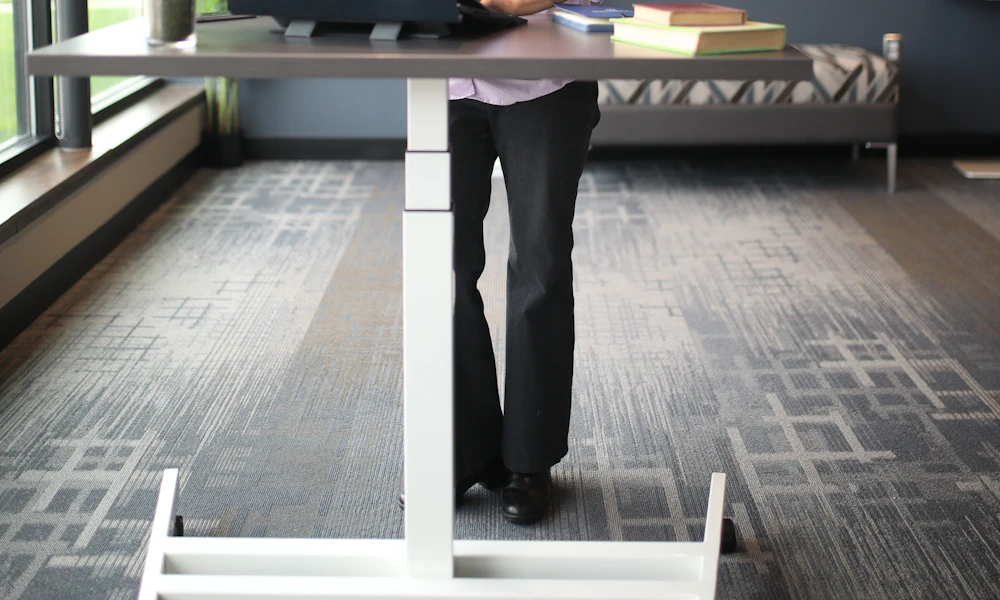
A converter is out of the box and on your desk in minutes, no tools, no manual. That’s most of its appeal for anyone who’s put off a standing desk purchase because assembly sounded like a weekend project.
A standing desk frame takes real assembly, legs, crossbar, motor wiring, and the tabletop itself, usually 30 to 90 minutes with two people making it easier on heavier tops. Electric motors also add a faint hum while adjusting, rarely loud enough to matter on a video call but noticeable in a quiet room. Neither of these is a dealbreaker, but they’re worth knowing before the box arrives.
When a Desk Converter Is the Better Choice
Pick a converter if you’re renting and can’t swap furniture easily, you want to try a standing routine before spending more, you run a single monitor or just a laptop, or your budget is under $200. See our picks for standing desk converters for models that handle a single monitor setup well.
A converter also makes sense in a shared or multi-purpose room, a dining table that doubles as a desk, a corner of a living room, since it comes off the surface entirely when you need the space back for something else. That flexibility is hard to match with a dedicated frame.
When a Full Standing Desk Is the Better Choice
Go straight to a full standing desk if you run dual monitors, you already know a sit-stand setup is a long-term fixture and not a trial, or your current desk is too small or too unstable to support a converter anyway. Our picks for electric standing desks built for heavy monitor setups cover frames rated for that load.
Can You Use Both?
Not really, and there’s no reason to. A converter’s whole job is standing in for a standing desk on top of a fixed-height desk. Once you own a full standing desk, the desk itself already does the lifting, so a converter on top just adds height you don’t need and cuts into your surface for no benefit. Pick one path, not both. If you’re still deciding between sitting and standing at all, our standing desk vs sitting desk comparison covers that first question. The one exception is a converter repurposed on a second desk elsewhere in the house, a kitchen counter or a kid’s homework desk, once your main workstation has moved to a full standing frame.
Common Mistakes When Choosing Between Them
- Buying a converter without measuring desk depth. A platform that overhangs the front edge of your desk is uncomfortable to lean against and can tip if loaded unevenly.
- Ignoring the weight rating. Stacking a second monitor onto a converter rated for one is the most common reason people end up disappointed within a month.
- Choosing a full standing desk for a rental without checking the lease. Some rentals restrict wall-mounted cable management or heavier furniture; a converter avoids that question entirely.
- Skipping the trial period most brands offer. Both converters and standing desks commonly come with a 30-day return window. Use it before deciding the fit is wrong.
Frequently Asked Questions
How much weight can a desk converter hold?
Most sit around 20 kg (44 lbs), enough for a laptop and one monitor. Check the manufacturer’s rating before adding a second monitor or a heavier all-in-one PC.
Will a desk converter fit on any desk?
Mostly, but measure your desk depth first. A converter’s base footprint can eat several inches of usable surface, which matters on smaller desks.
Is a desk converter worth it for a small apartment?
Often yes, since it avoids buying and fitting an entirely new desk into a tight space. It is also easier to remove or resell if you move.
Is a standing desk or a converter better for back pain?
Either works, since both let you alternate between sitting and standing, an approach NIOSH research associates with less low back pain than staying in one position all day. Stability matters more for comfort than which type you choose, so prioritize a model that does not wobble at full height.
Do desk converters wear out faster than standing desks?
Cheaper spring and gas-piston converters can loosen with daily use over a couple of years. Electric standing desk motors are generally rated for a longer duty cycle.
Can I upgrade from a converter to a full standing desk later?
Yes, and many people do once they know a sit-stand routine sticks. The converter usually gets sold or moved to a second workstation rather than stacked on the new desk.
For most home offices, start with a converter unless you already know you need dual-monitor capacity or a permanent setup. It’s the lower-risk, lower-cost way to find out if a sit-stand routine actually sticks before you commit to a full standing desk.





Write Your Review
No reviews yet. Be the first to share your experience!